




1. How to Use Internal Referrals
Step 1.1
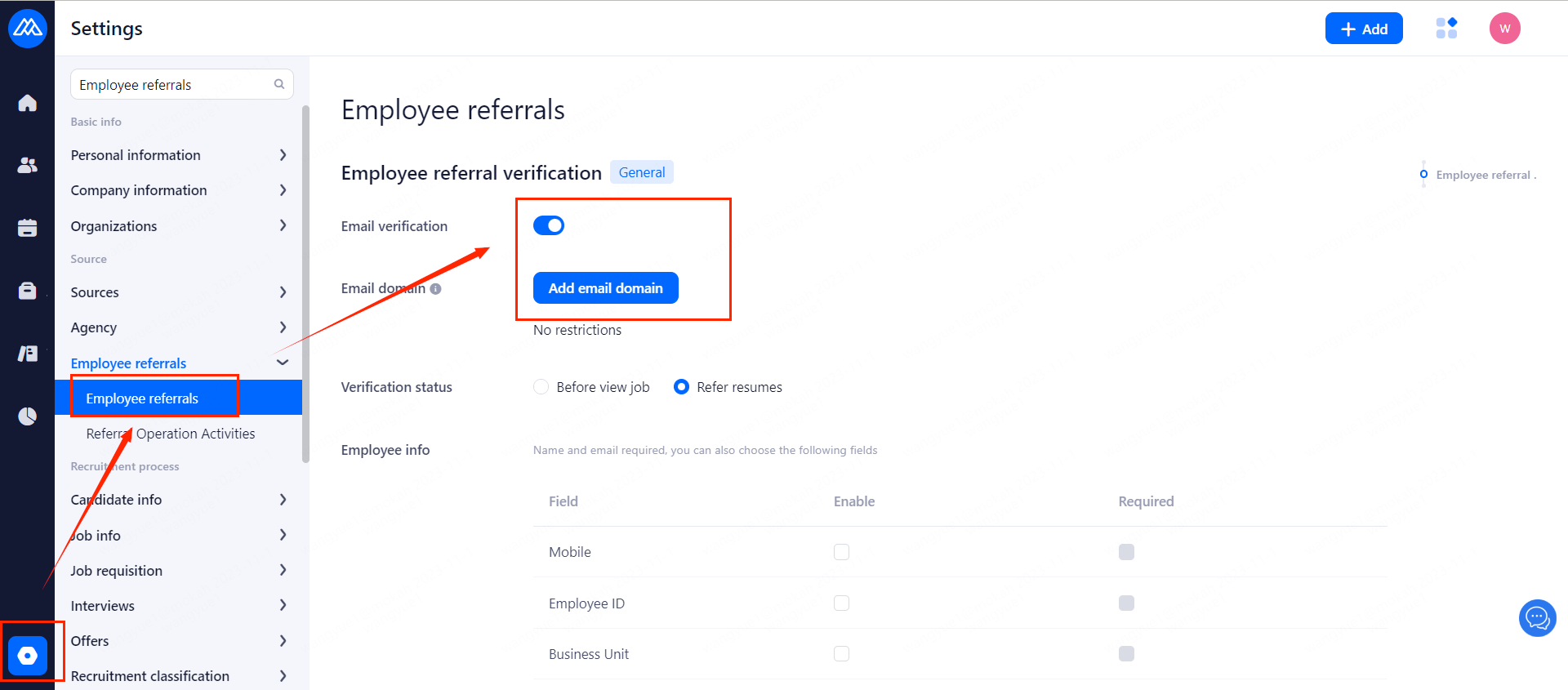
Find [Employee referrrals] on the settings page, turn on email verification, and add email domain.
Step 1.2
After setting an email domain name, only the email address of this domain name can be bound to become the company's internal recommender, recommend resumes to the company.
Step 1.3
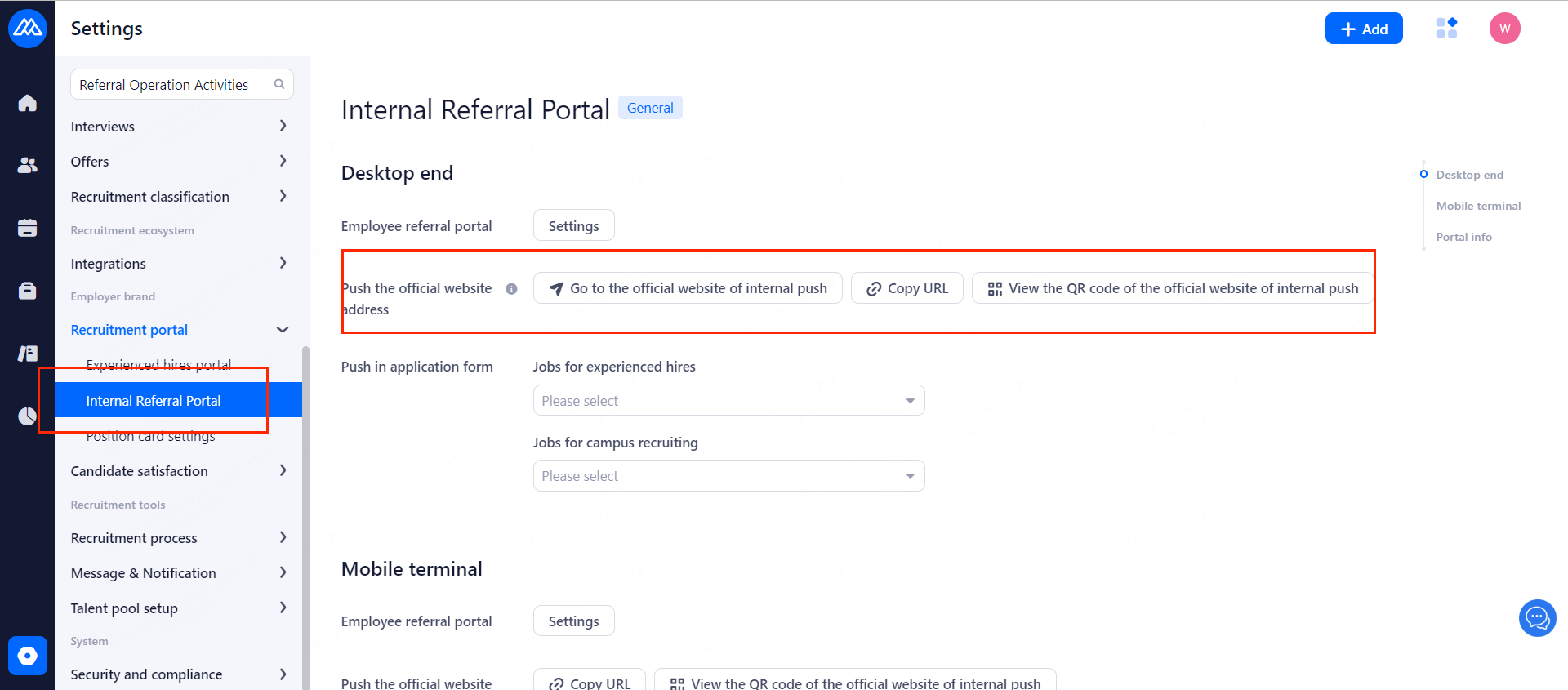
Share the referral official website address or WeChat QR code with company employees, so that employees within the company can see the recruitment positions that can be recommended internally.
2. How to add Positions to Internal Referrals?
2.1 First
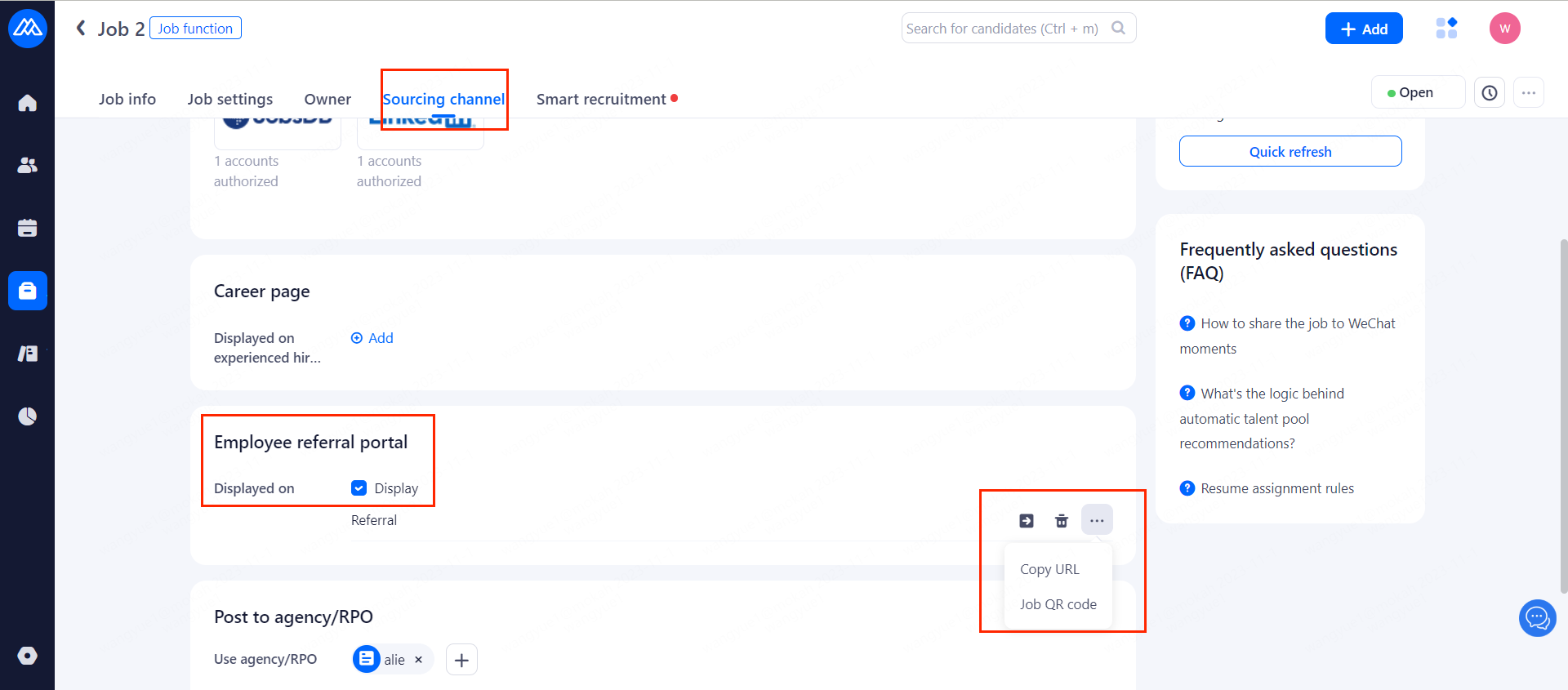
Enter the sourcing channel setting page of the position in job setting page or when creating a new position.
2.2 Check to display on the Official website of internal referrals.
3. How Company Employees Share and Recommend jobs
After HR shares the job list or job link or WeChat QR code to company employees, employees need to log in to share or recommend resumes as follows:
1. Click Login and it will jump to the identity verification page. You need to enter the email address and name of the set domain name.
2. Click Verify. If you enter the correct email address, a verification email will be sent to the entered email address.
3. Log in to your email and click to confirm binding.
4. After the binding is successful, refresh the previous position or job list page on your mobile phone.
5. Click Share to share the current position to your circle of friends or to your WeChat friends, who can directly apply for the position.
6. Click to recommend a resume, and you will be asked to fill in your email address, and then a link to upload your resume will be sent to the email address, then the referral will be completed on the web side.
7. Open your email, click on the link, submit your resume, and complete the referral.
8. HR can see the recommended resume in candidate management and check who recommended it.
9. Company employees can click on the referral record on the internal job referral list page to enter the referral record list page.
10. On the referral record page, you can view the referral record, the status of the recommender, and the referral time.
4. Who is the recommender?
Internally recommended positions can only be shared and recommended by employees within the company who have logged in. Therefore, if a resume is submitted through a link shared by a company employee after logging in, the recommender will be an employee of the company.
