




1. How to Use Headhunter Management
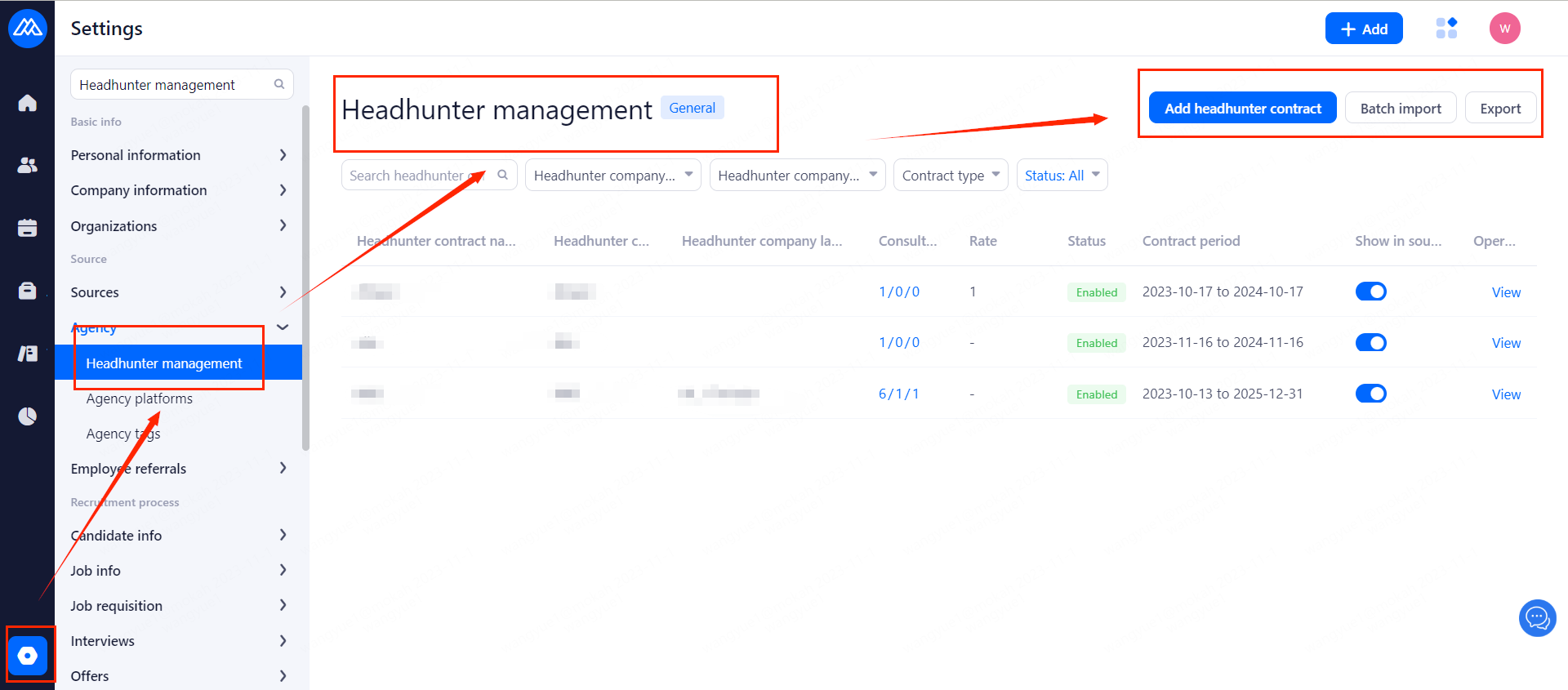
1.1 Go to the Settings page and find [Agency]
You can then enter the Headhunter Management page and click [Add headhunter contract] to add a new one.
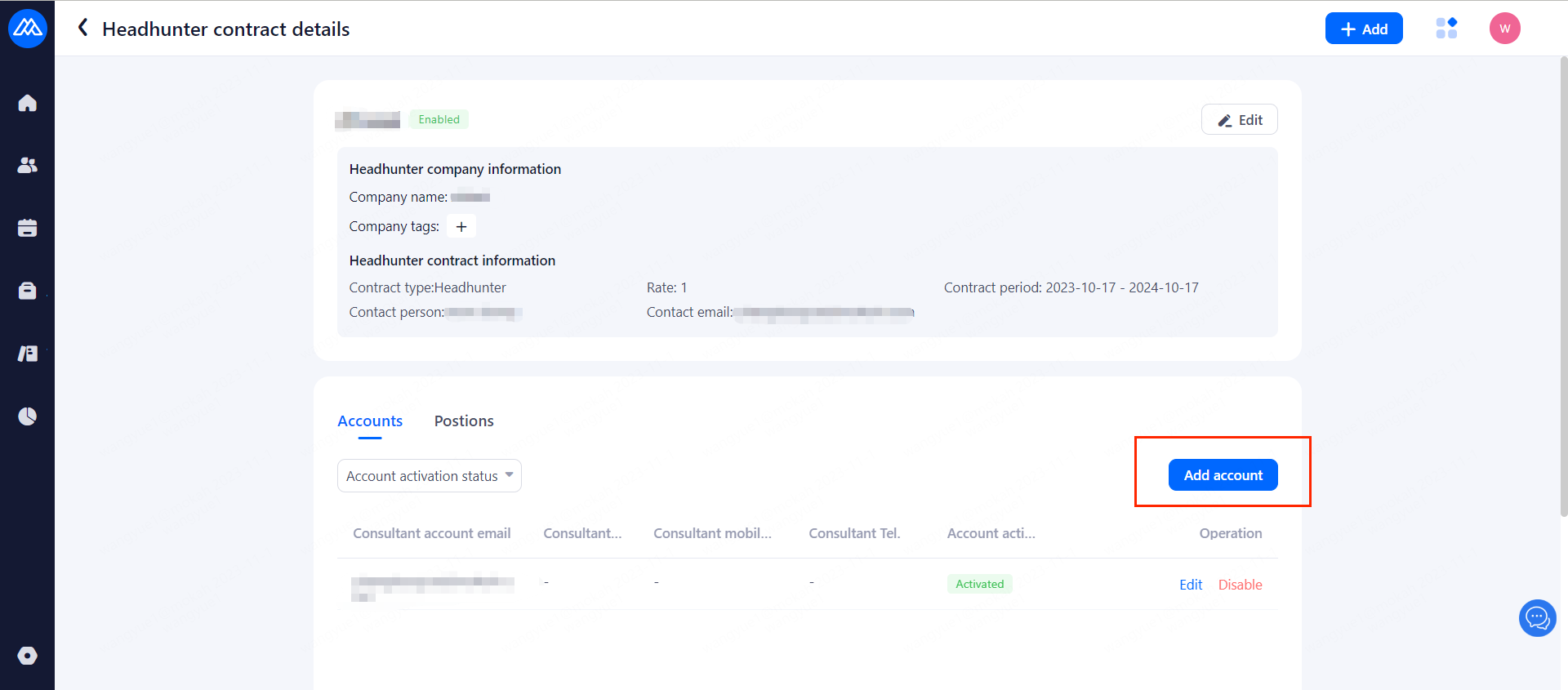
1.2 Hit View to get Details and add Account.
1.3 Fill in the Required Info
Enter the key information of the headhunter, click Activate and Keep to complete the headhunter creation. At the same time the headhunter will receive an activation email.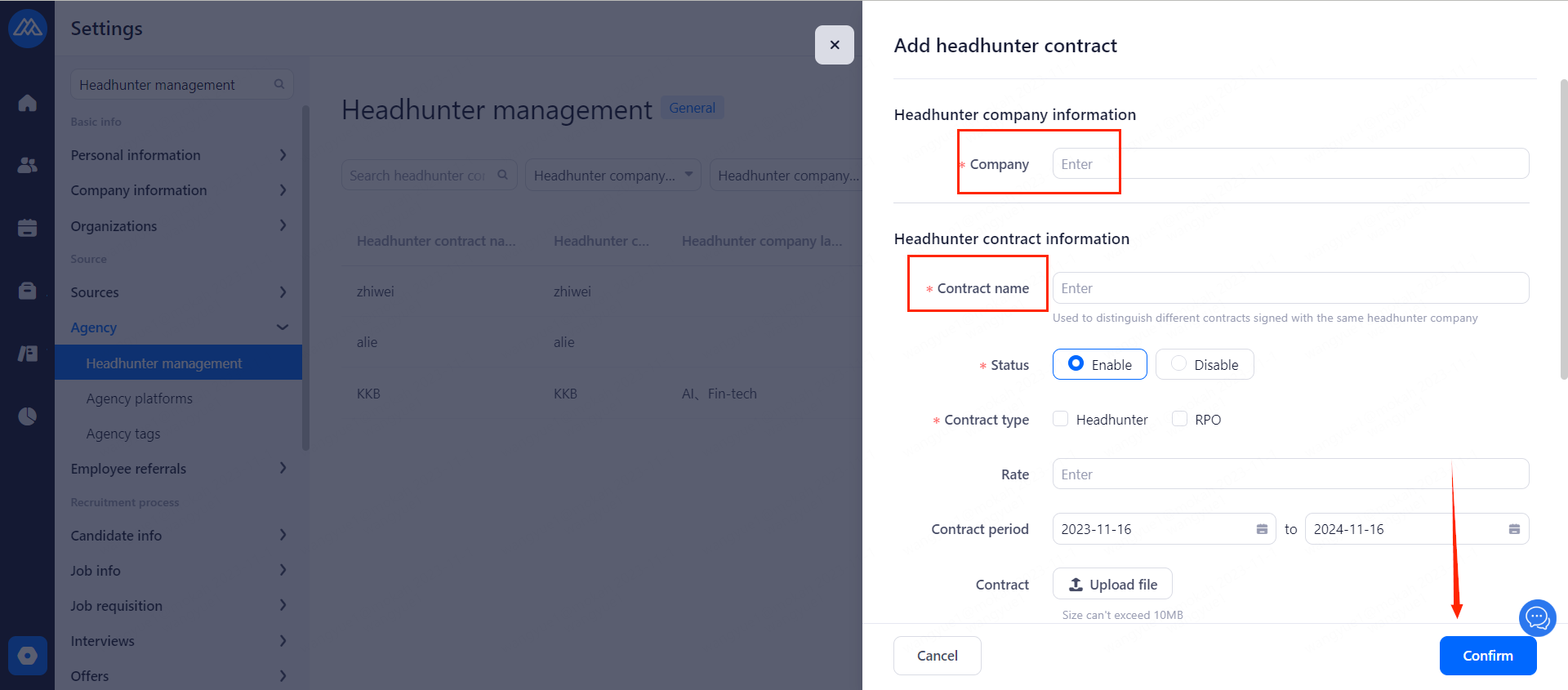
2. Assign Jobs to Headhunters
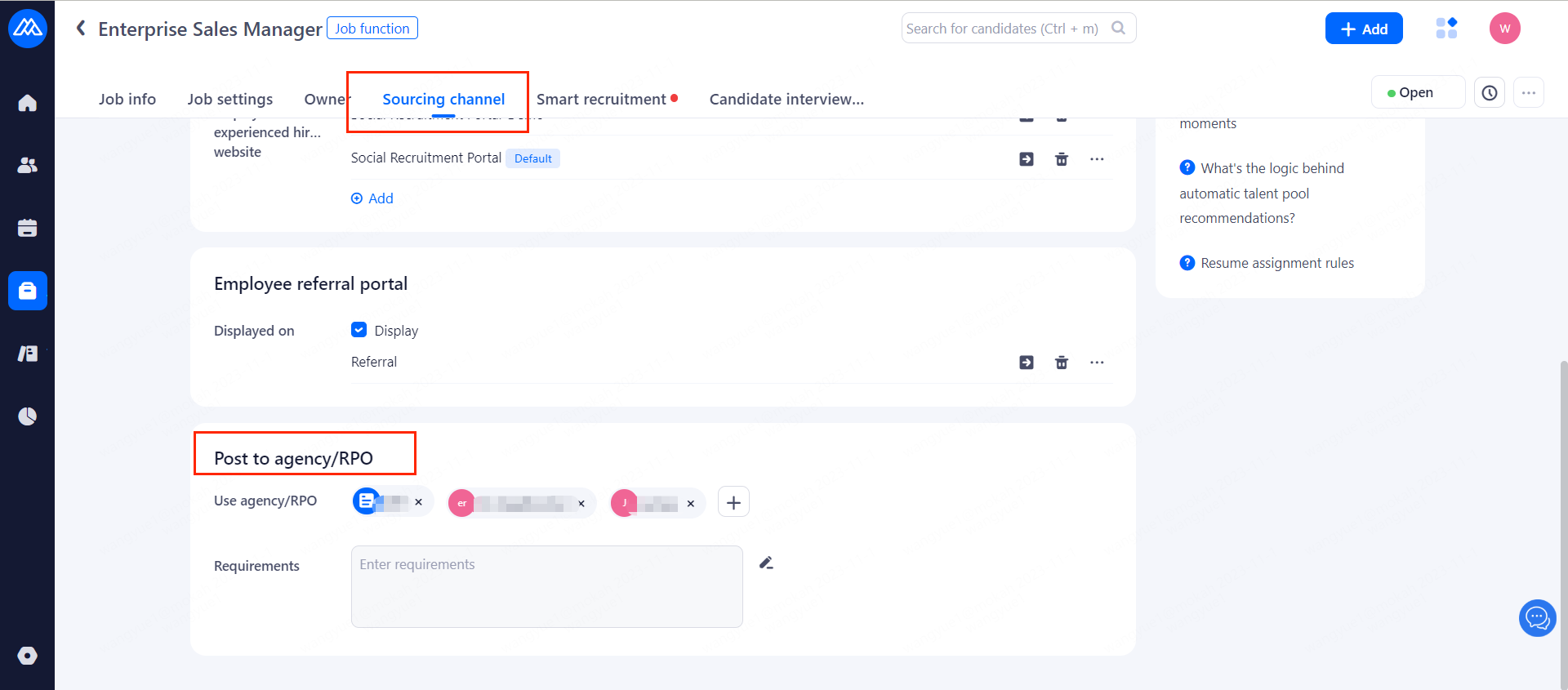
On the job details page, after clicking on [Sourcing channel] you can select the corresponding headhunter.Then the headhunter can see the position on the headhunter platform.
3. About Headhunters
● If you modify a headhunter as enabled in the headhunter settings, the headhunter will be displayed synchronously in the channel management.
●The headhunter will be deactivated automatically when the contract expires. After deactivation, the headhunter will not be able to log into the headhunter management platform to submit resumes.
4. How headhunter submit a resume?
4.1 After adding a New Account, the Headhunter will Receive an Activation Email.
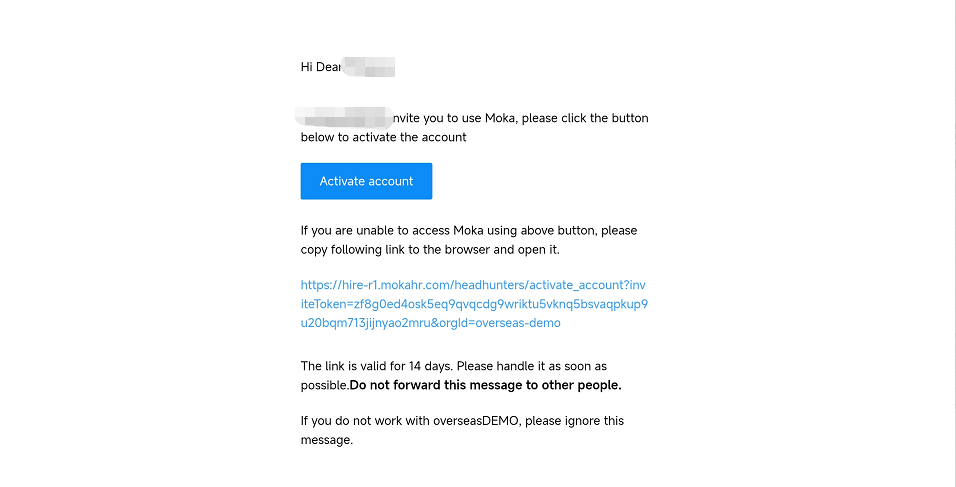
4.2 Click on the Activation Email
To activate the account, set the login password. After activation, you can log in using the headhunter's email address and password.
4.3 Enter the System
The headhunters can see the list of positions that open to them.
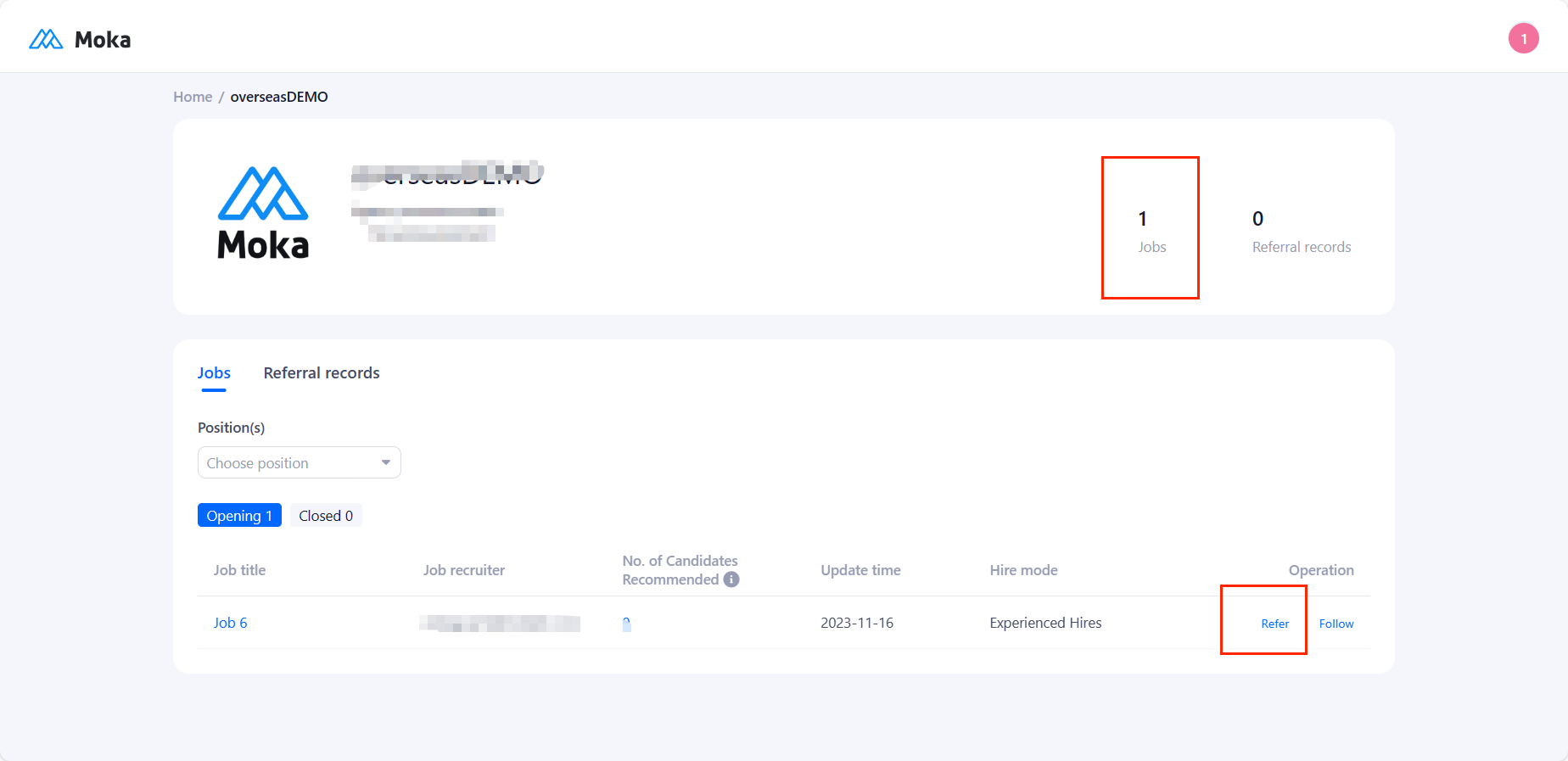
4.4 Click [refer] to upload resume.
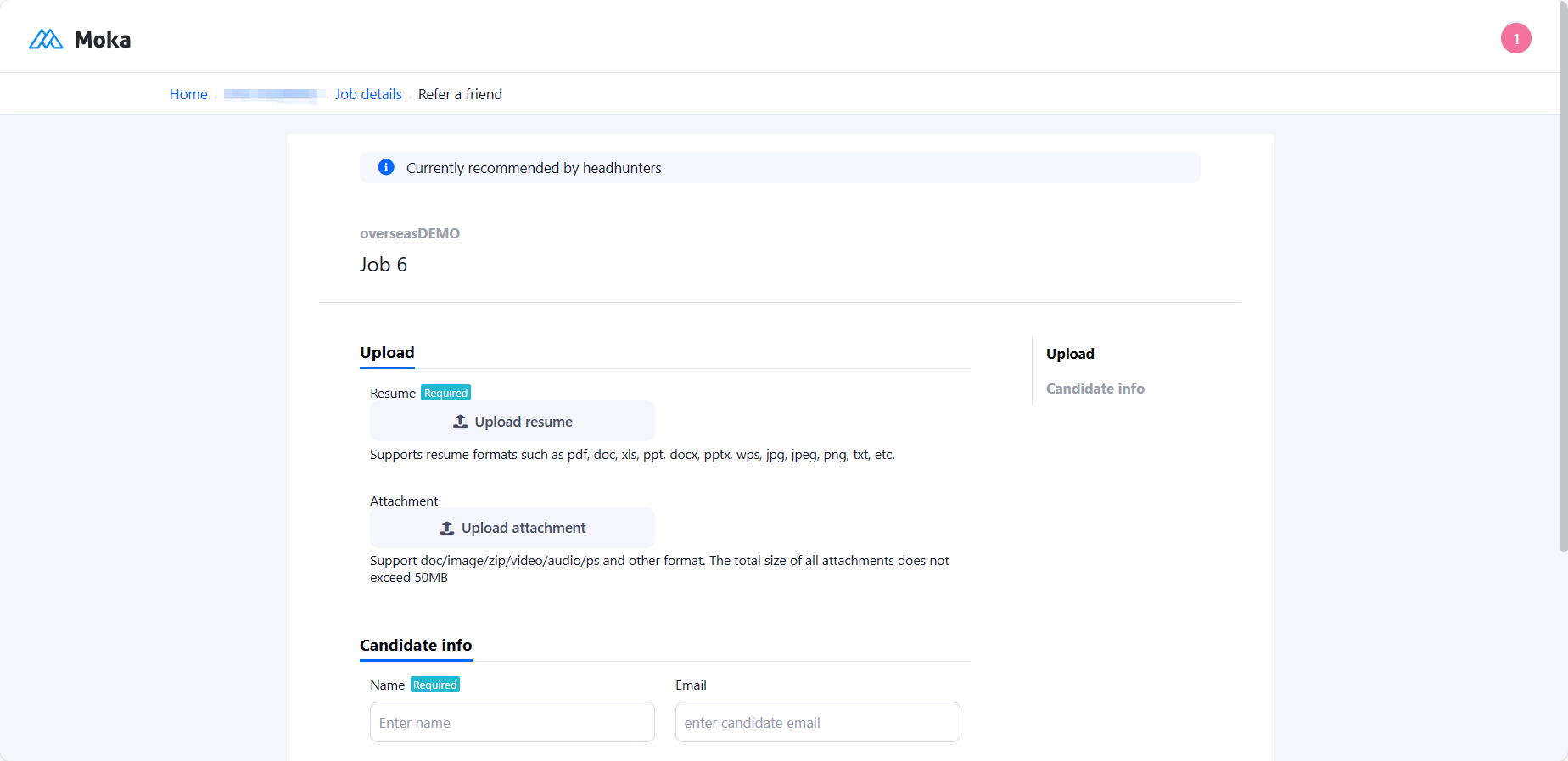
4.5 After submitting
You can view the referral record in the recommended candidates and follow up on the candidate's status.
