Scenario:
Colleague A (the person who is preparing to leave the company) is leaving the company and needs to hand over the account to Colleague B (the new employee who is new to the company).
Solution:
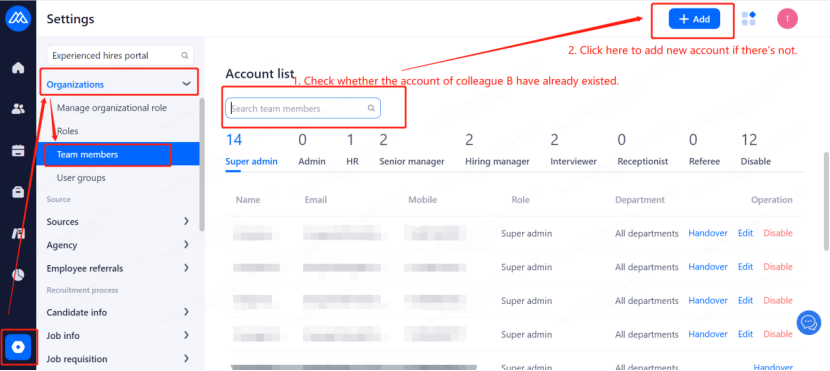
Super administrator or colleagues with permission to log in to their own systems, click on Settings - Organisation Management - Team Member Management - search for colleague B's account, if you can't find it you can click on the operation to add a member。
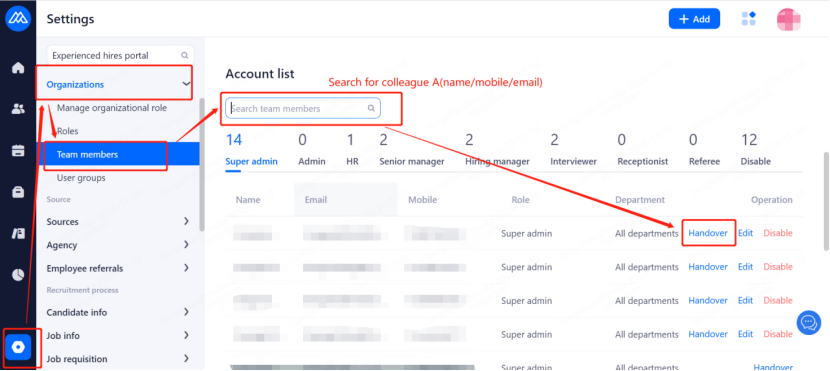
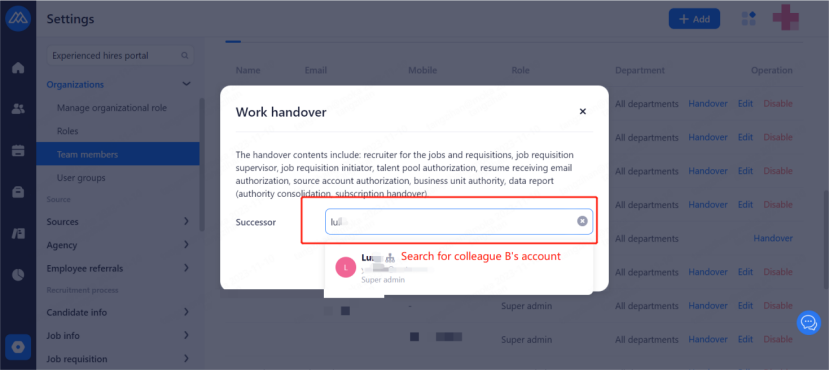
After adding, search for colleague A's account at the bottom, click on the handover. Then select colleague B's account.
Note: The account roles of the two colleagues need to be the same.
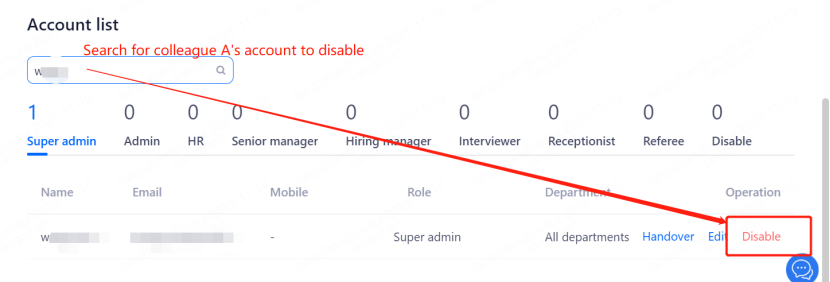
After the handover, if colleague A has left the company and will not log in subsequently, please disable his/her account to avoid occupying the number of accounts.
The content of the handover concludes: the role as recruiter, the role as requisition’s recruiter, the permission of the talent pool, the permission of department, the permission concerning report (merging of permissions, subscription handover).
Note: If there is a reminder of "no account available to add" when you add the account and you have no intention to increase the account capacity, you can turn to online customer service for assistance with colleague A and colleague B's name, mobile phone number, mailbox respectively provided. Or you can refer to the following special measurement.
Special measurement:
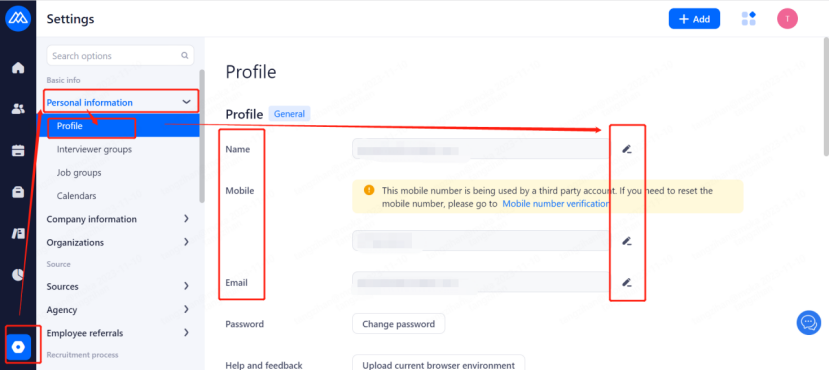
Colleague A can log into MOKA system, change the current name, email and mobile number to colleague B's information in Settings - Personal Information - Profile. And then send the password for logging to colleague B. Or after successful modification, colleague B can click on Forgot Password and reset password in the email.