




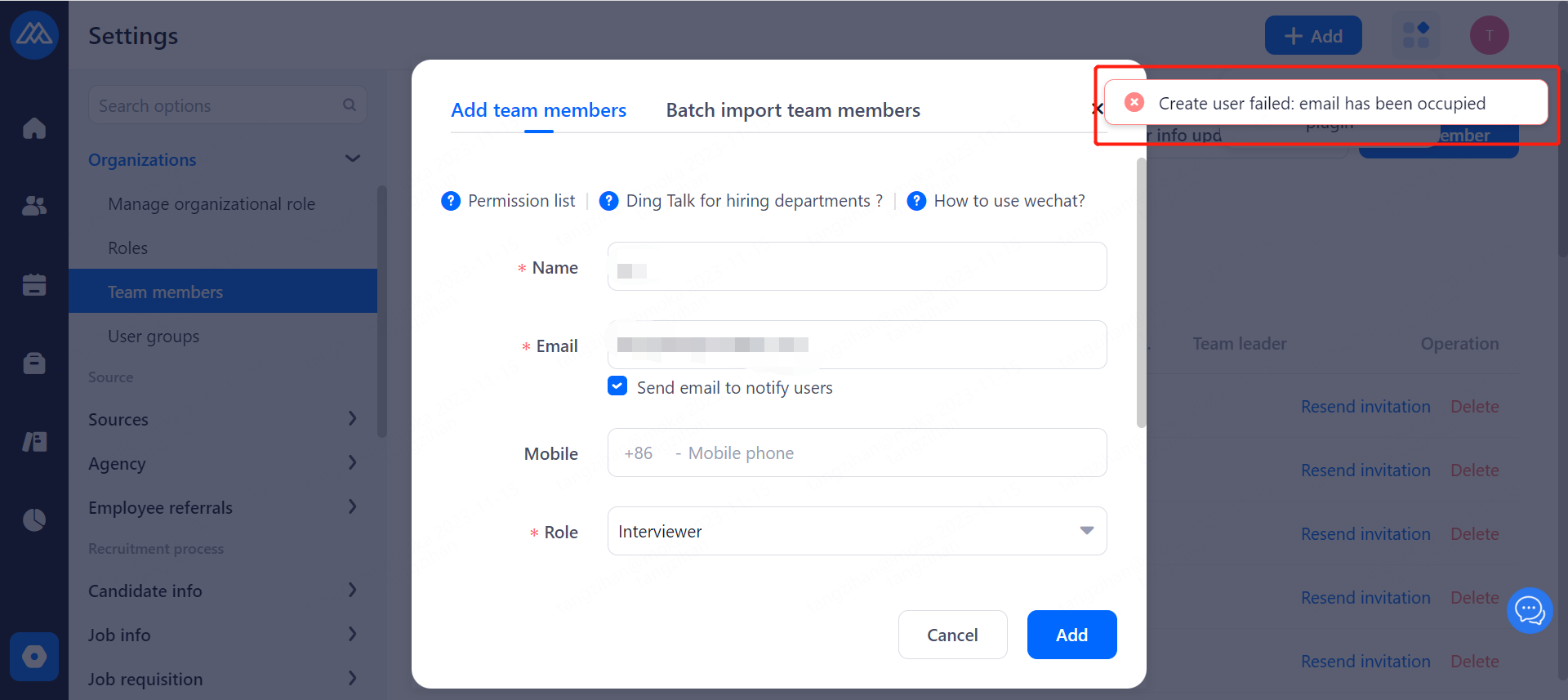
1.Reasons for displaying the account has been occupied and reporting error
The prompt indicates that the email address added has already been registered in the Moka system. It may be registered in the current enterprise's system or in another enterprise's system.
2.The solution after the new account is occupied
Check whether the account exists in "Team Members".
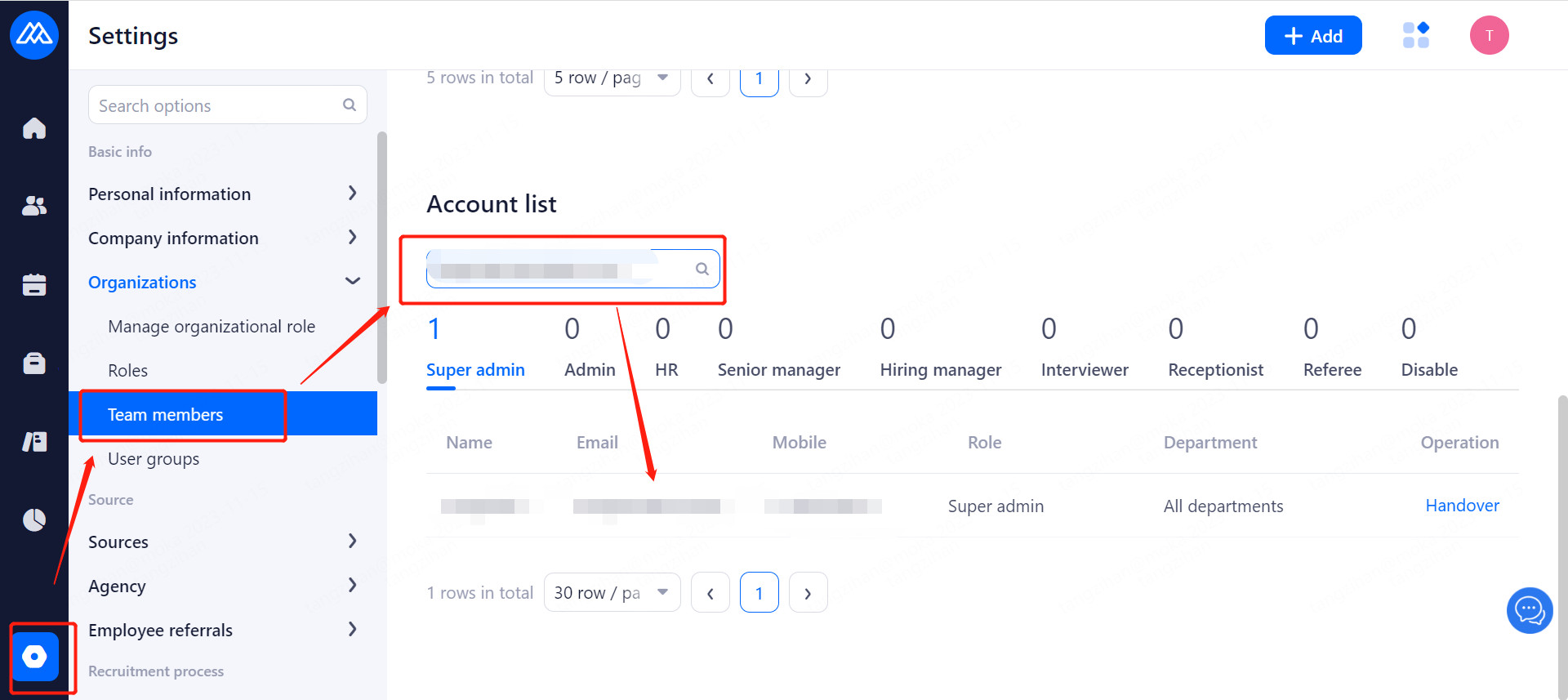
If it already exists, and the email needs to be used by the new account, you can first modify the email of the former account.
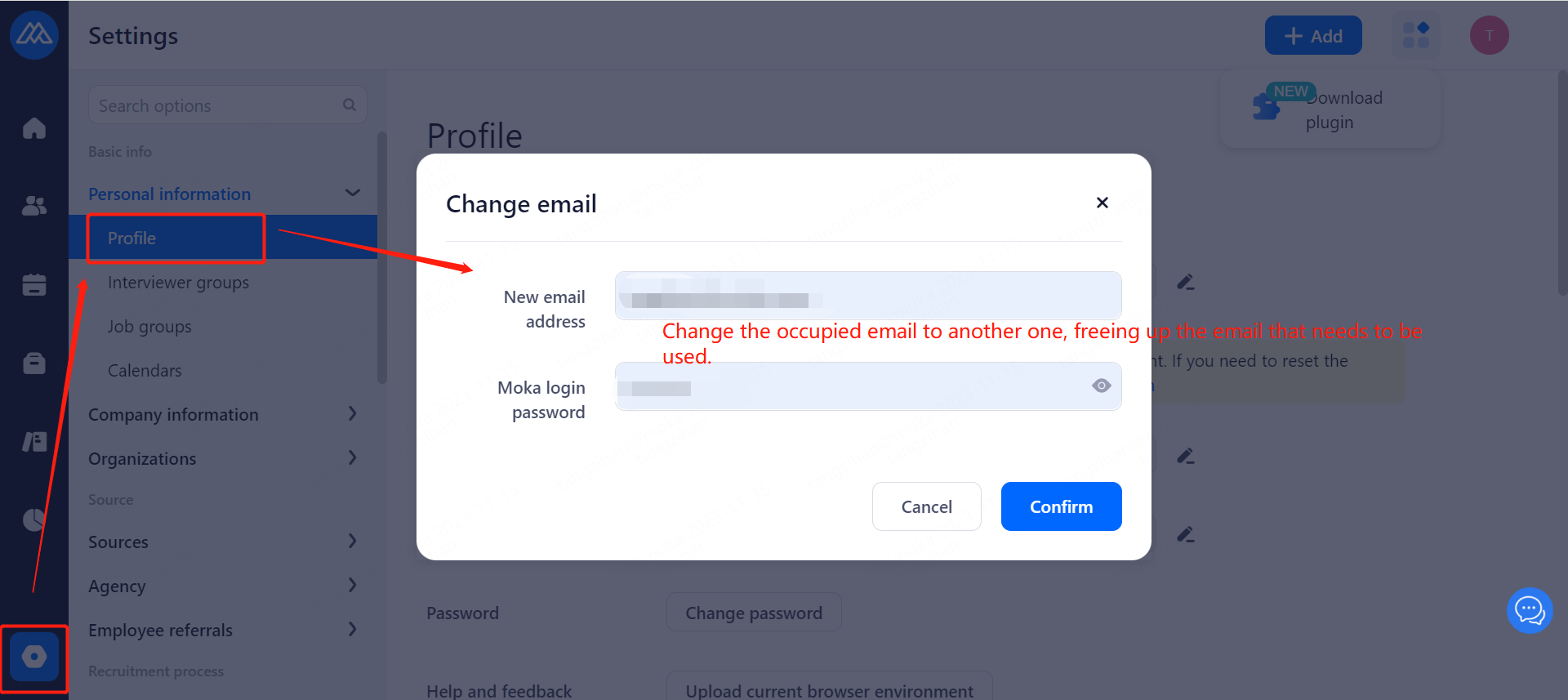
After the former account being disabled, the new account can use the email.

If no account is found when searching, you need to check whether the role added is in your own departments, if not, the operation can not be carried out, which can be confirmed through the super administrator account.
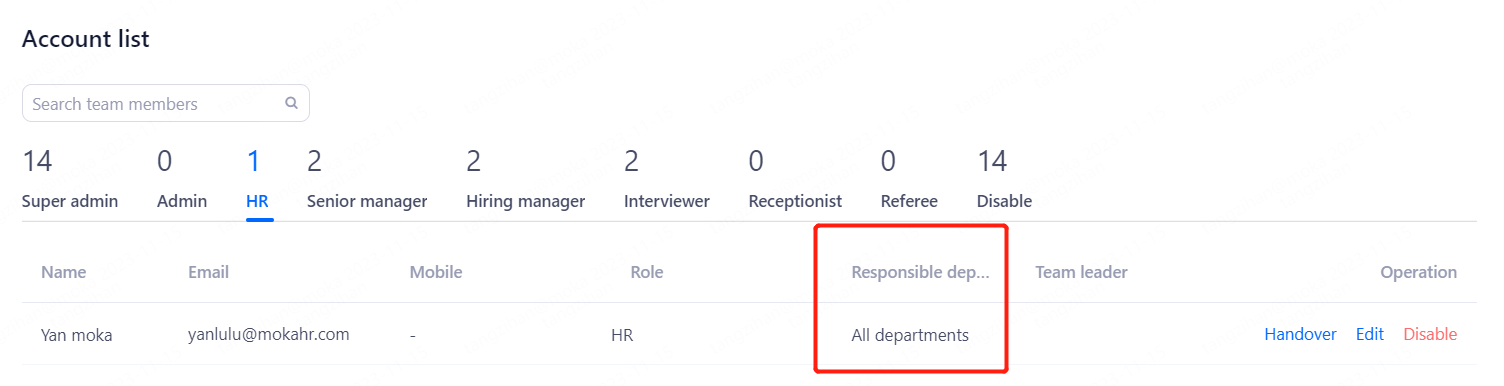
If the account is occupied, but not in the current enterprise, you can contact Moka customer service for assistance.
