




All doc

System Applications

Jobs and Requisitions
Jobs and Requisitions
Interview&Offer
Interview

Interview Question Bank
Interview Question Bank
Use of Different Interview Evaluation Form Setups For Differ
Use of Different Interview Evaluation Form Setups For Differ
How Senior Hiring Manager Accounts Self-Schedule Interviews
How Senior Hiring Manager Accounts Self-Schedule Interviews
Candidate Satisfaction Evaluation Form
Candidate Satisfaction Evaluation Form
Interview Feedback
Interview Rounds
Interview Evaluation Form Settings
Interview Evaluation Form Settings
Add Interview
Offer
Candidates&Talent pool
Candidates&Talent pool
Recruitement Process
Hiring Manager
Operation Manual
BI Report
Basic Instruction
Common Questions

Add Interview
Last updated 2023/11/27 Reading number 9


1. Adding interviews
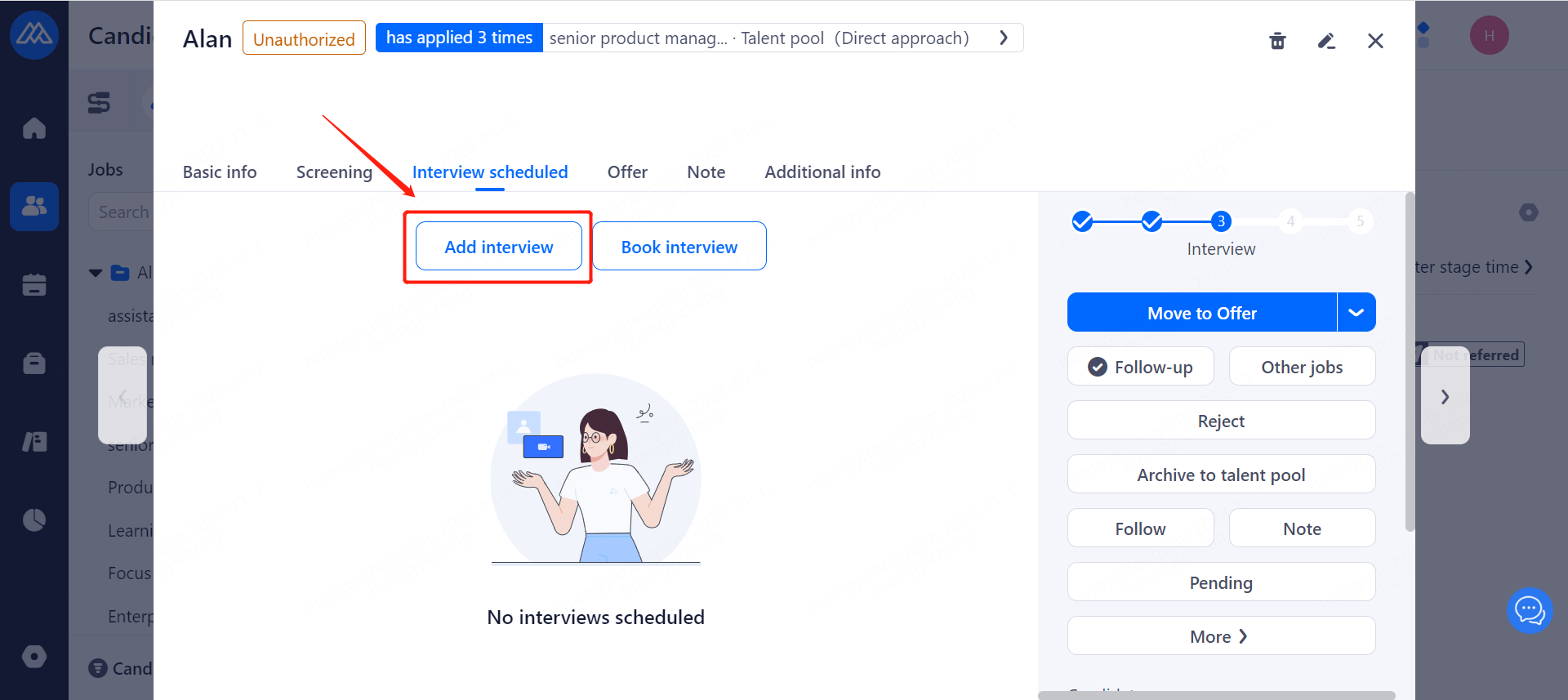
1. In the Candidate Management interface, at the interview stage, select a candidate who needs to be scheduled for an interview and click Add Interview:
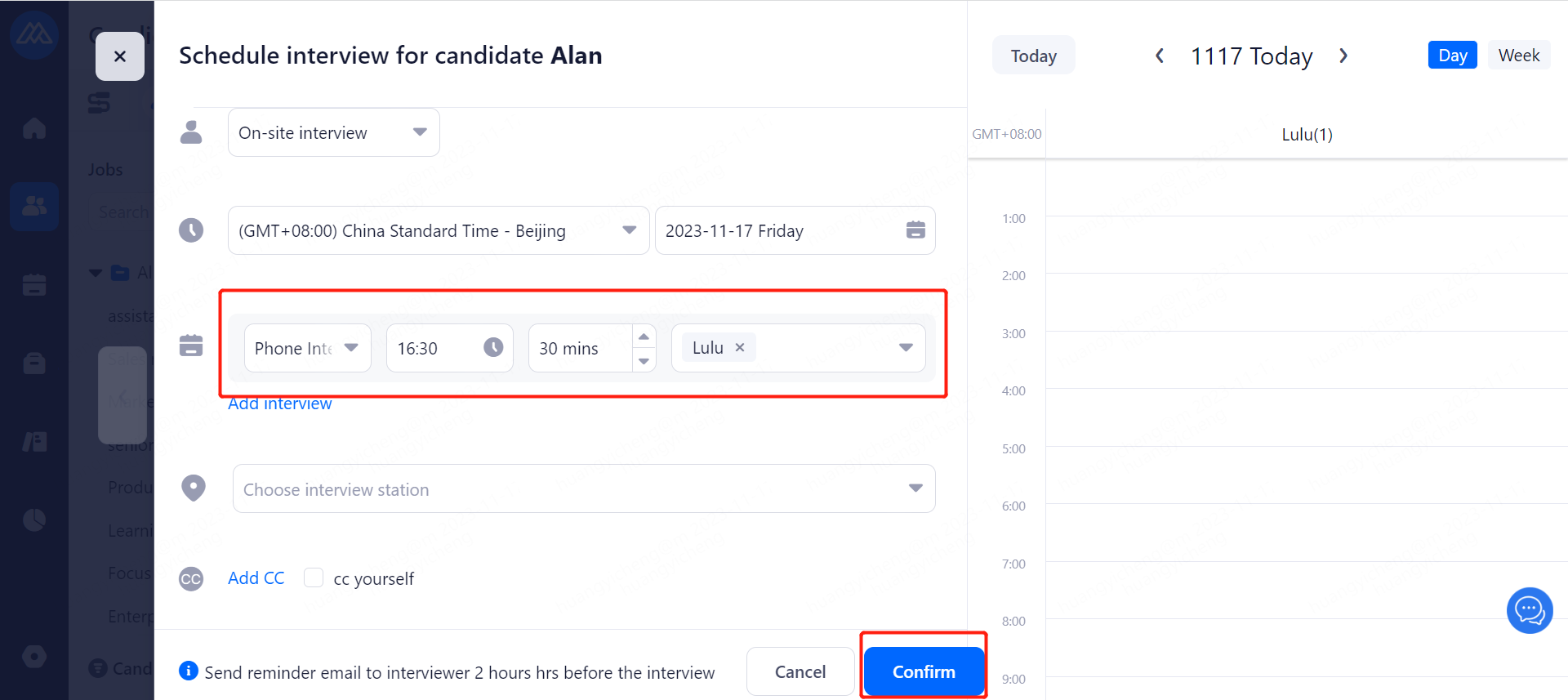
2、Choose the interview time, interview location, click on the confirmation
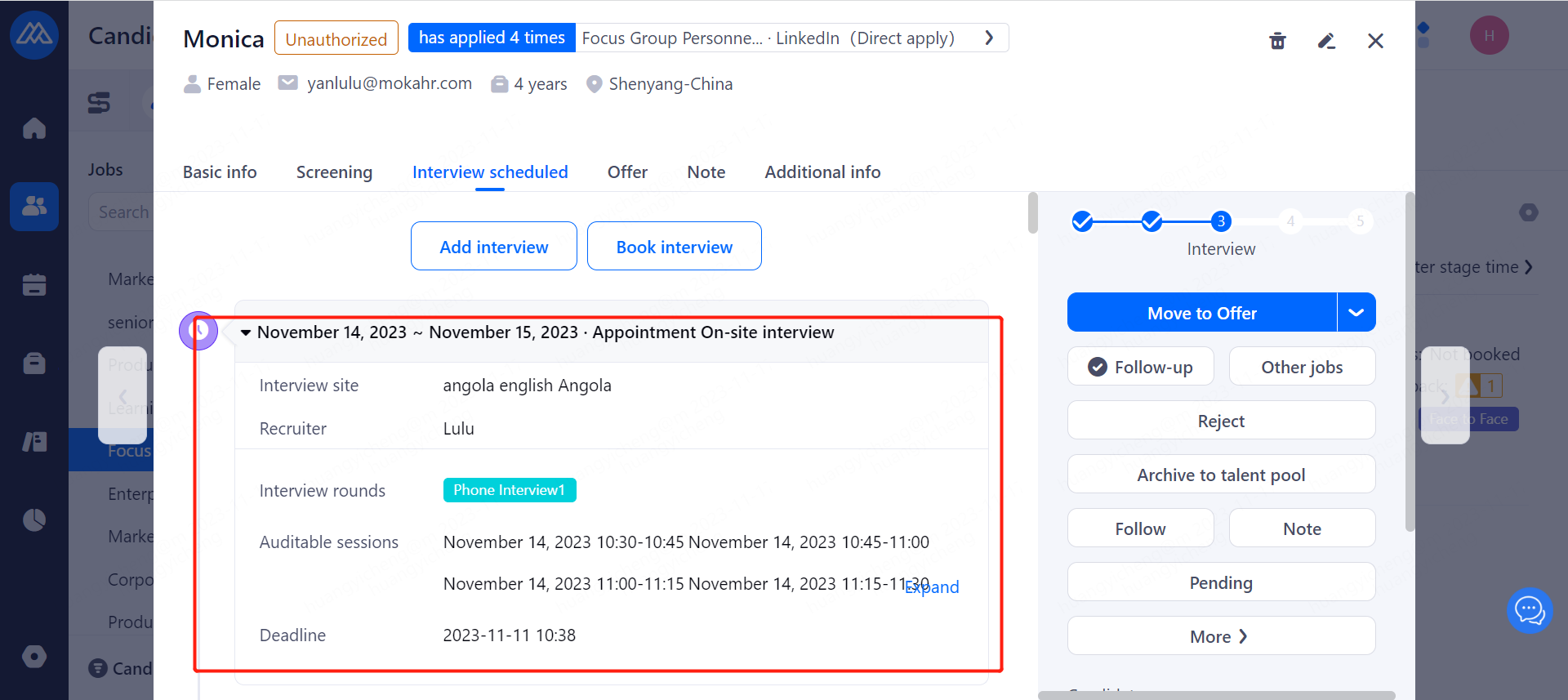
3、Display the success of the creation of the interview, the system will notify the interviewer
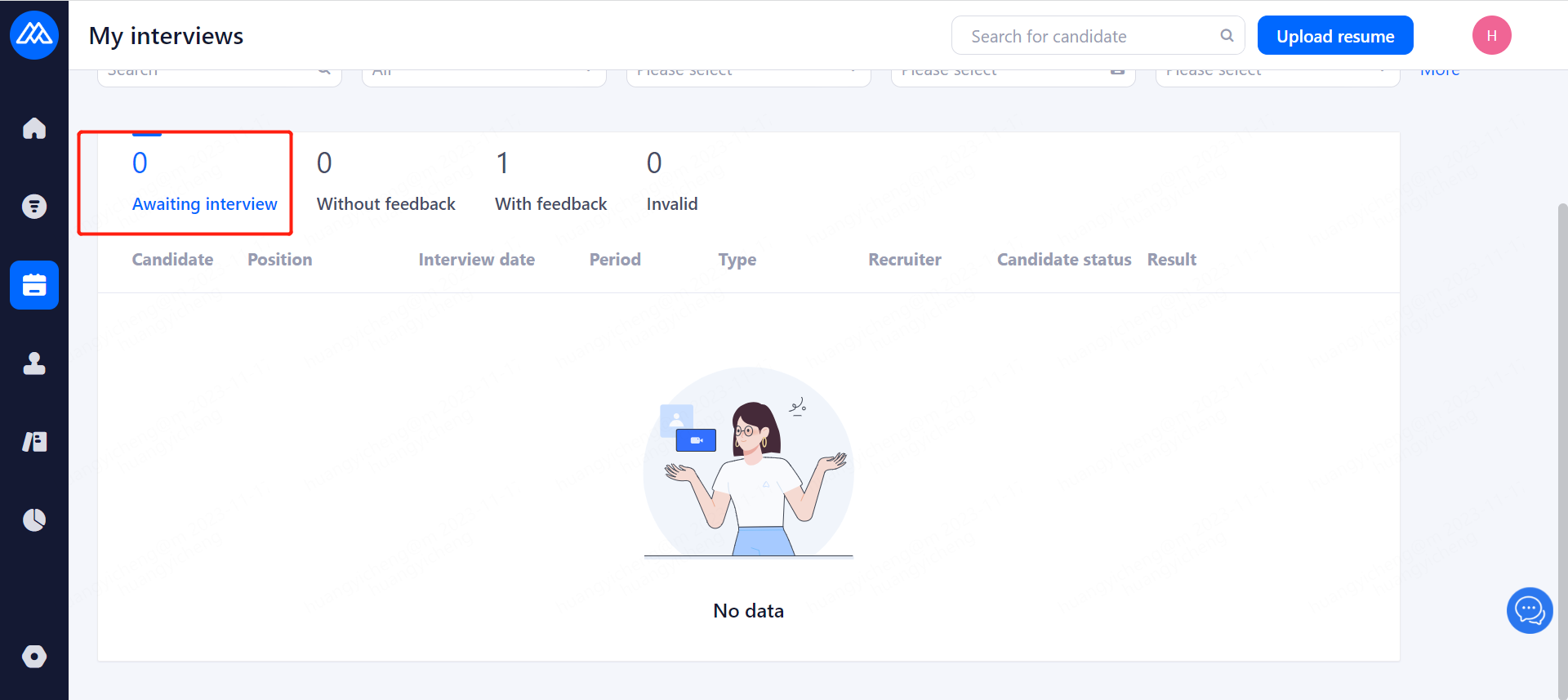
4. Interview position displayed at the interviewer's end:
Evaluate this document
Helpful
No help
