





All doc

System Applications

Jobs and Requisitions
Jobs and Requisitions
Interview&Offer
Candidates&Talent pool
Candidates&Talent pool
Recruitement Process
Hiring Manager
Operation Manual
BI Report
Basic Instruction
Common Questions

Create-Send Offer
Last updated 2023/11/27 Reading number 18


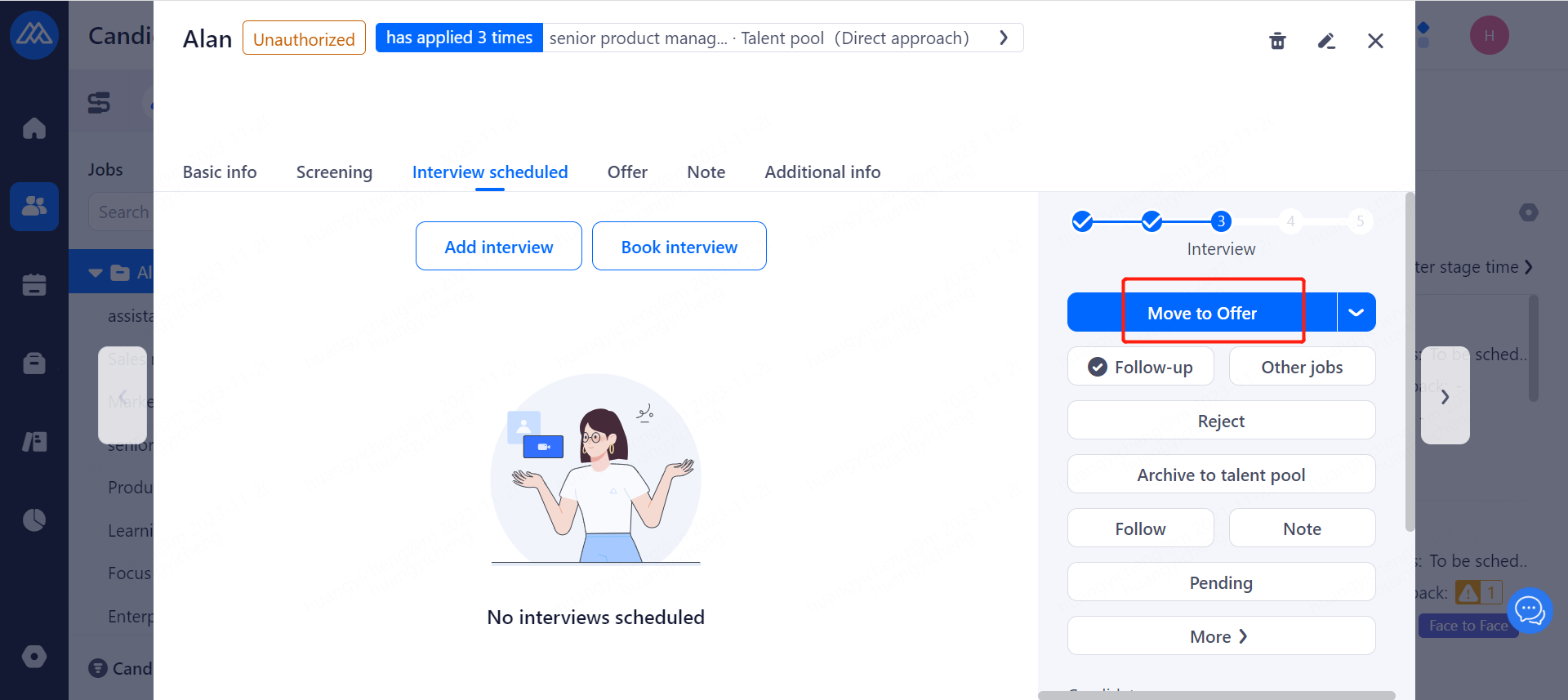
1.click on a candidate, enter the details page, click on the right side of the [Move to offer].
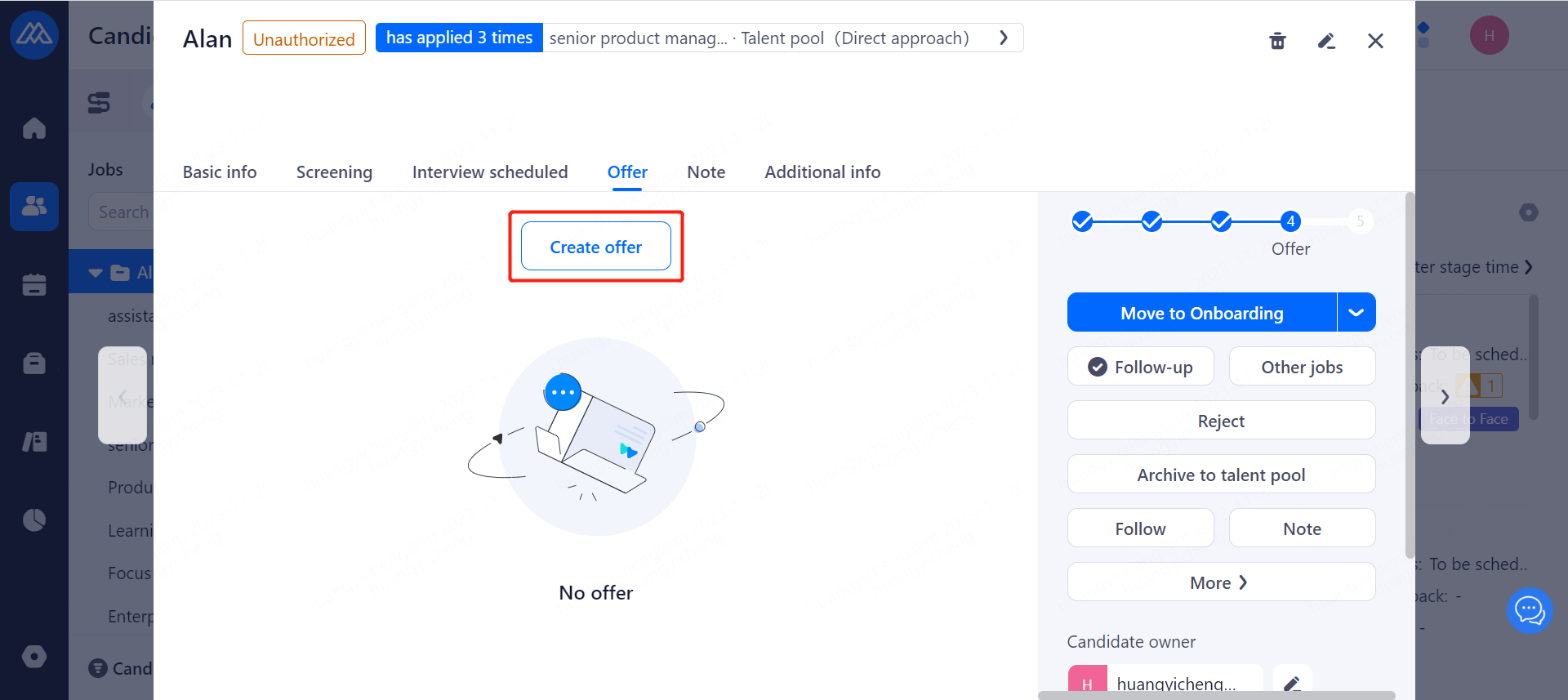
2.Click to [Create offer]
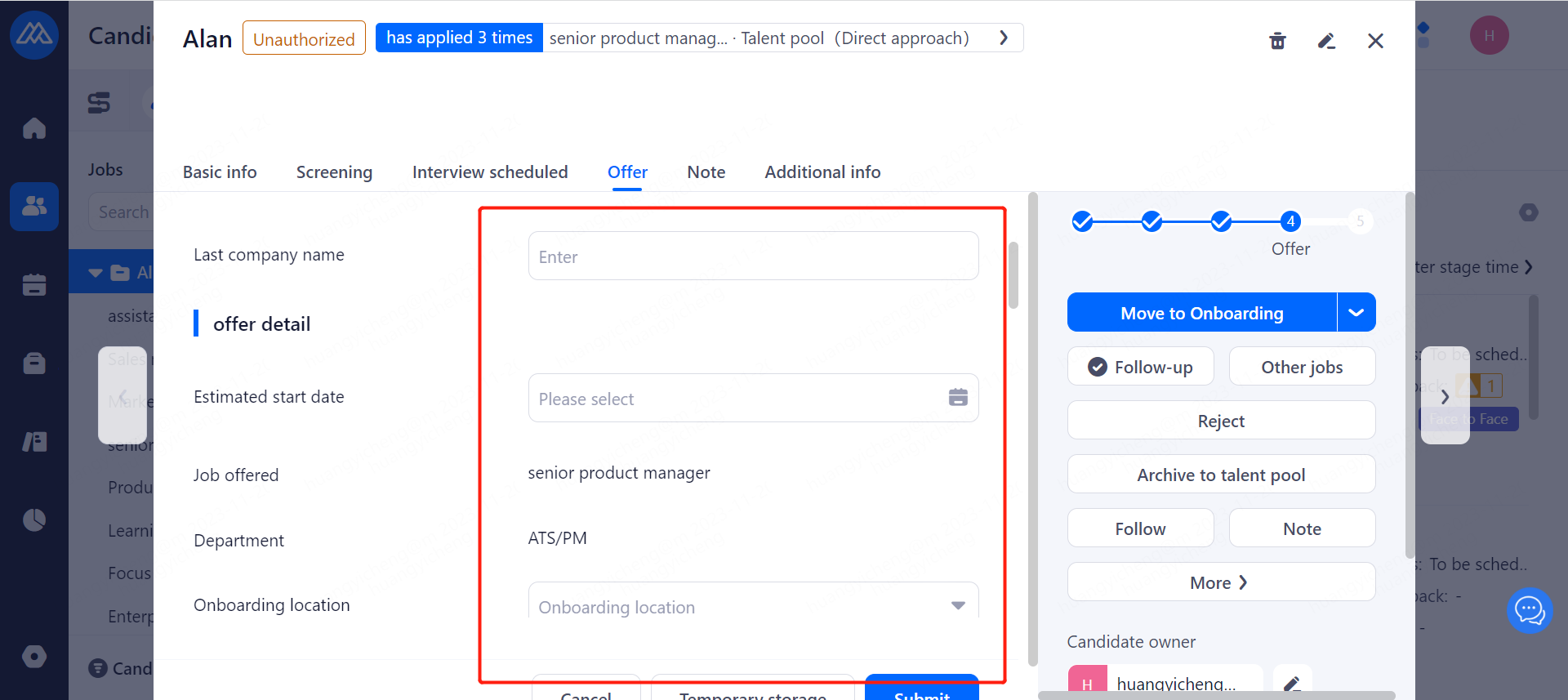
 3. Filling in the offer info
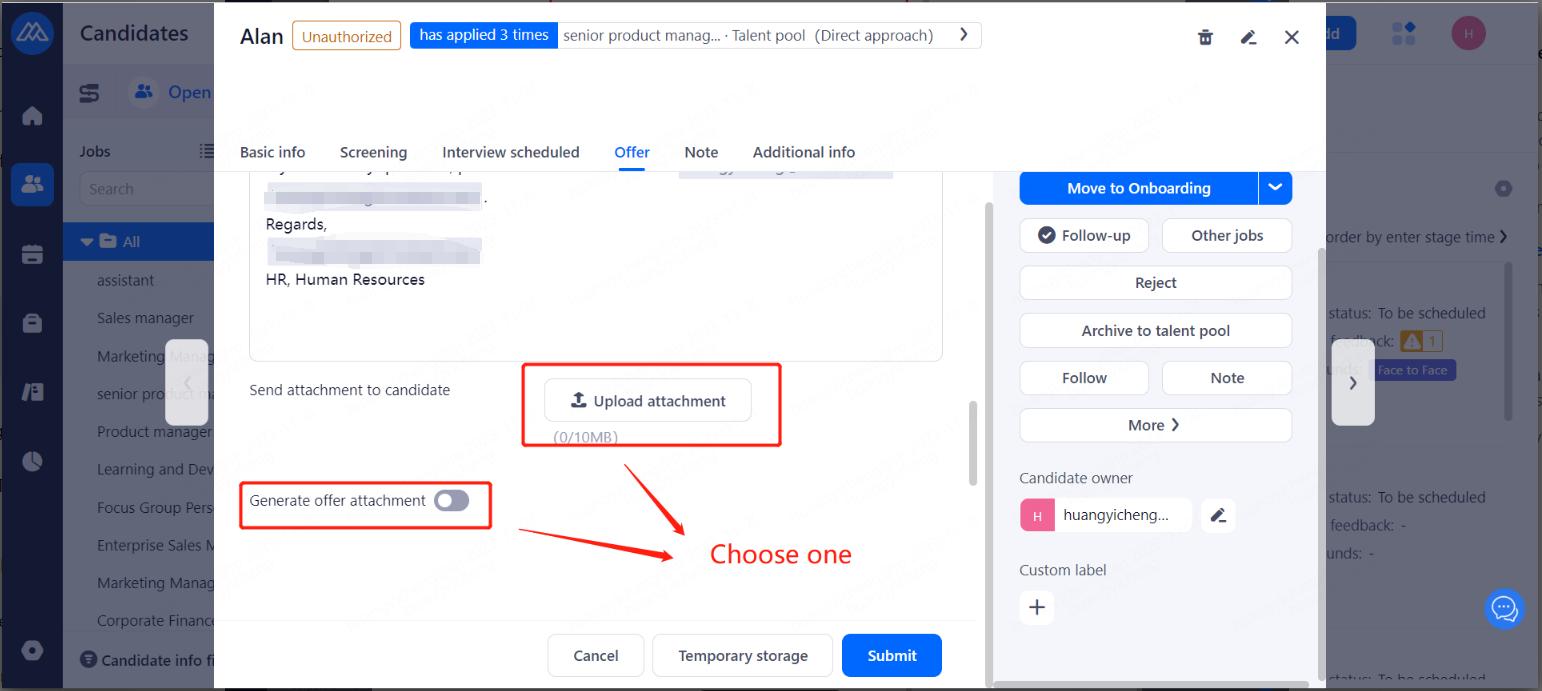
4. create attachments and upload attachments choose one, click save.
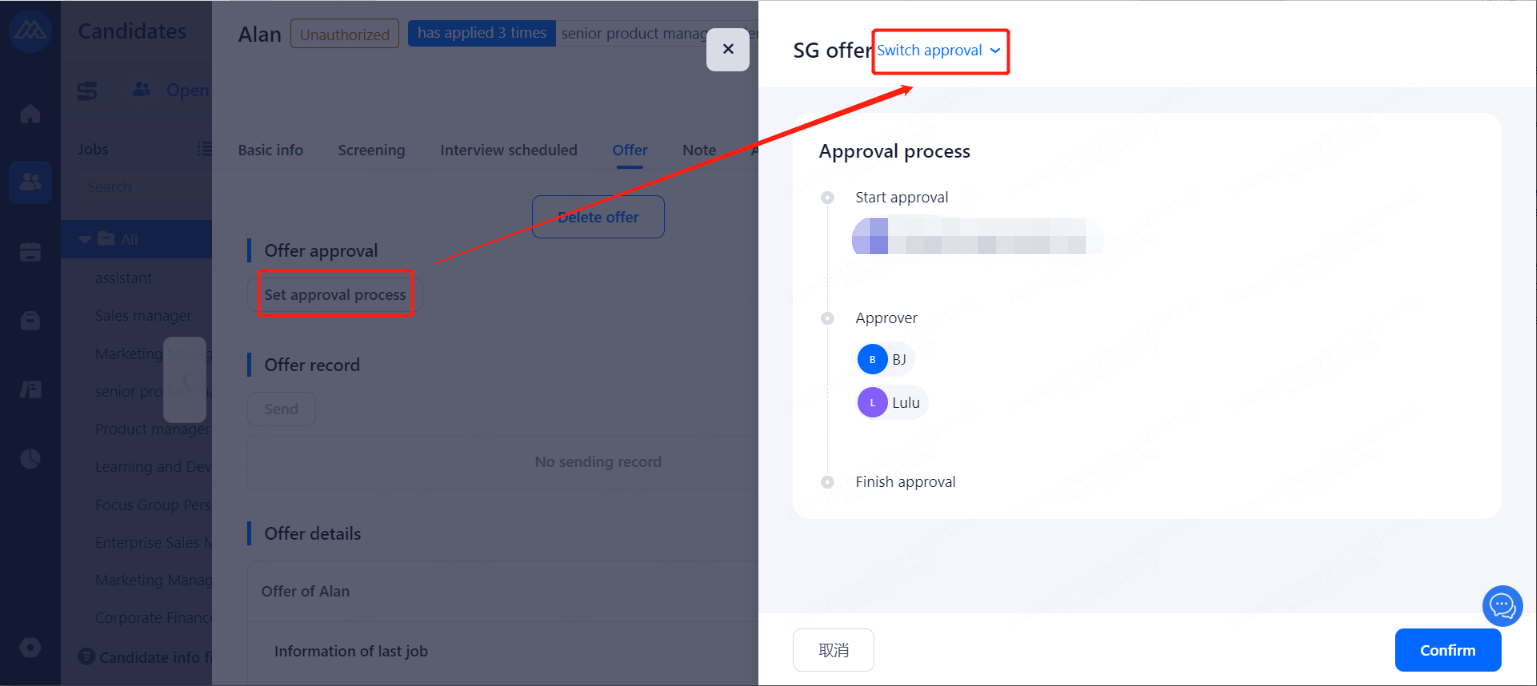
5. Initiate the approval process after successful creation
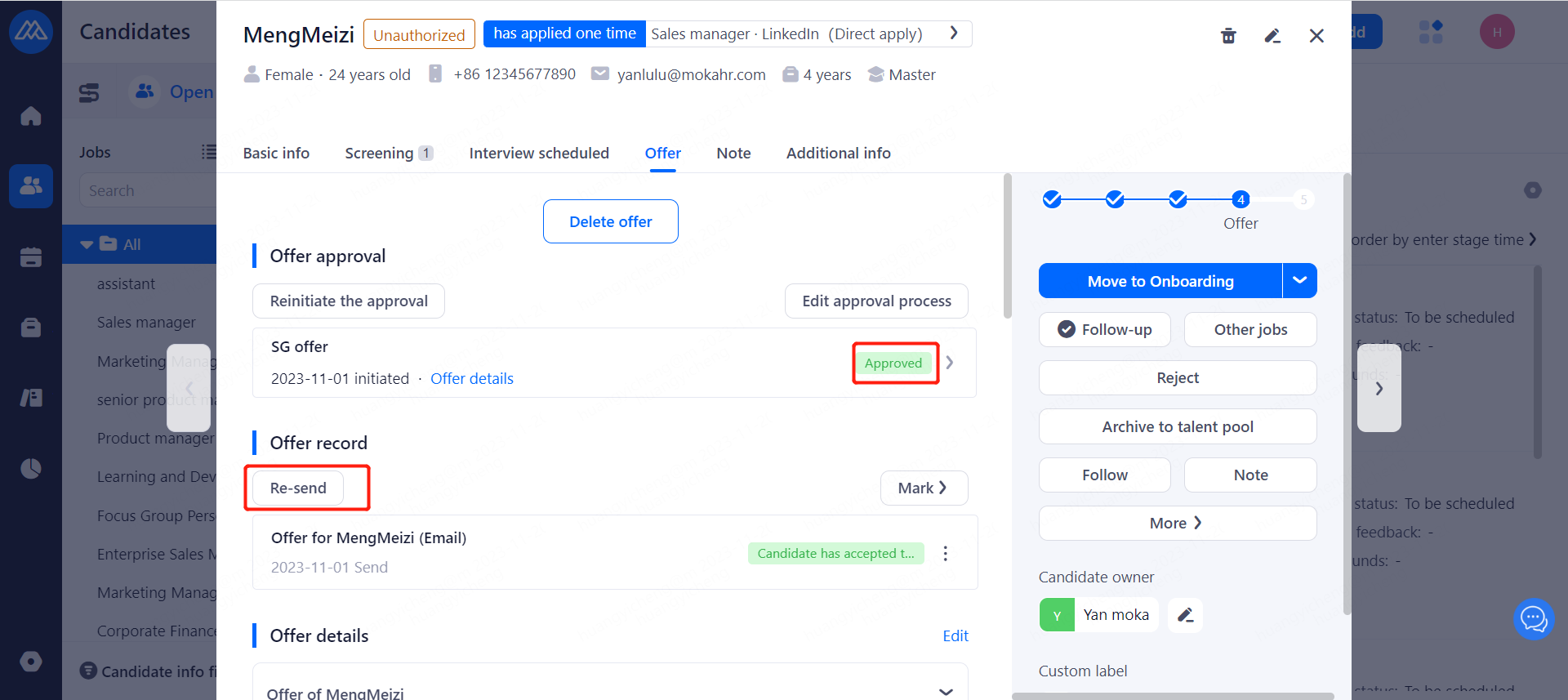
6. After approval, Click on Send
Evaluate this document
Helpful
No help
