




1. Definition of candidate satisfaction evaluation
When the interview is finished, send the interview satisfaction questionnaire to the candidate, you can see the satisfaction statistics in the job details page to improve the candidate experience. The settings of school recruitment and social recruitment are not unified, they need to be set up in separate environments and then related to the positions in the system.
2. Interview satisfaction settings
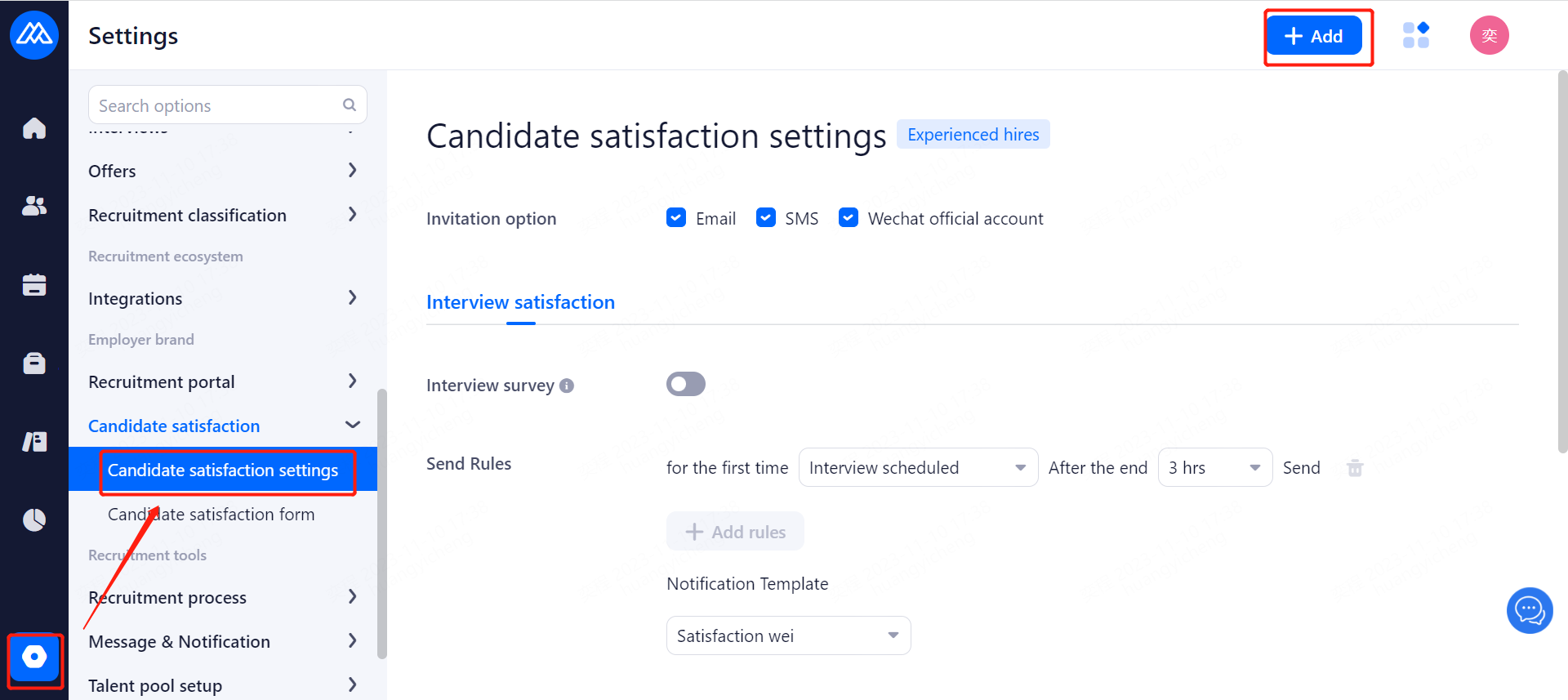
1. Interview satisfaction evaluation:
a. Interview satisfaction questionnaires are sent to candidates after the interview, and satisfaction statistics can be seen on the job details page;
Switch: after opening, interview satisfaction evaluation will be sent to candidates after the interview;
Format: you can choose mail or SMS
Sending time: you can choose to send it [3 hours, 6 hours, 9 hours] after the [interview (including the initial and final), preliminary test, retest, final test];
b. Interview satisfaction low score notification:
Set the comprehensive score (and give a dimension item average score) below how many points of evaluation to remind the person in charge of the position;
Switch: after opening, after reaching the low score conditions, it will send [station] low score notification to the person in charge of the position;
Conditions: optional [below 4 points reminder] [below 3 points reminder] [below 2 points reminder];
c. Customizable text reminders, when the candidate evaluation to remind the candidate;
2, interview satisfaction: mail / SMS, for timed tasks, 15 minutes once;
For example, special circumstances: the rules for, the first preliminary examination after 3 hours to send an interview satisfaction survey; A candidate for the first preliminary examination at the end of 2 hours 50 minutes, there are 10 minutes to send the candidate interview satisfaction questionnaire, at this time will be set to change to the first review after 3 hours to send an interview satisfaction, at this time the A candidate will still receive an interview satisfaction survey.
3. Interview satisfaction evaluation form setup
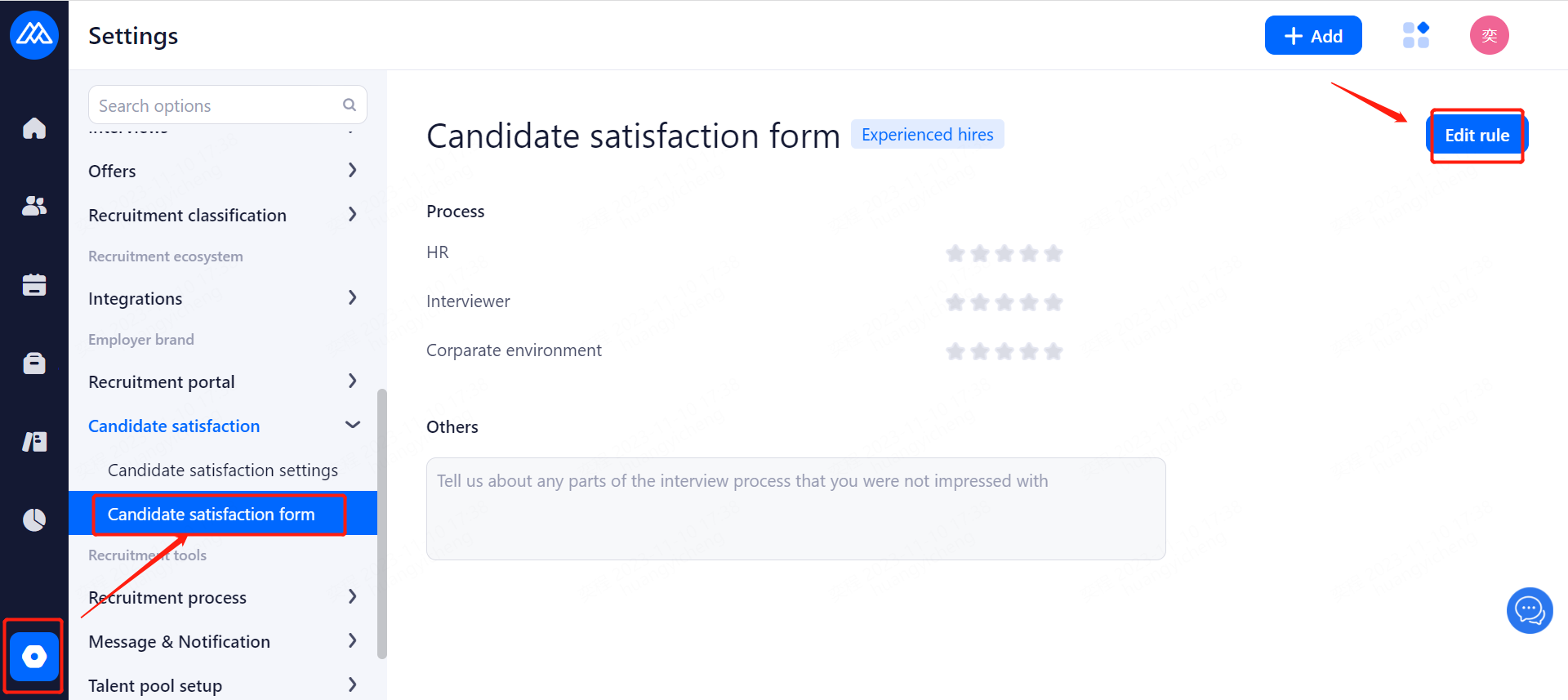
Click [Edit] to edit the Interview Satisfaction Rating Form;
1. Name of the interview satisfaction evaluation form: changes can be made;
2, scoring items: required, and can not be copied, can not be deleted;
Name: the name is required, change the name of the scoring item, the data of the scoring item will not be lost;
Disable/Enable: the scoring item can be disabled or enabled;
Delete: this item can be deleted, after deletion, the item will not be counted in any interview satisfaction score;
Add scoring item: the scoring item can be added;
3、Questions
Title: the title of this topic;
question type: single choice, multiple choice, description of the question;
Single-choice questions: the number of options can not be less than 2, you can add options and edit the content of the options;
Multiple-choice questions: the number of options can not be less than 2, you can add options and edit the content of the options;
Descriptive questions: no options;
Add questions: multiple questions can be added;
4. Right side setting:
Required: after turning on the switch, this question is required, the scoring item is required and cannot be modified;
Copy: directly copy to the next question of this question after clicking Copy, the scoring item cannot be copied;
Delete: this question can be deleted, the scoring item cannot be deleted;
Move up: move the question up one position, if it is already the first question, it cannot be moved up;
Move down: this question can be moved down one place, if it is already the last question, it cannot be moved down;
5、When this question has been used, the question can not be copied and deleted, add the enabled switch, when the switch is turned on, the question is available, when it is turned off, the question is not available.
4. Candidates receive an interview satisfaction survey
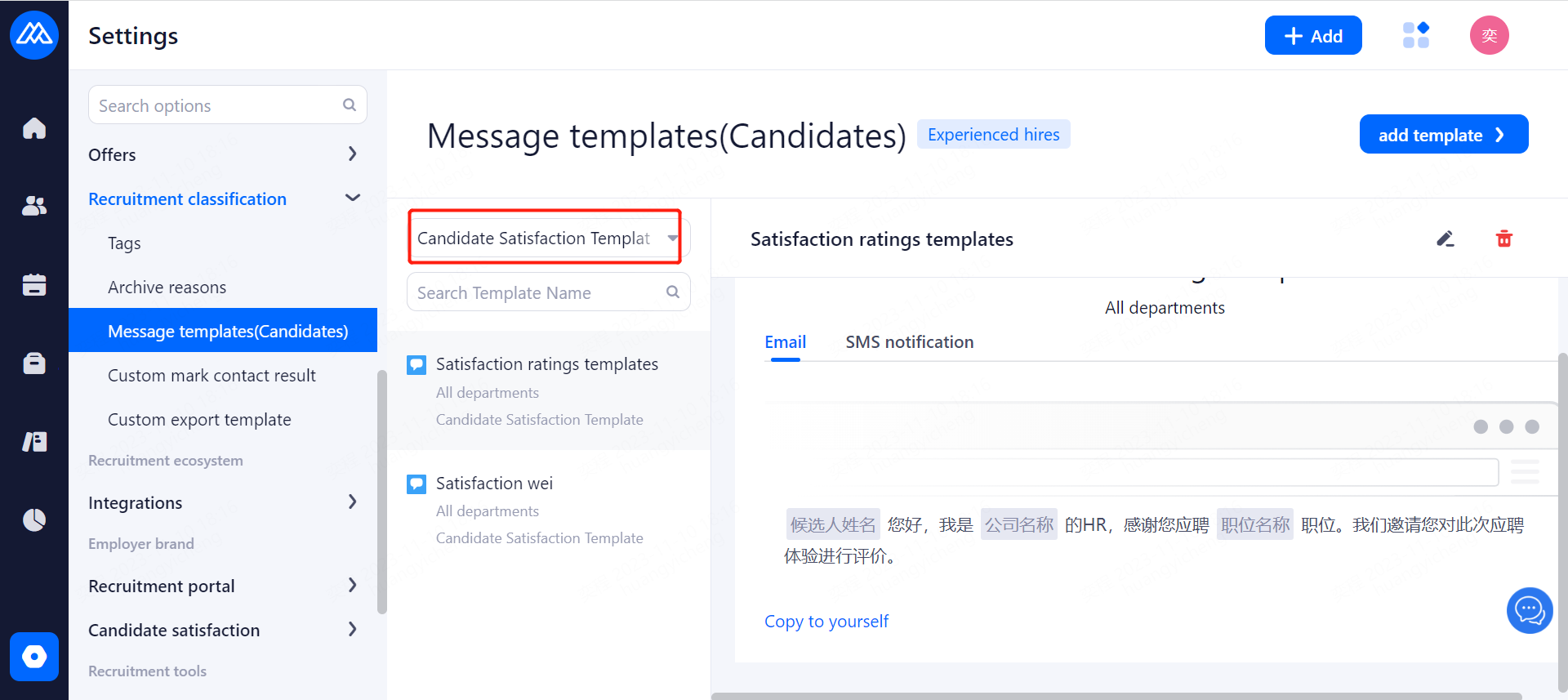
When the interview is completed, the candidate receives an interview satisfaction survey;
5. hr to view candidate satisfaction corresponding to the position
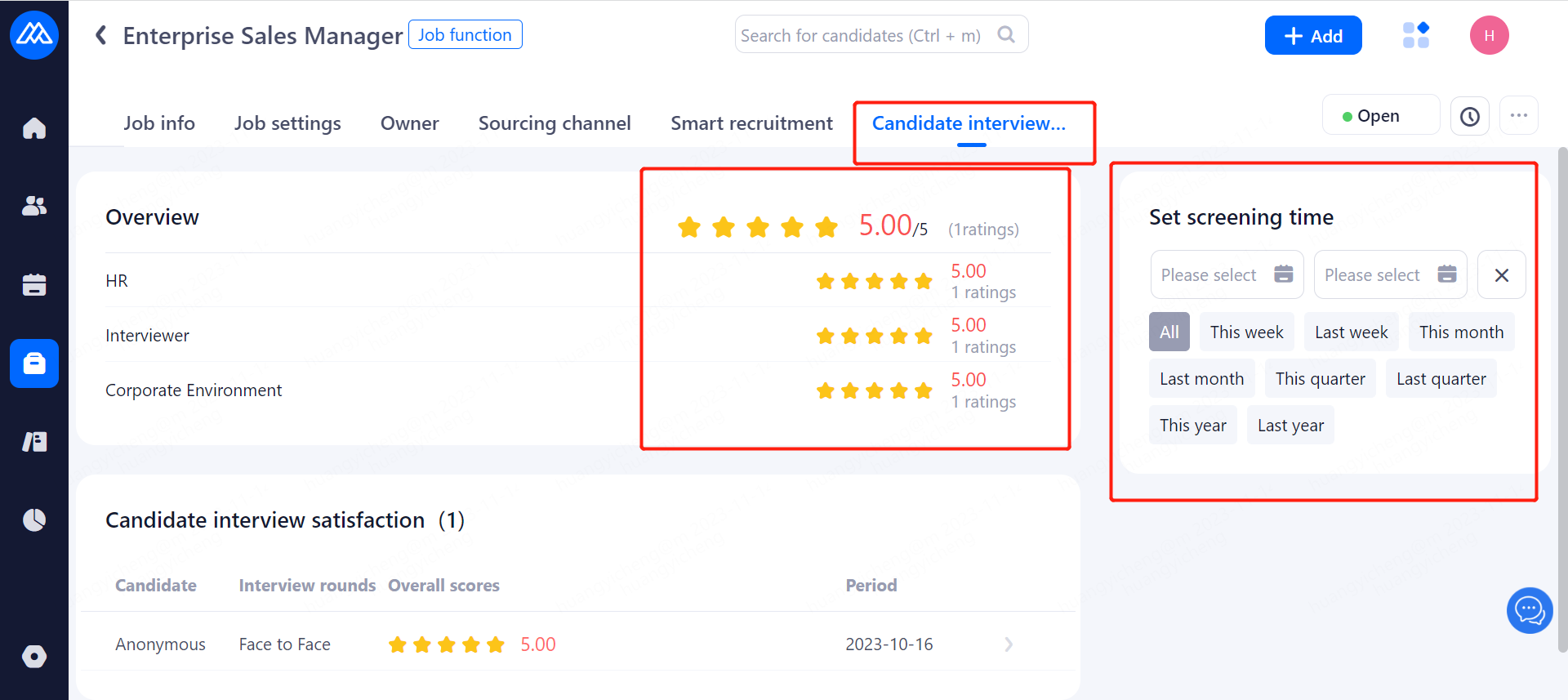
1. When the candidate fills out the interview satisfaction survey, it can be viewed in Position Management - Candidate Satisfaction;
Candidate satisfaction in the job management list shows all the evaluation entries and the average score;
2、Candidate satisfaction in job setting
Set screening time: you can choose all, this week, last week, this month, next month, this quarter, the last quarter, this year, last year, you can also choose their own time frame, set up a good screening time, the left side of the candidate interview evaluation is the time period of the data;
Comprehensive evaluation: then the total average score, the total score of 5 points, as well as the total number of evaluation entries;
The average score for each sub-question and the number of evaluation entries, the average score for each sub-question = the candidate's total score for this sub-question / the number of evaluations;
Candidate interview evaluation;
Candidates: the candidate's name is displayed if the candidate is real, or anonymous if the candidate is anonymous;
Composite rating: the composite rating, i.e., the average score, of the candidate's scores, with the composite rating = the sum of the average scores for each sub-question/number of sub-questions;
Time: the time to fill in the interview satisfaction evaluation form;
Click on the list to expand the scoring details for this candidate;
