1. How to Correlate Jobs and Job Requisitions
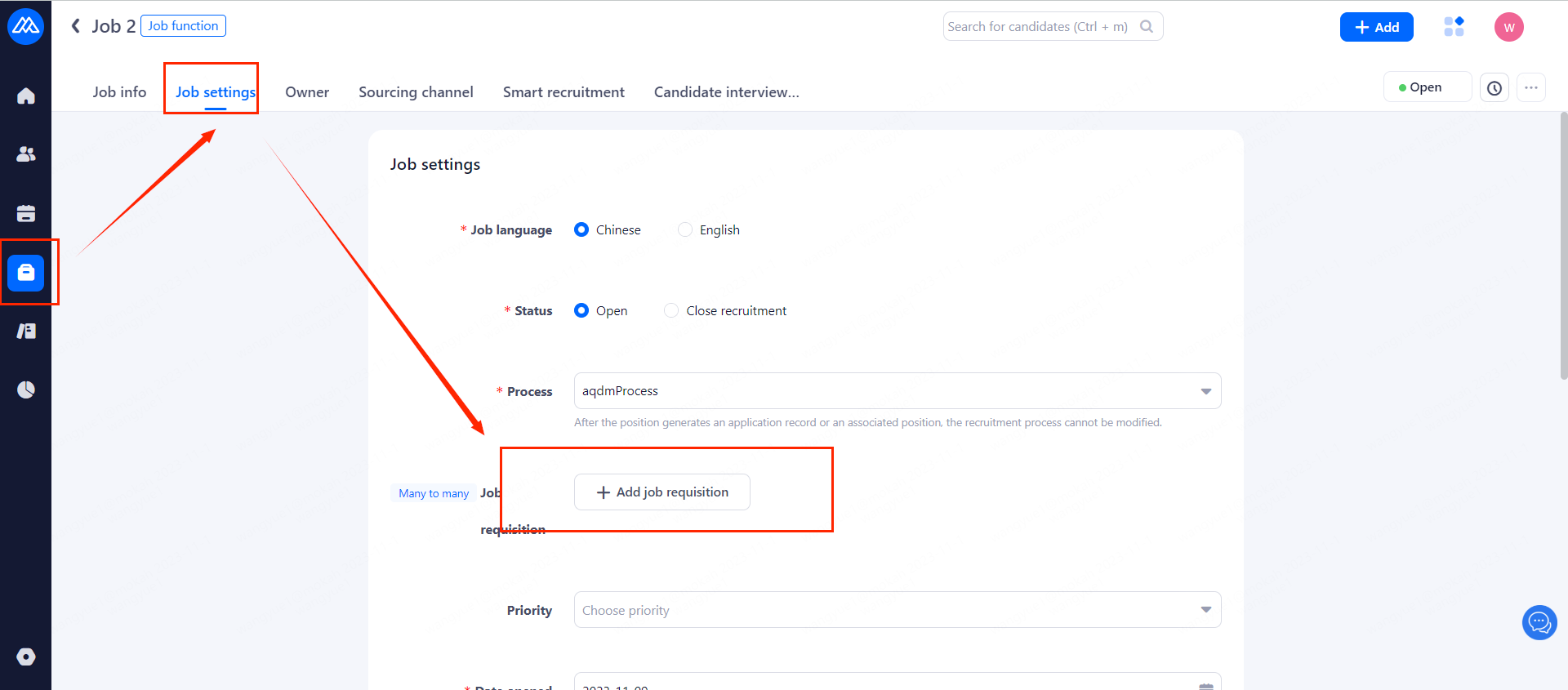
There are two ways to complete this step:
Operation path 1: [Jobs]--select your job--[Job settings]--[Add job requisition]
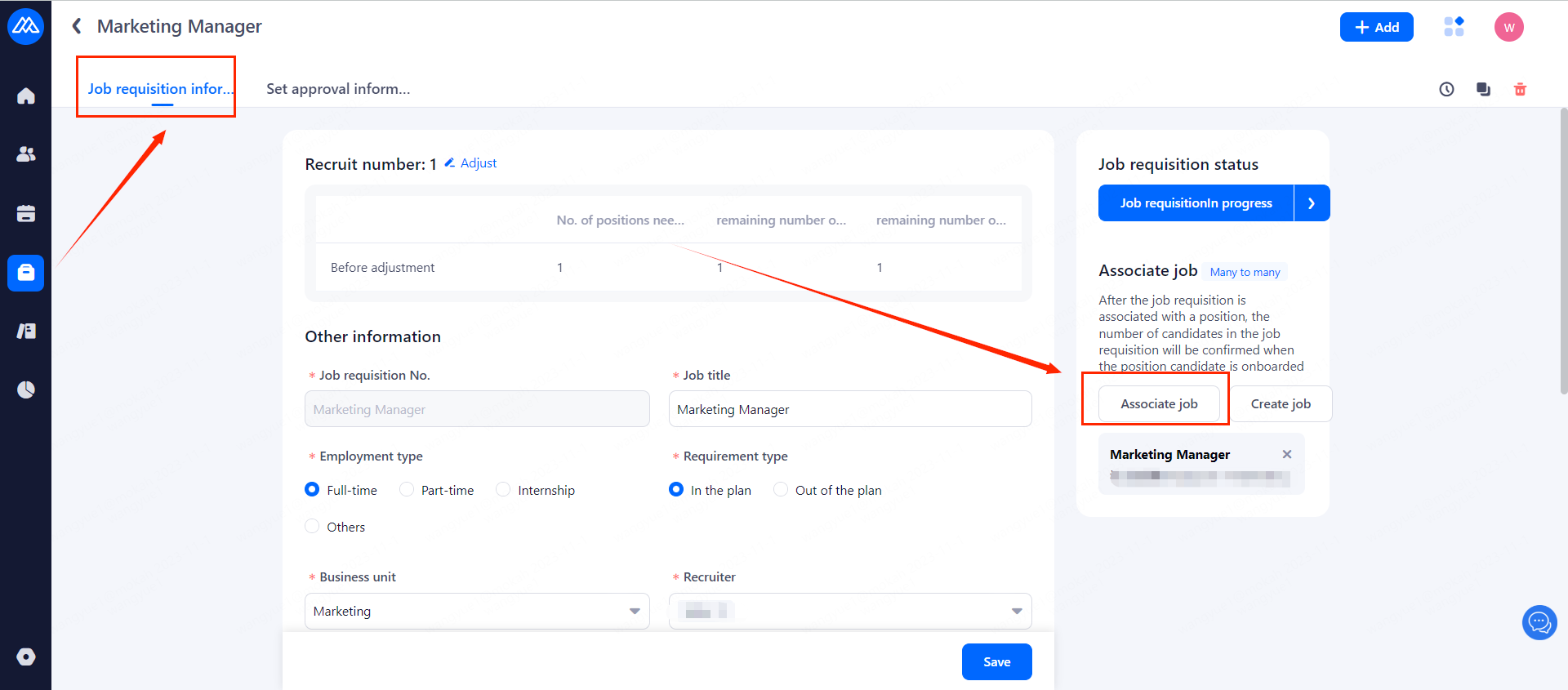
Alternatively, you can link to a position in the [Job requisition] section.
2. Relationship between Recruitment Needs
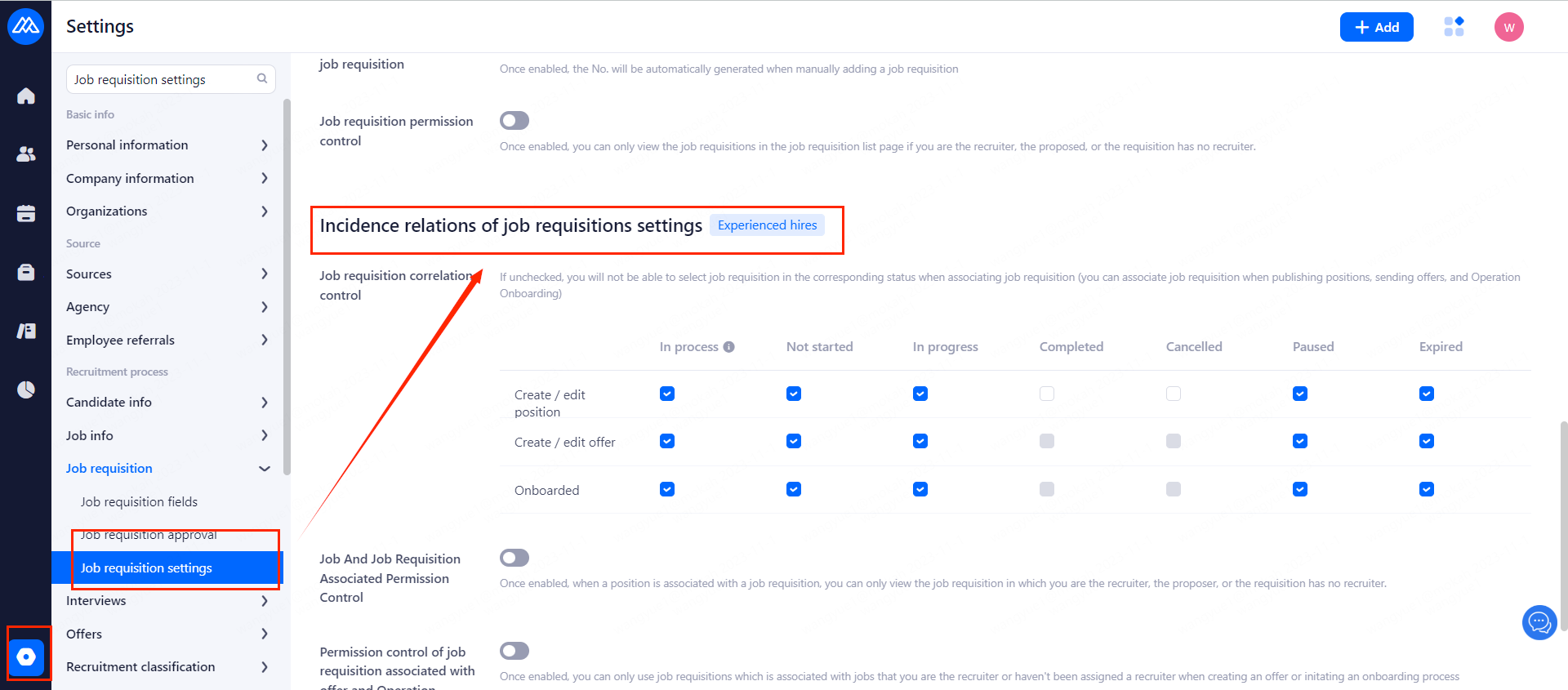
The job requisitions settings can control the permissions of job requisitions related to positions, offers and onboarding.
2.1 Recruitment demand association relationship control:
If unchecked, you will not be able to select the job requisitions of the corresponding status when associating job requisitions (job requisitions can be associated when posting jobs, sending offers and onboarding )
2.2 Job And Job Requisition Associated Permission Control:
Once enabled, when a position is associated with a job requisition, you can only view the job requisition in which you are the recruiter, the proposer, or the requisition has no recruiter.
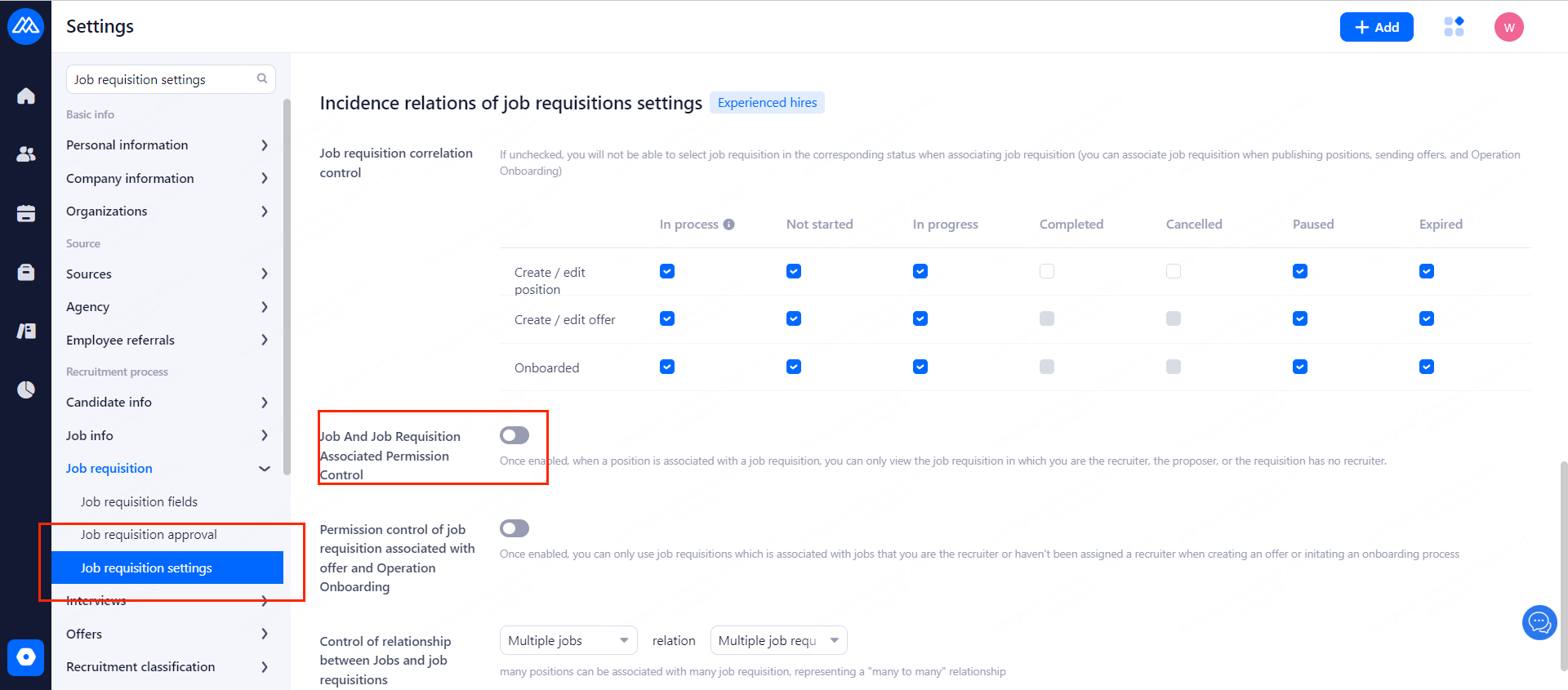
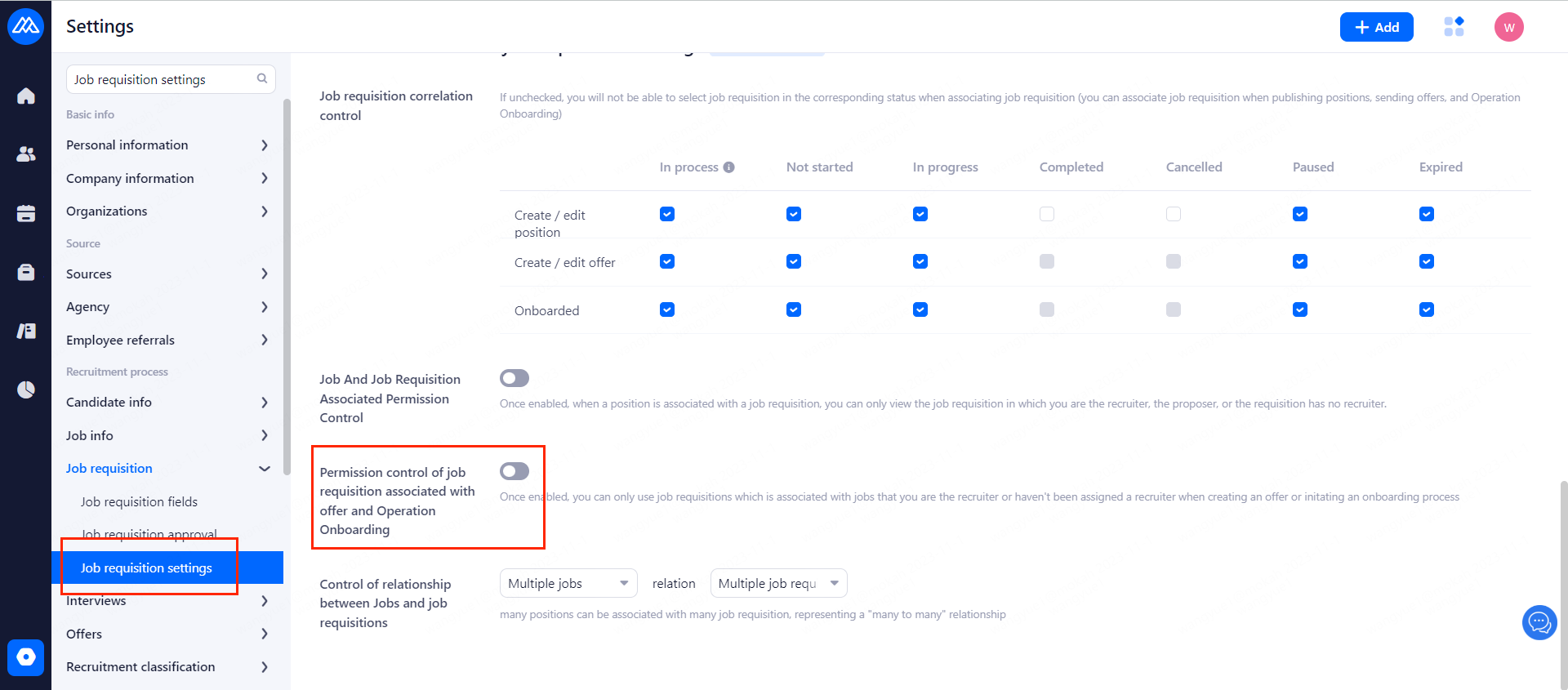
2.3 Permission Control of Job Requisition Associated with Offer and Operation Onboarding
Once enabled, you can only use job requisitions which is associated with jobs that you are the recruiter or haven't been assigned a recruiter when creating an offer or initating an onboarding process.
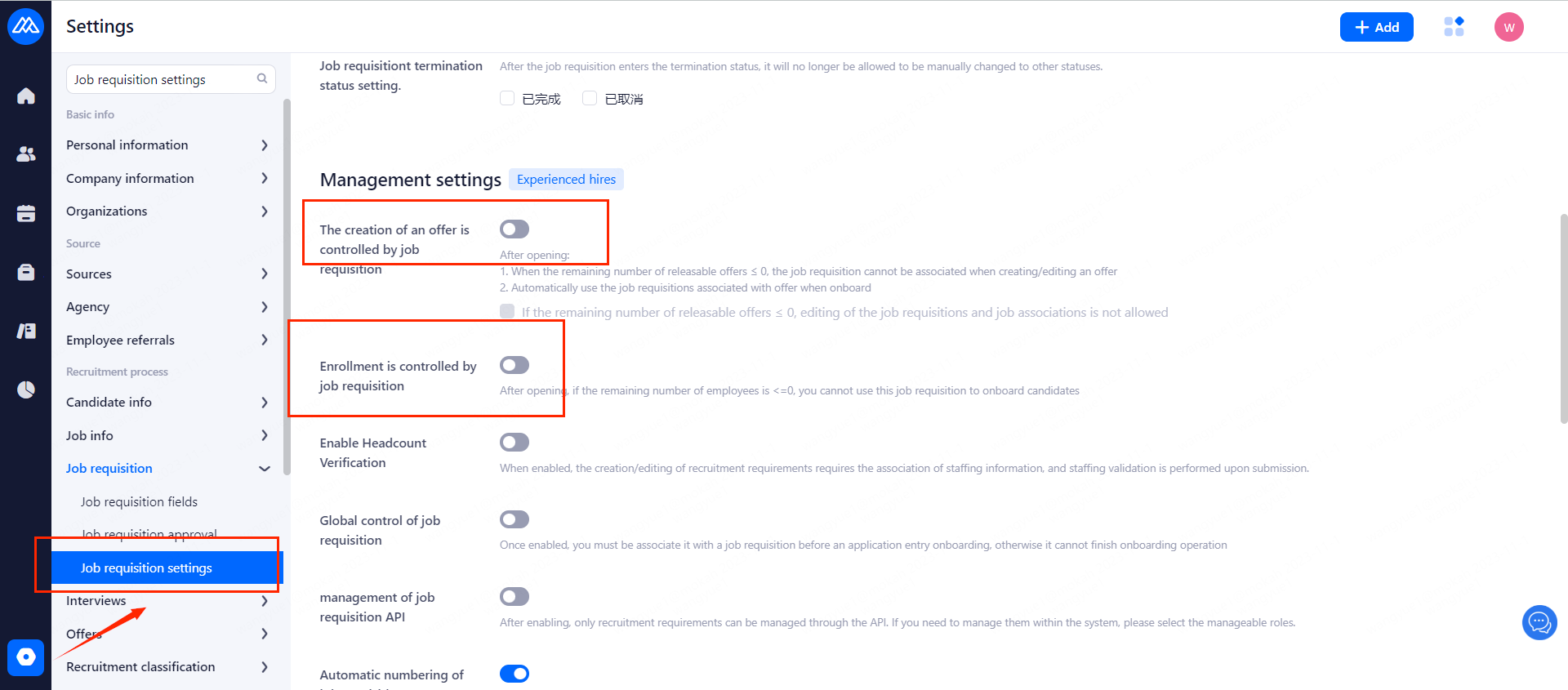
2.4 Offer creation and onboarding are controlled by the number of hiring requisitions:
2.4.1 The creation of an offer is controlled by job requisition:
After opening:
a. When the remaining number of releasable offers ≤ 0, the job requisition cannot be associated when creating/editing an offer
b. Automatically use the job requisitions associated with offer when onboard
2.4.2 Enrollment is controlled by job requisition:
After opening, if the remaining number of employees is <=0, you cannot use this job requisition to onboard candidates.