Recommend the resume to the hiring department, you can let the hiring department first screen the resume, through the resume screening and then arrange for an interview, how to operate
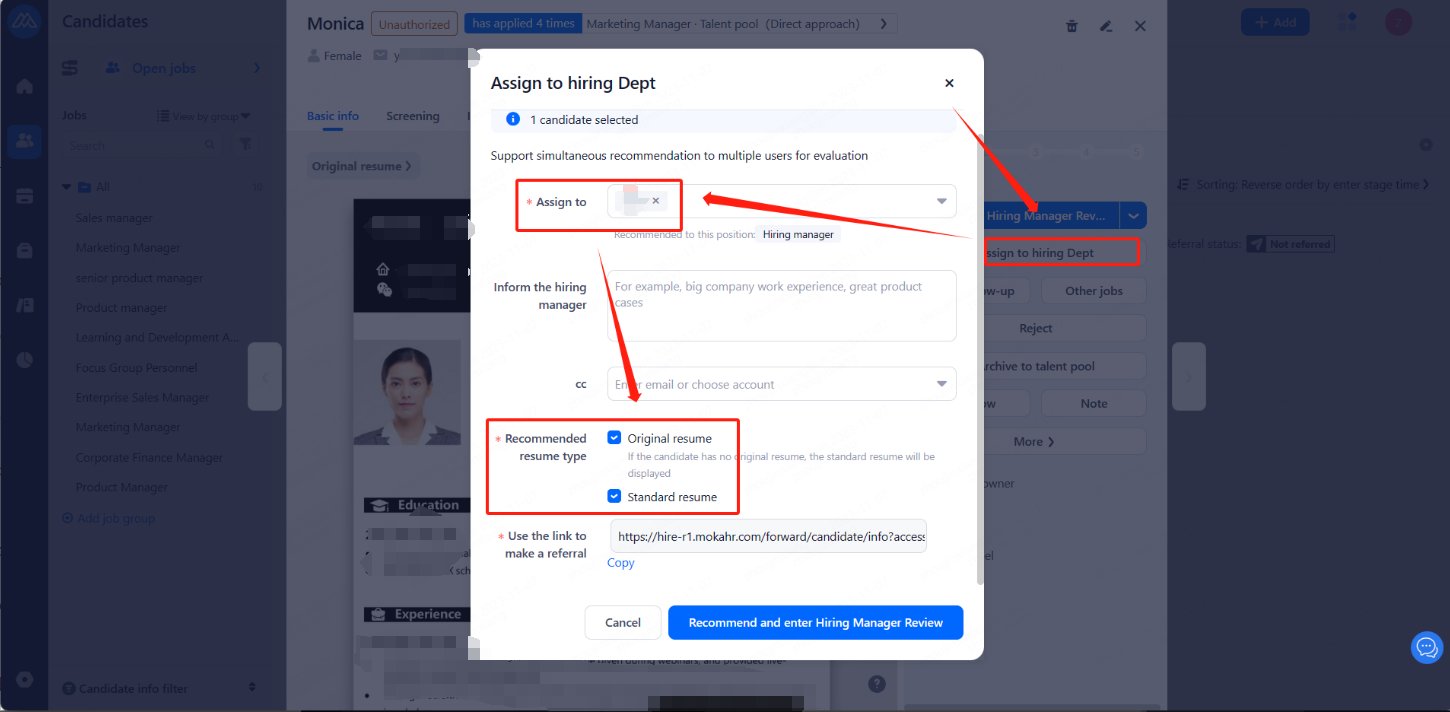
1.enter the resume, click on the right side of the "Assign to hiring Dept" button, in the pop-up window, enter the employing department to be recommended to the account number (one or more can be), select the type of resume to be recommended "Standard resume", "Original resume", or both can be checked.
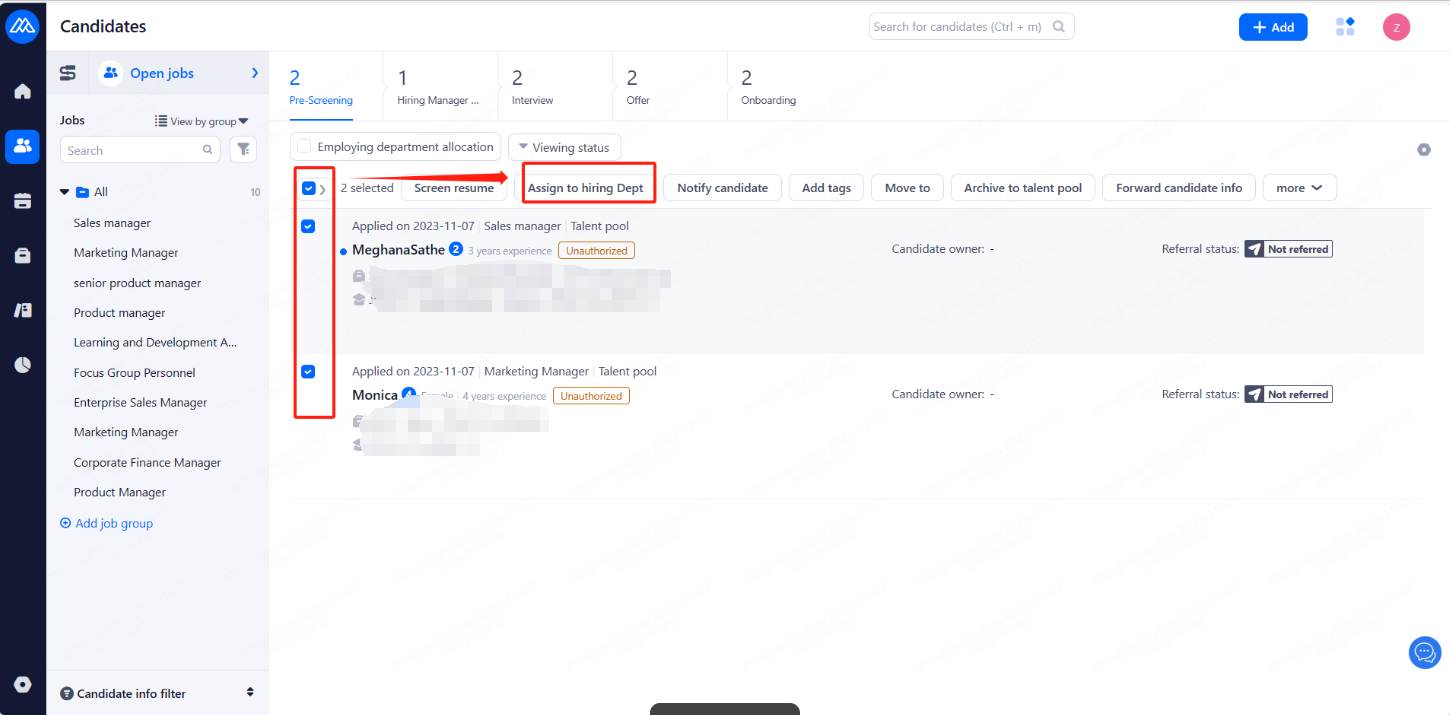
2.Batch operation of recommended resumes. In the candidates, check the resumes that need to be recommended, and then click the "Assign to hiring Dept" button.
After the employing department has screened and passed, there will be a prompt in the notes, operation records, and message notification of the resume. Screening through the resume HR can be operated to arrange interviews, assessment, etc.. Screening failed resumes can be eliminated or added to the talent pool as appropriate.