




1. Recruitment stage
1.1 Recruitment stage description
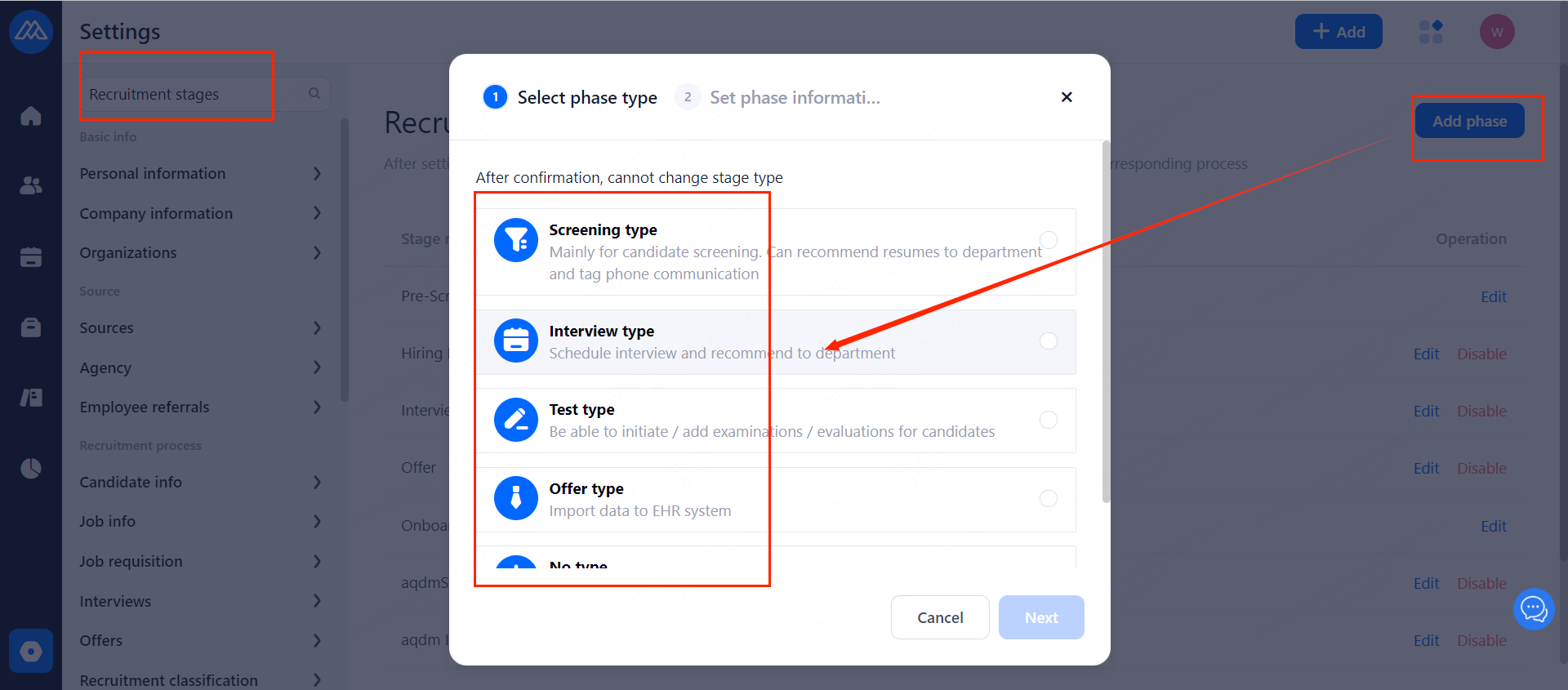
The recruitment stage is the various recruitment links that make up the recruitment process. The recruitment stages that can be created in Moka ATS include 5 types, namely: screening type, interview type, test type, offer type and no type. Pre-screening stage and Onboarding stages default to the first and last stages of the recruitment process.
1.2 Recruitment stage creation process
1.2.1 Add stage: select the corresponding stage type
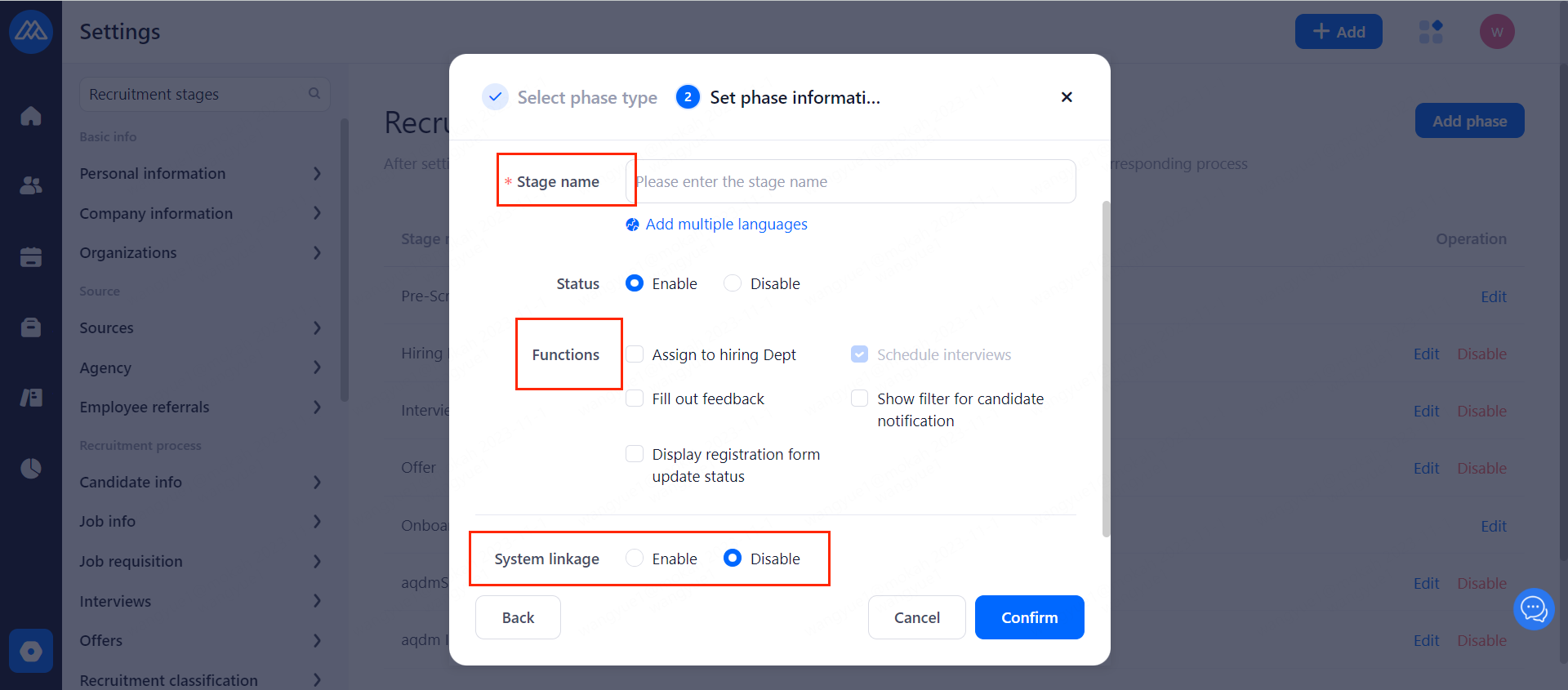
1.2.2 At the creation stage, select the corresponding type of \optional display function and save
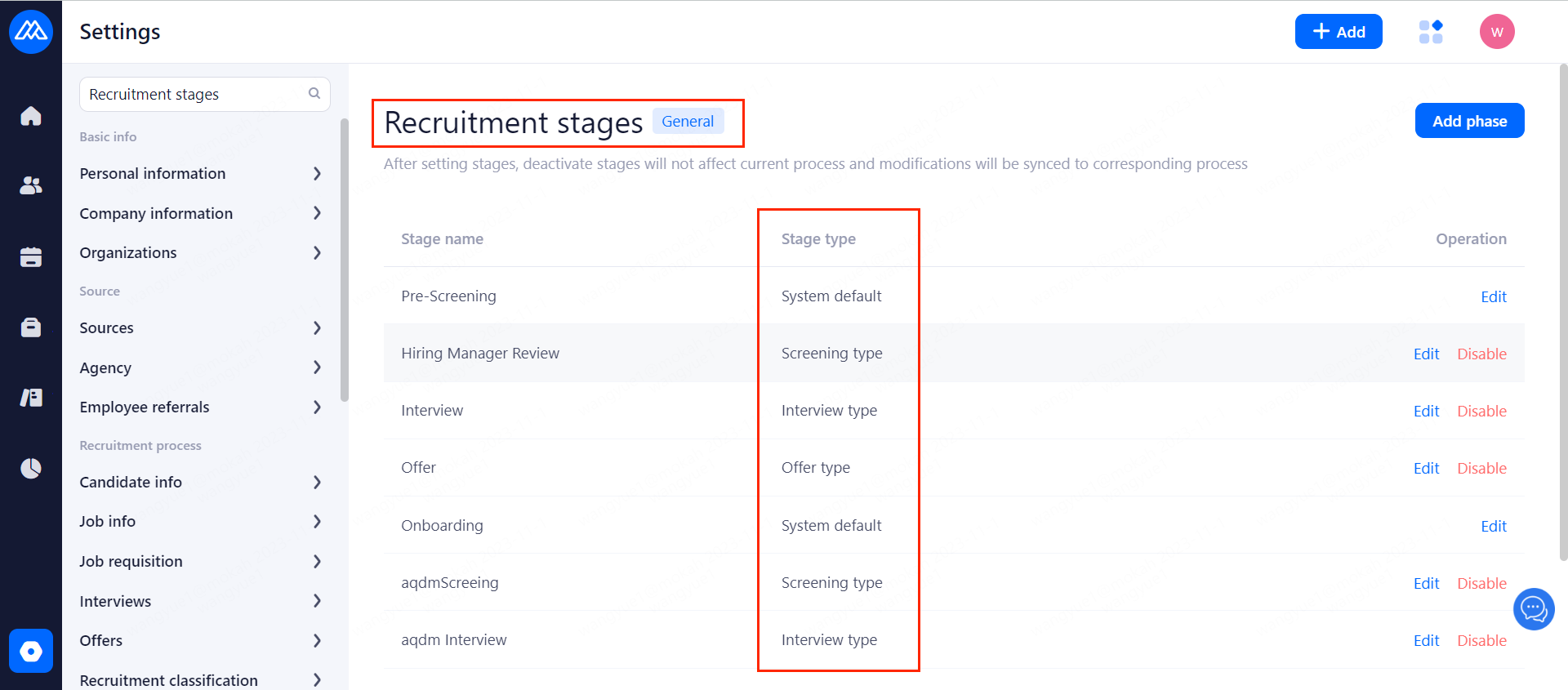
1.2.3 After saving
You can view the stage name and type, as well as stage status in [Recruitment Stage Settings] (disabled stages are at the bottom)
1.3 How to disable a Recruitment stage
1.3.1 Operation path is as following picture.
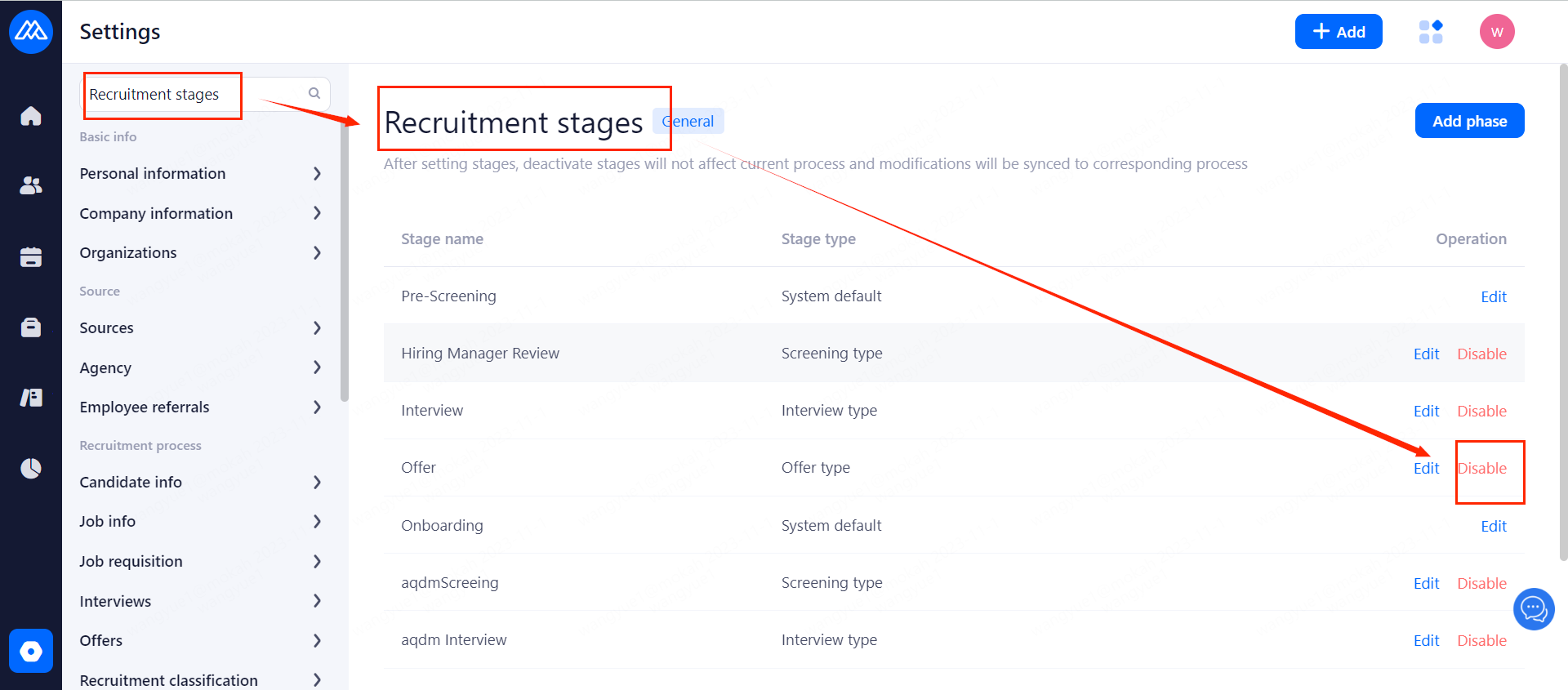
1.3.2 Impact of disabling the recruitment stage
Disabling a stage will not affect the recruitment process associated with that recruitment stage. Candidates can still be recommended to this stage, but the disabled recruitment stage cannot be selected when creating a new recruitment process.
2. Recruitment Process
2.1 Recruitment process description
New recruitment stage can be set up according to your needs of the recruitment process. A company can set up more than one recruitment process while a recruitment process can contain multiple recruitment stages.
2.2 Recruitment process creation
2.2.1 Add a new recruitment process:
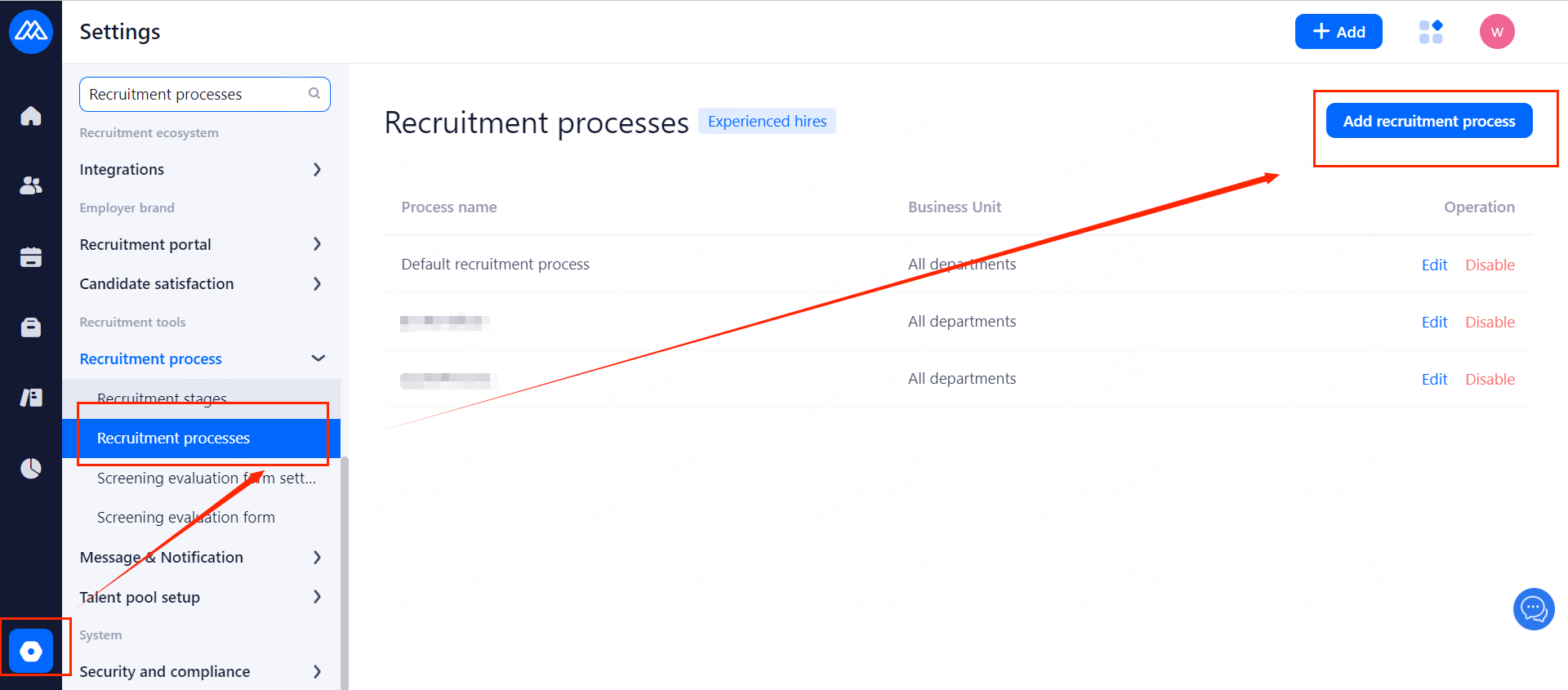
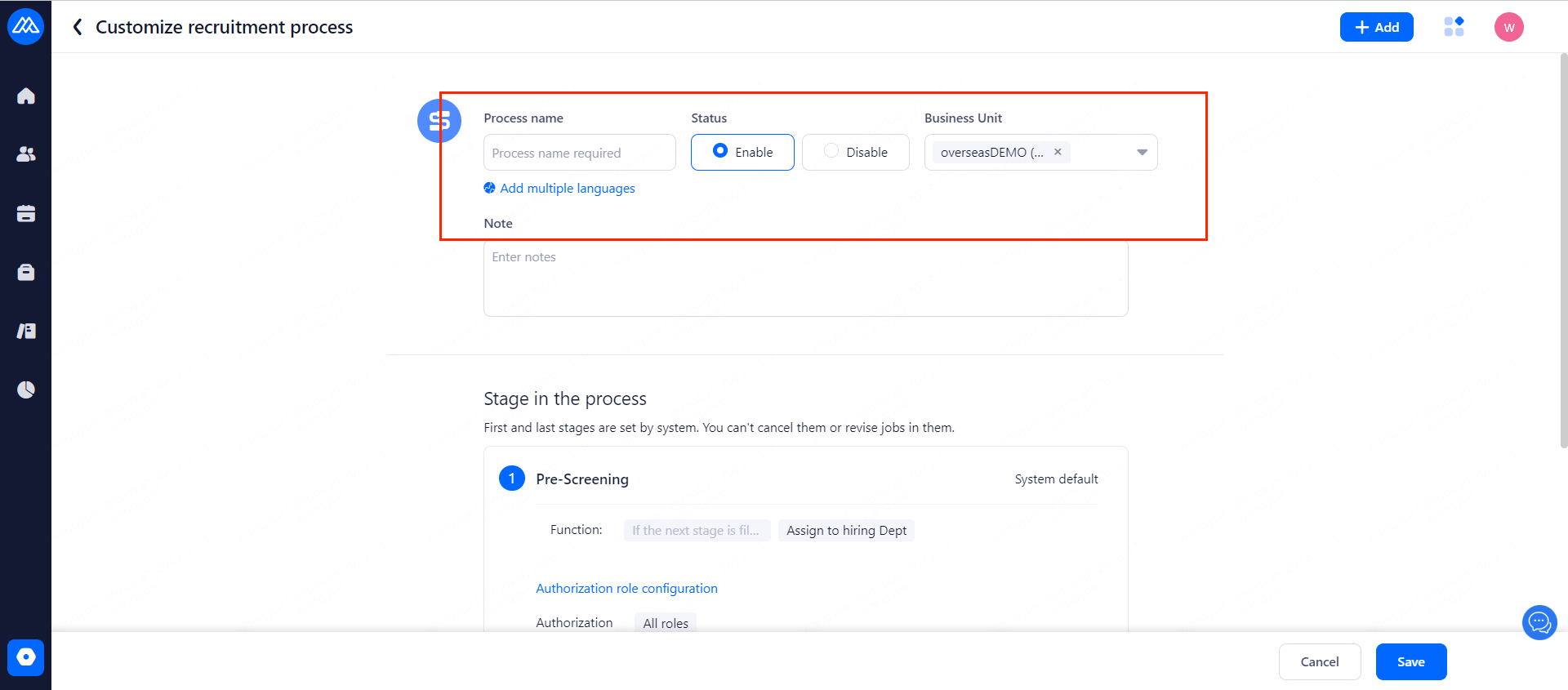
2.2.2 After entering the process name and setting it as needed, click [+] next to the last stage
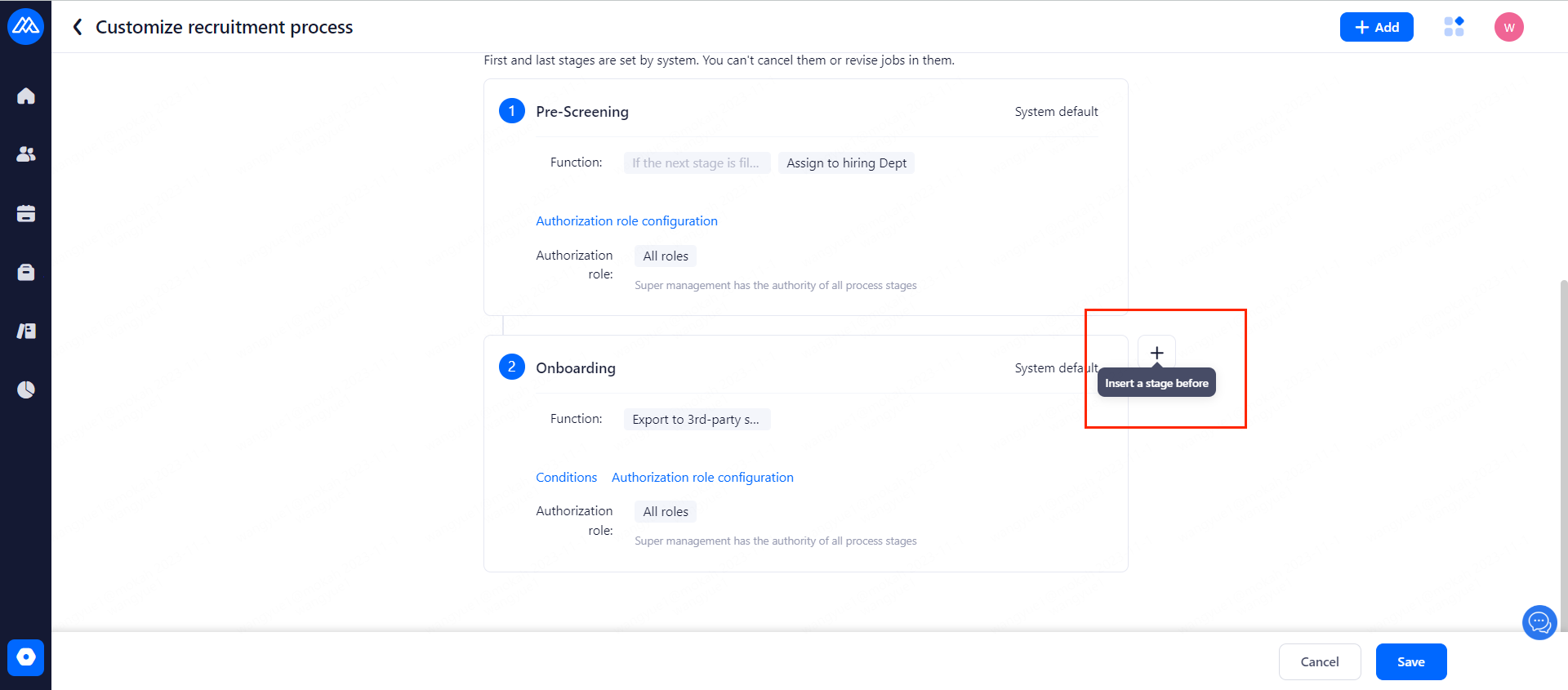
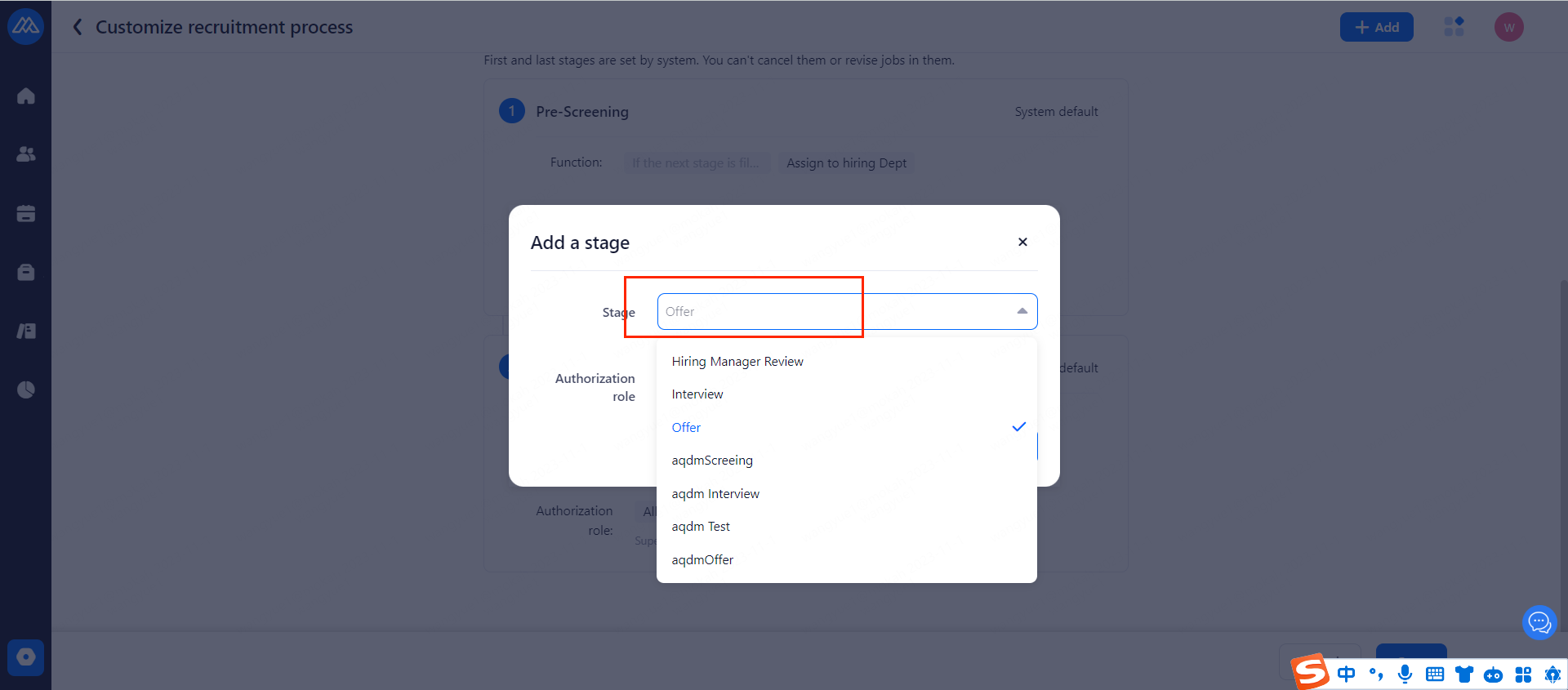
2.2.3 Confirmation after selecting or manually entering the name of the search phase (disabled recruitment stage cannot be selected)
2.2.4 Set stage entry condition:
The entry conditions for this stage can be configured based on the previous stage status of the process and will only be effective when moving the candidate stage.
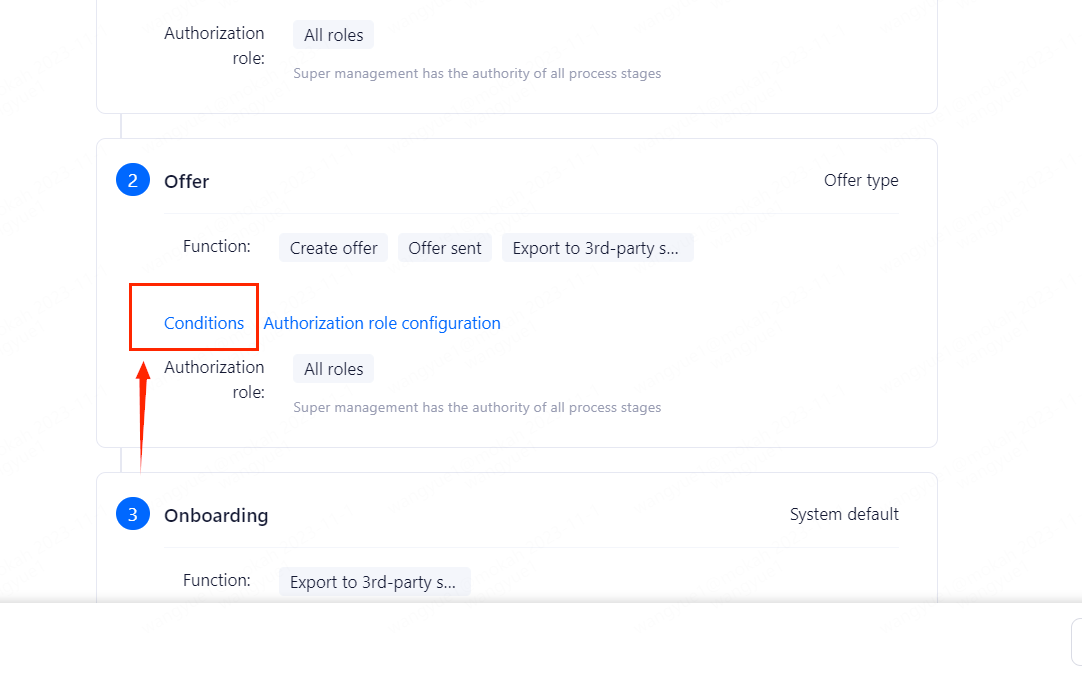
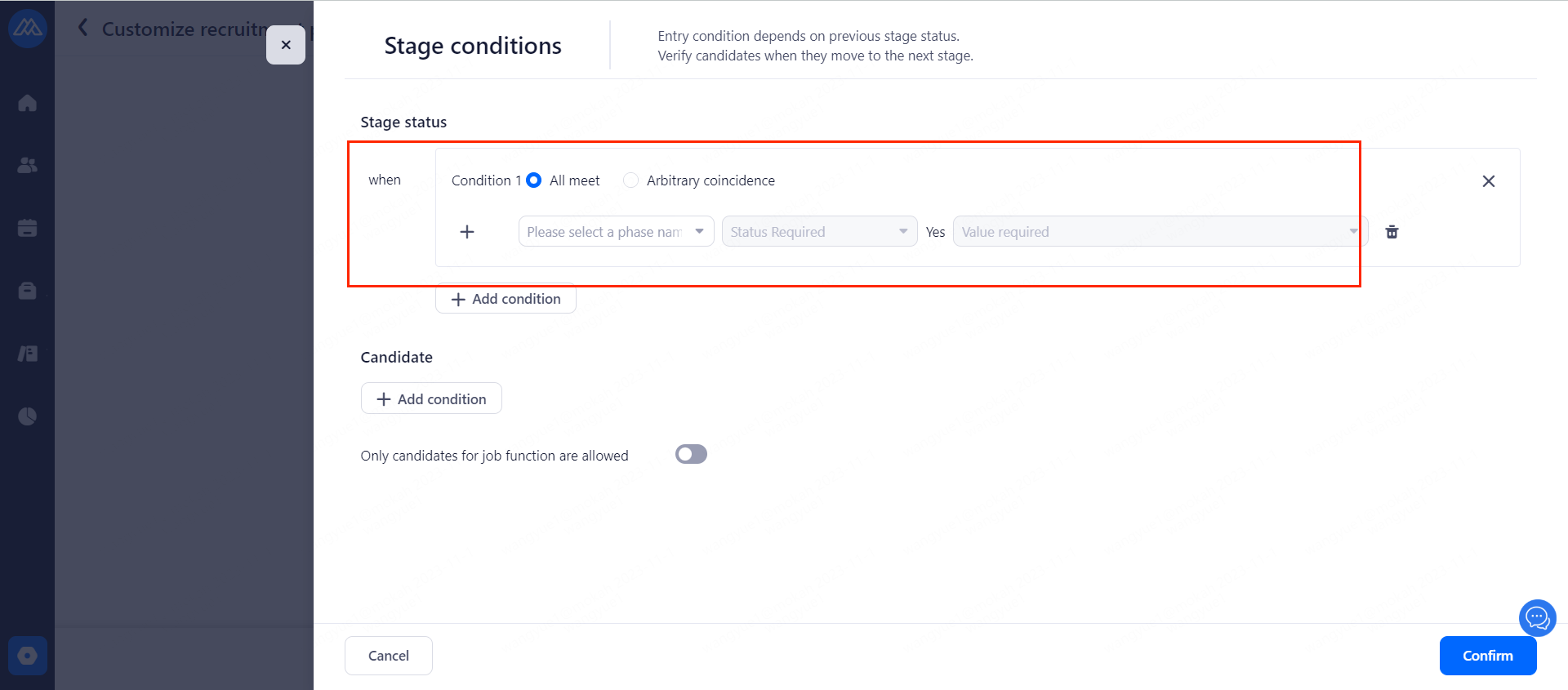
2.2.5 Click [Stage interview round configuration] and select round.
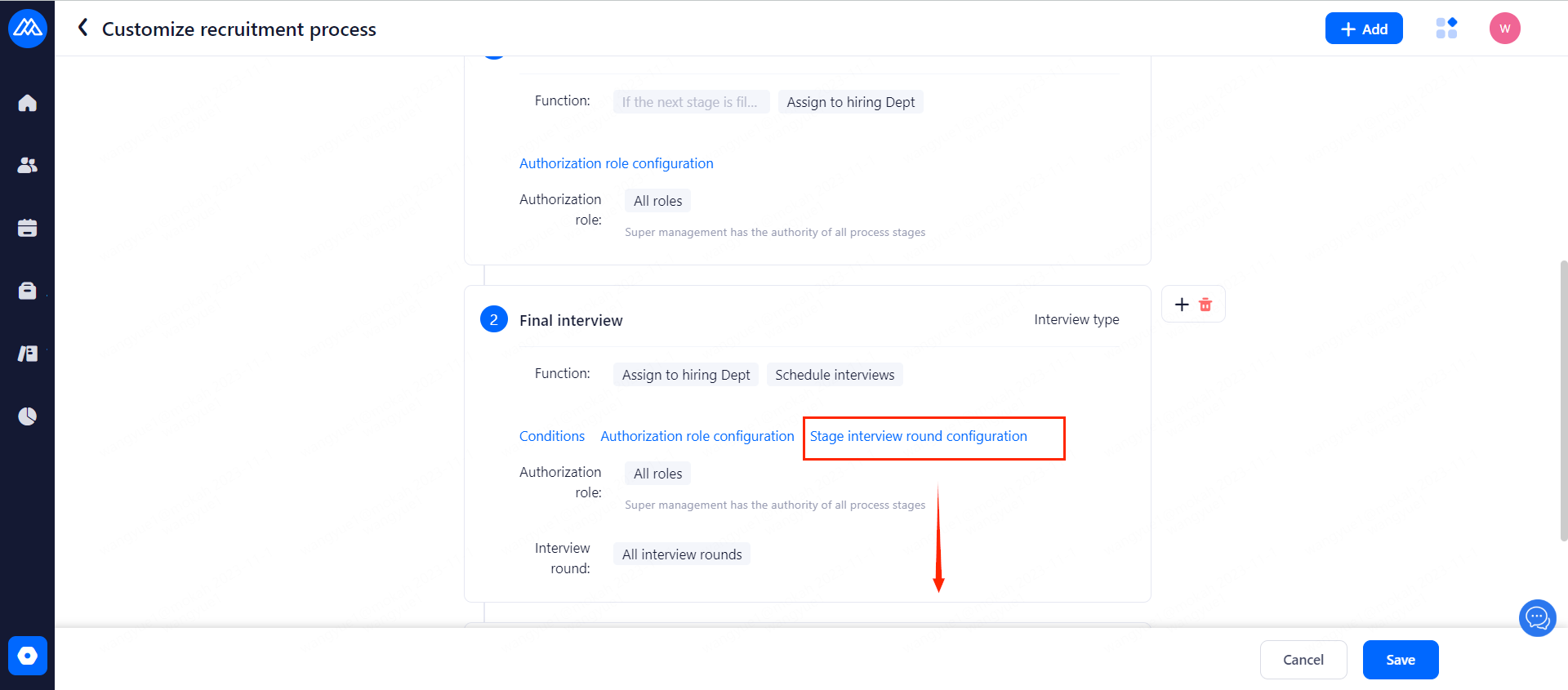
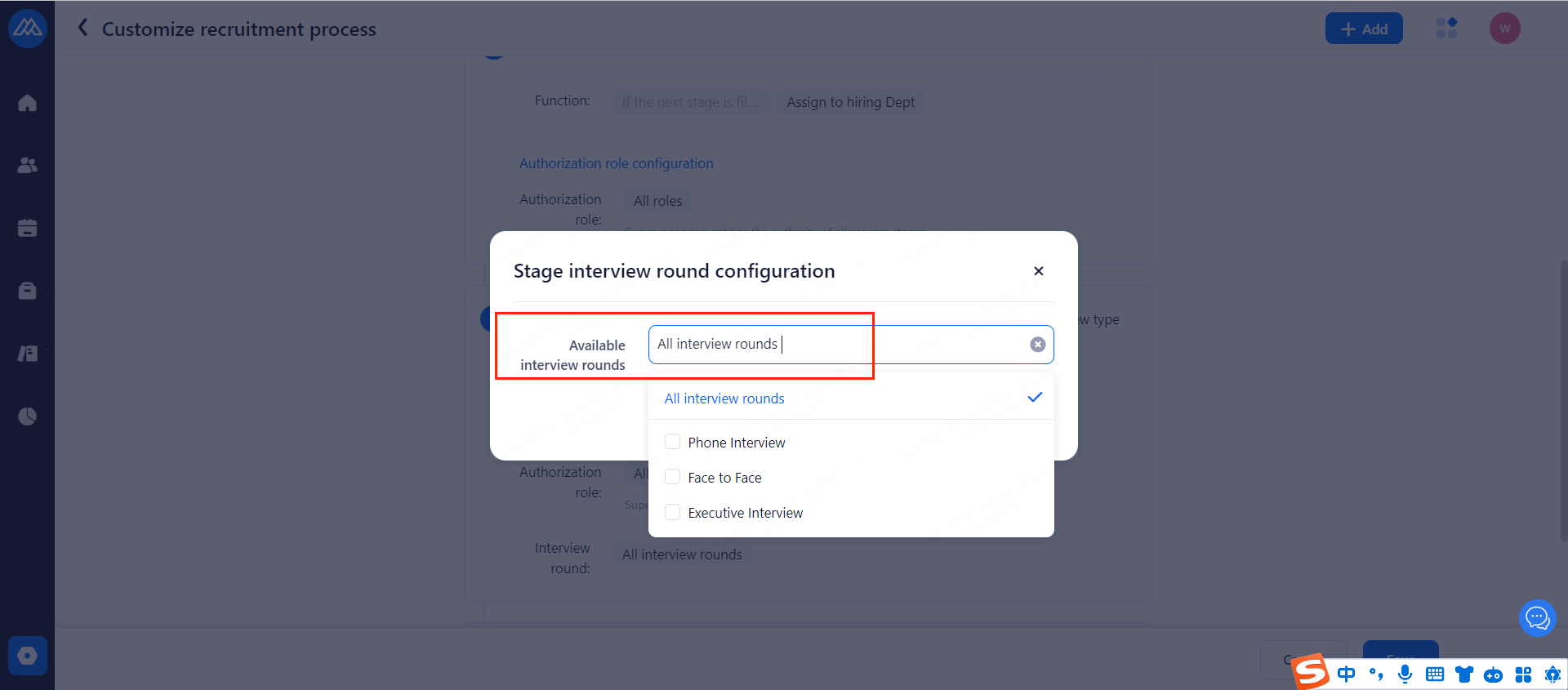
2.2.6 You can add interview rounds at the setting page as shown below.
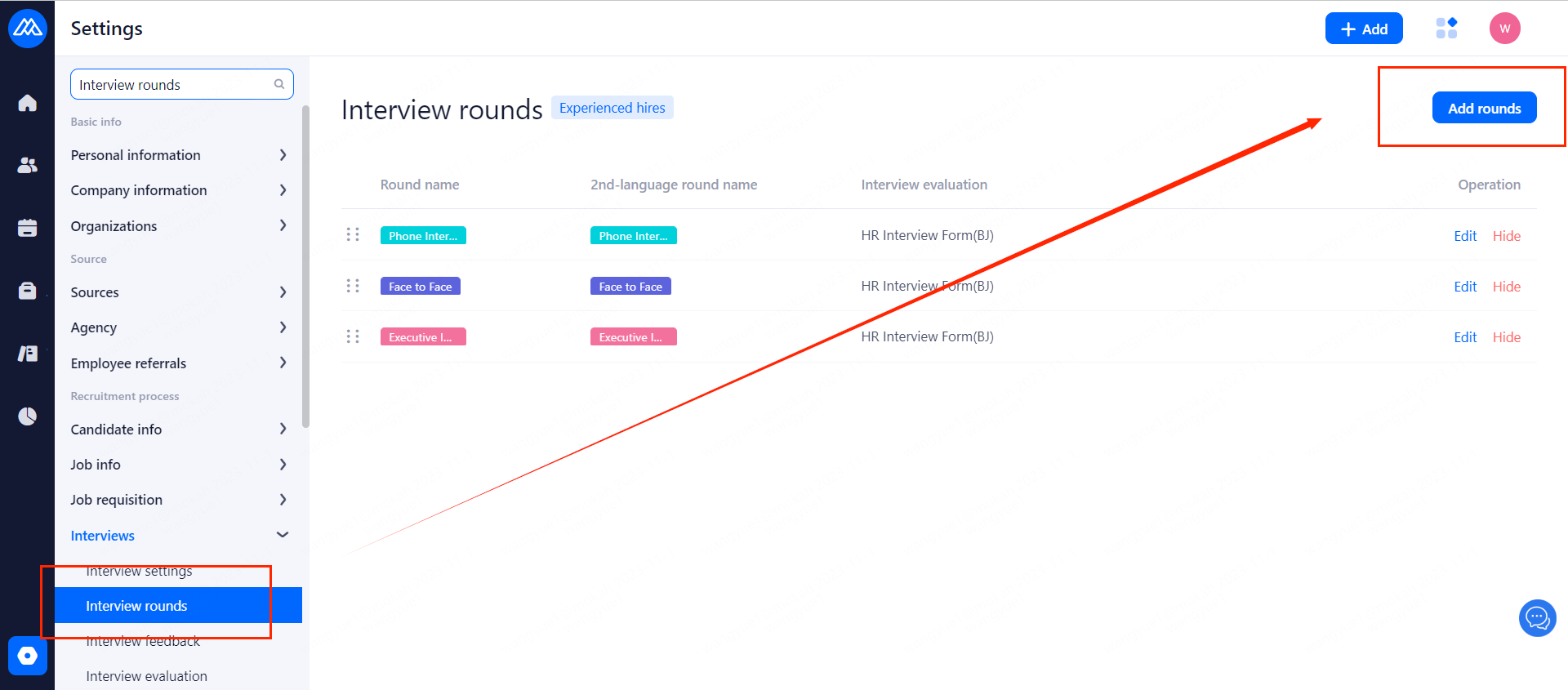
2.2.7 Once all is set as you want, click Save. A new recuitment process is created.
2.2.8
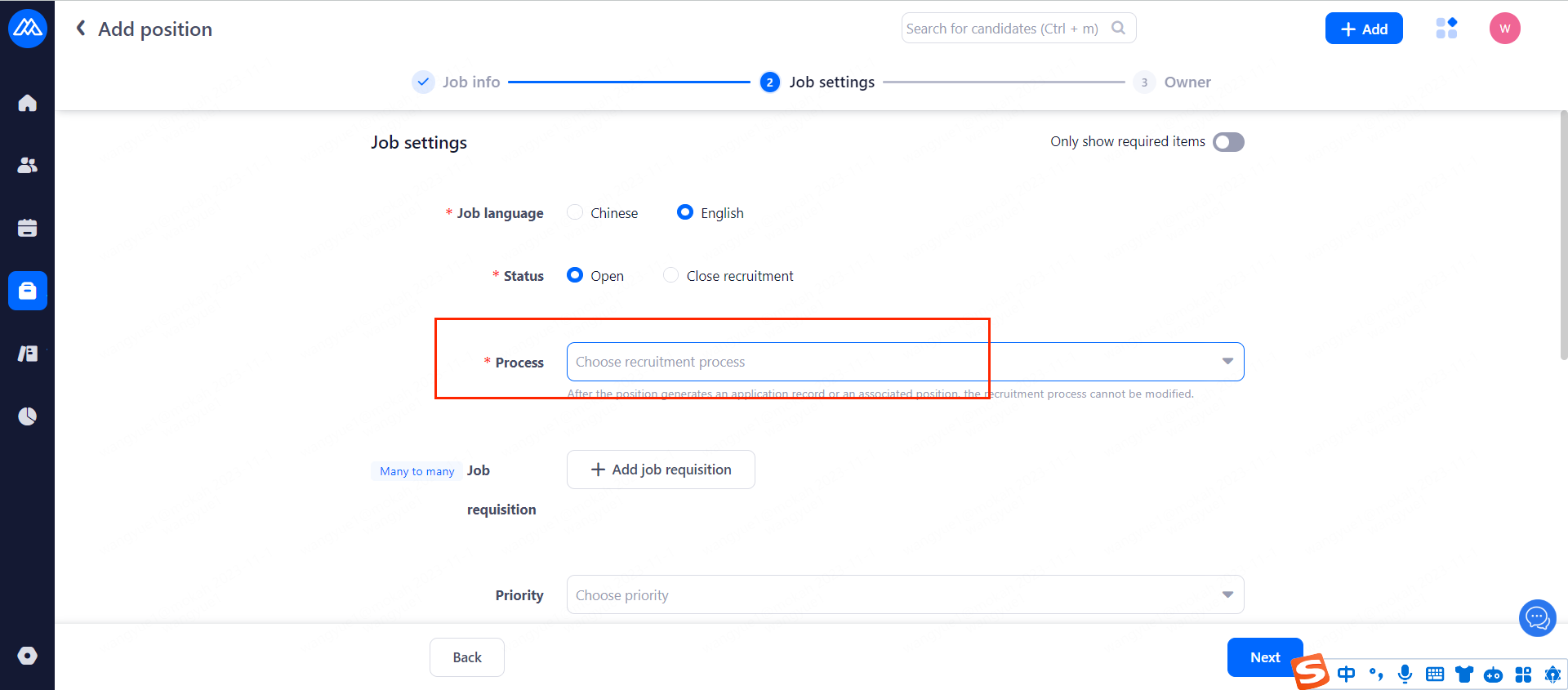
Select the recruitment process as needed when creating a position (the process cannot be modified if an application record has been generated or the position is associated)
2.3 How to disable a recruitment process
2.3.1 Operation path is as following picture.
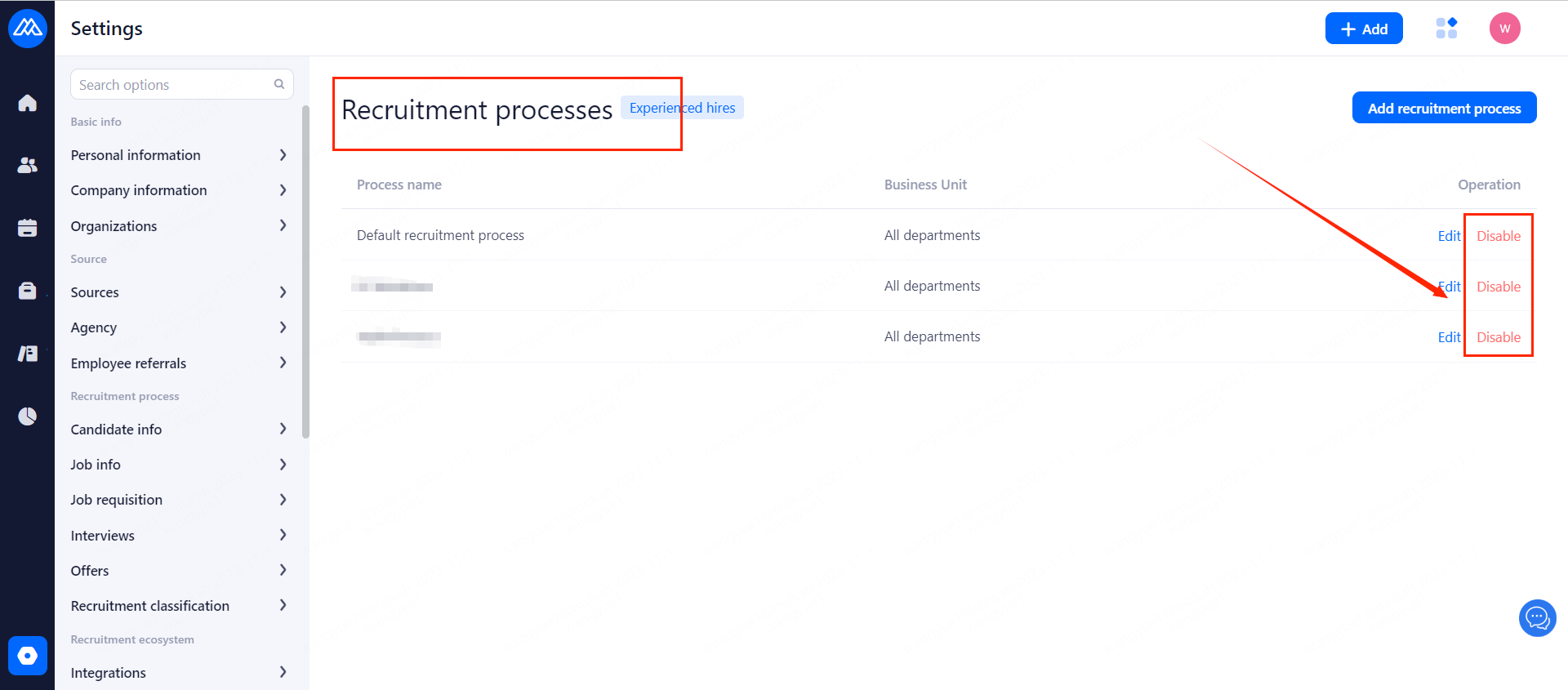
2.3.2 Impact of disabling the recruitment process
Disabling a recruitment process will not affect candidates of positions under the process, but you cannot associate a "disabled" recruitment process when associating a recruitment process under [Job Settings].
3. How to Change the Recruitment Stage in the Recruitment Process
3.1 Delete the [Recruitment Stage]
3.1.1
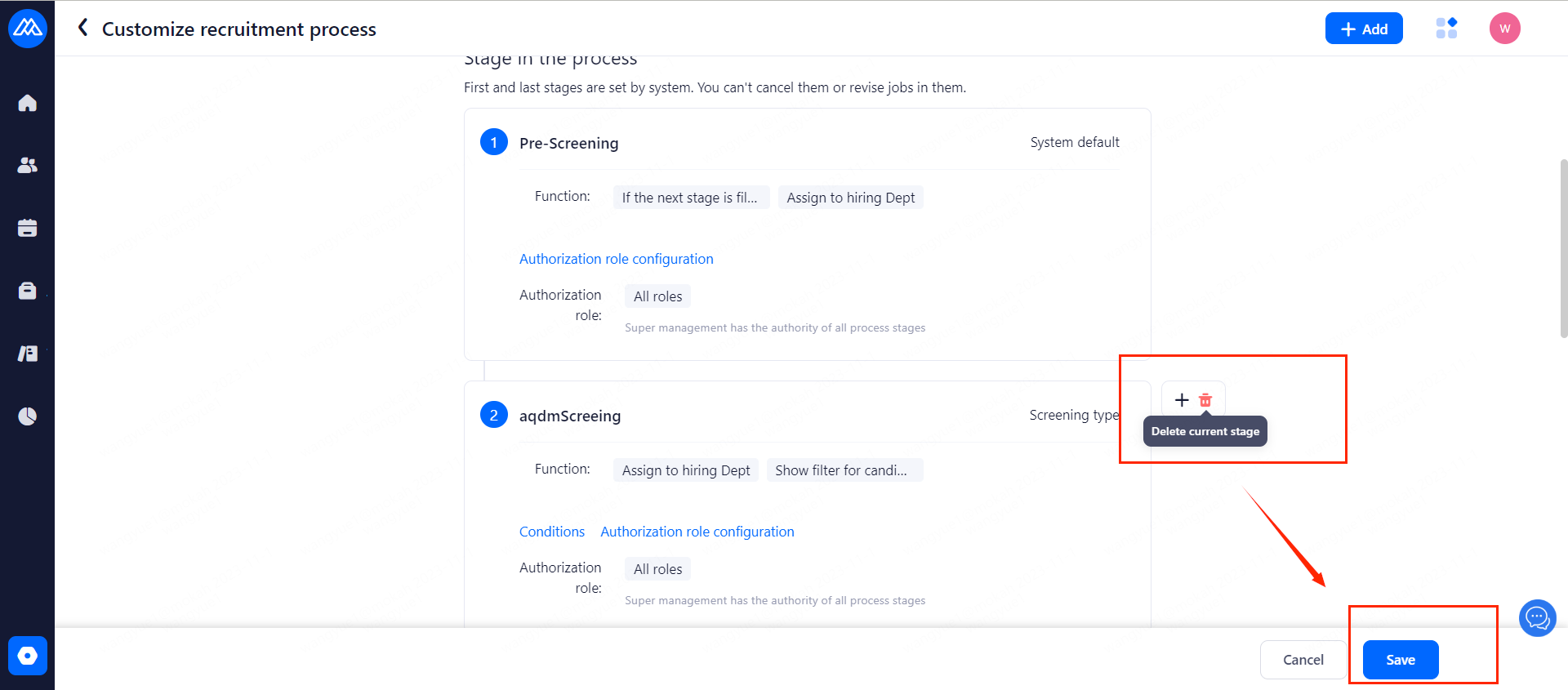
Select the corresponding recruitment process and find the corresponding stage, then click [Delete] to delete the stage under the process.
3.1.2
To delete the "Recruitment Stage" that has been added in the "Recruitment Process", the following two conditions must be met, otherwise it cannot be deleted:
a. There are no candidates in the process at this stage.
b. There are no candidates eliminated or archived under this stage.
3.1.3 Solution to "Recruitment Stage" added in "Recruitment Process" cannot be deleted
a. Move candidates in this stage of the process to other stages
b. After restoring the candidates archived and eliminated in this stage to their original status, move the candidates to other stages.
3.2 Added "Recruitment Stage" to "Recruitment Process"
3.2.1
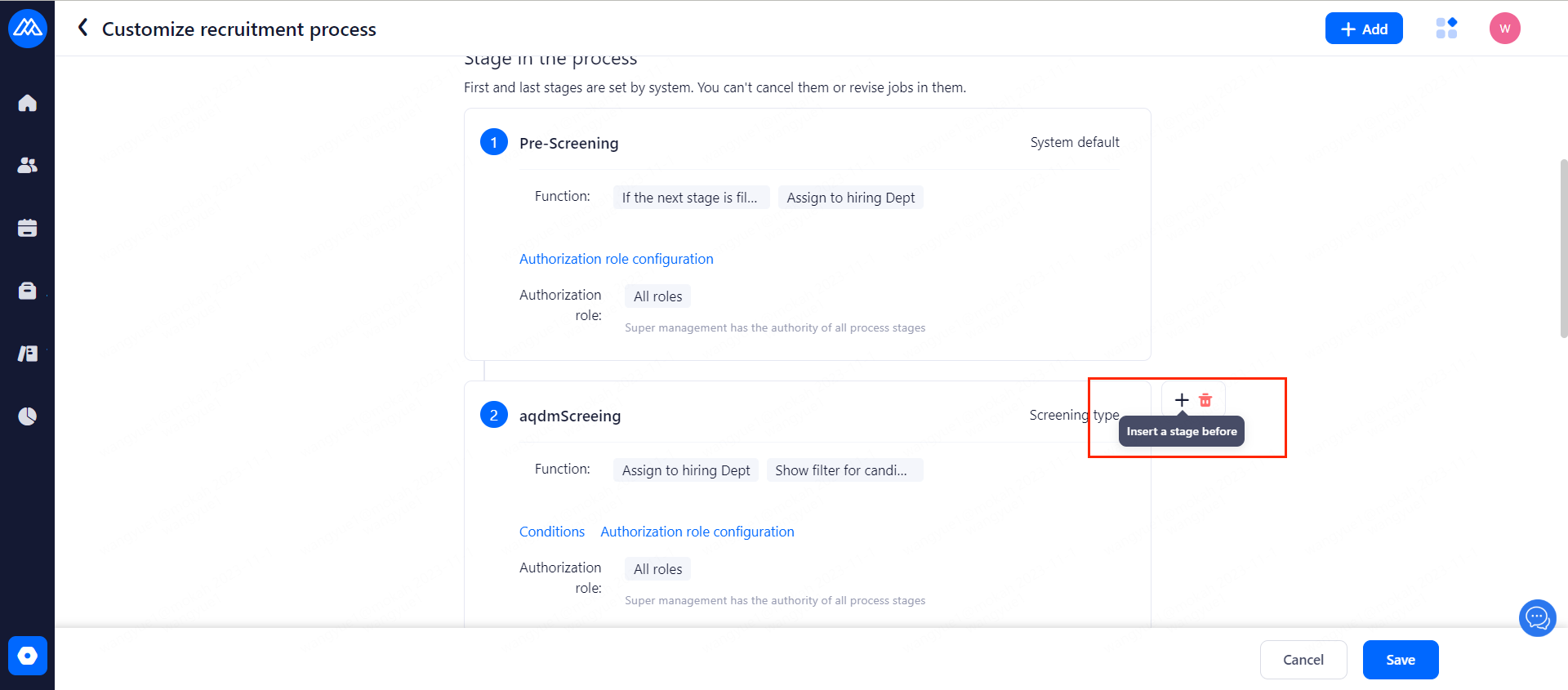
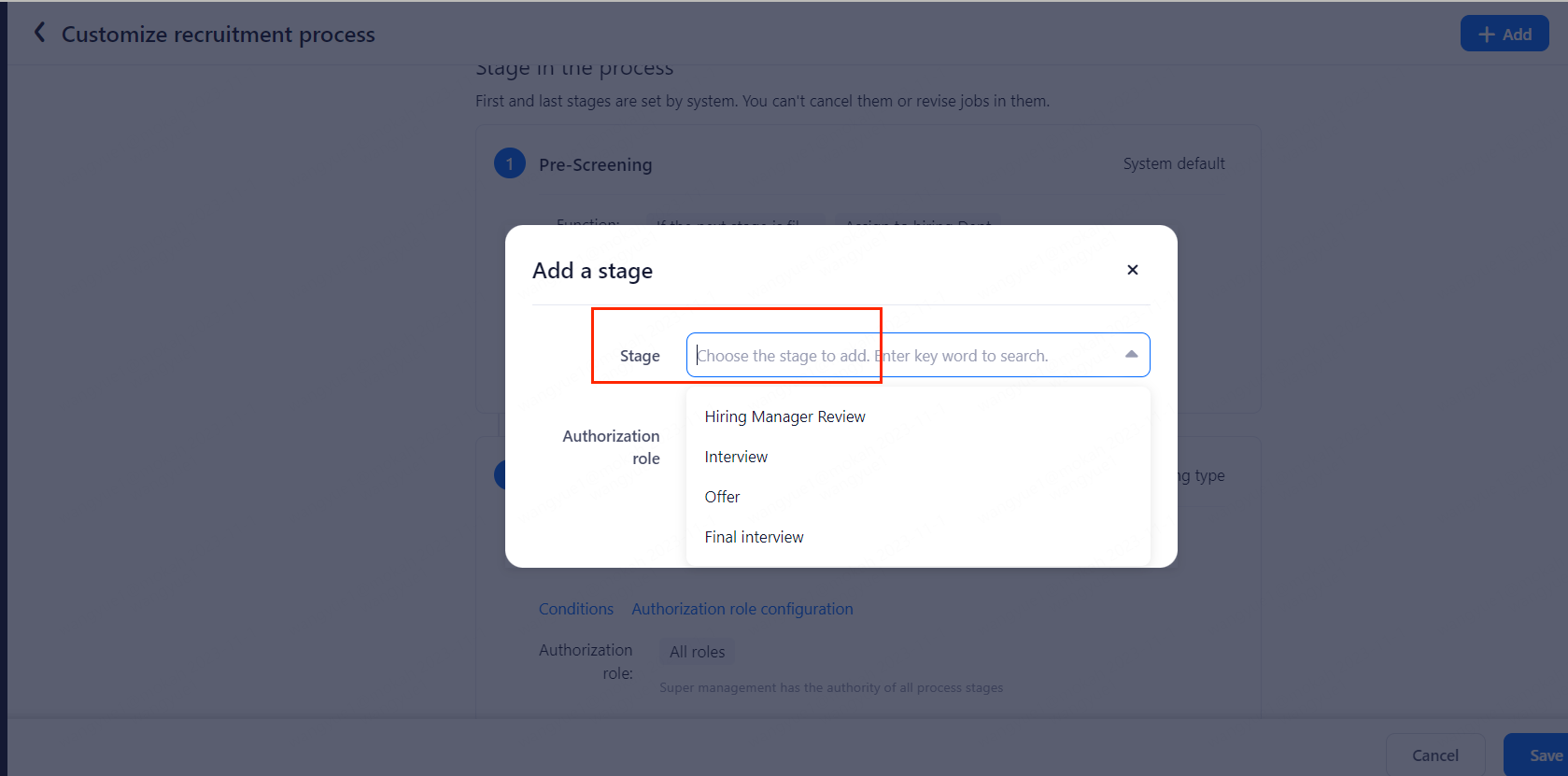
Select the corresponding recruitment process, select the corresponding stage, and click Add to add a new stage under the process.
3.2.2
After the new stage is added, candidates who have been in other stages after the new stage and candidates who have been archived or eliminated will not be affected by this new stage. Candidates before the new stage will enter this new stage. So adding a new stage may affect data statistics.
4. Change the order
● The order of the recruitment stages in the recruitment process cannot be adjusted directly. It can only be adjusted by adding or deleting.
● The first (pre-screening) and last (on-boarding) stages after the creation process are fixed stages built into the system and cannot be canceled or adjusted.
