




All doc

System Applications

Jobs and Requisitions
Jobs and Requisitions
Interview&Offer
Candidates&Talent pool
Candidates&Talent pool
Recruitement Process
Hiring Manager
Operation Manual
BI Report
Basic Instruction
Common Questions

Candidate Activation Methods and Scenarios in the Talent poo
Candidate Activation Methods and Scenarios in the Talent poo
Last updated 2023/11/30 Reading number 9


1、Talent activation role
1.1the company in the recruitment process has accumulated a large number of resumes, often scattered in the various computers, and is not effectively utilized;
1.2 HR can manually activate candidates for different positions;
1.3 When you create a new position, or position recruitment progress is not ideal can come to the talent pool for talent activation;
2、Activation rules management
2.1 Set the filtering rules of the talent pool
In Settings - Talent pool setup, you can choose to meet all or any conditions and set activation rules so that when talent activation is performed, candidates will be reactivated if they meet the conditions of the set rules.
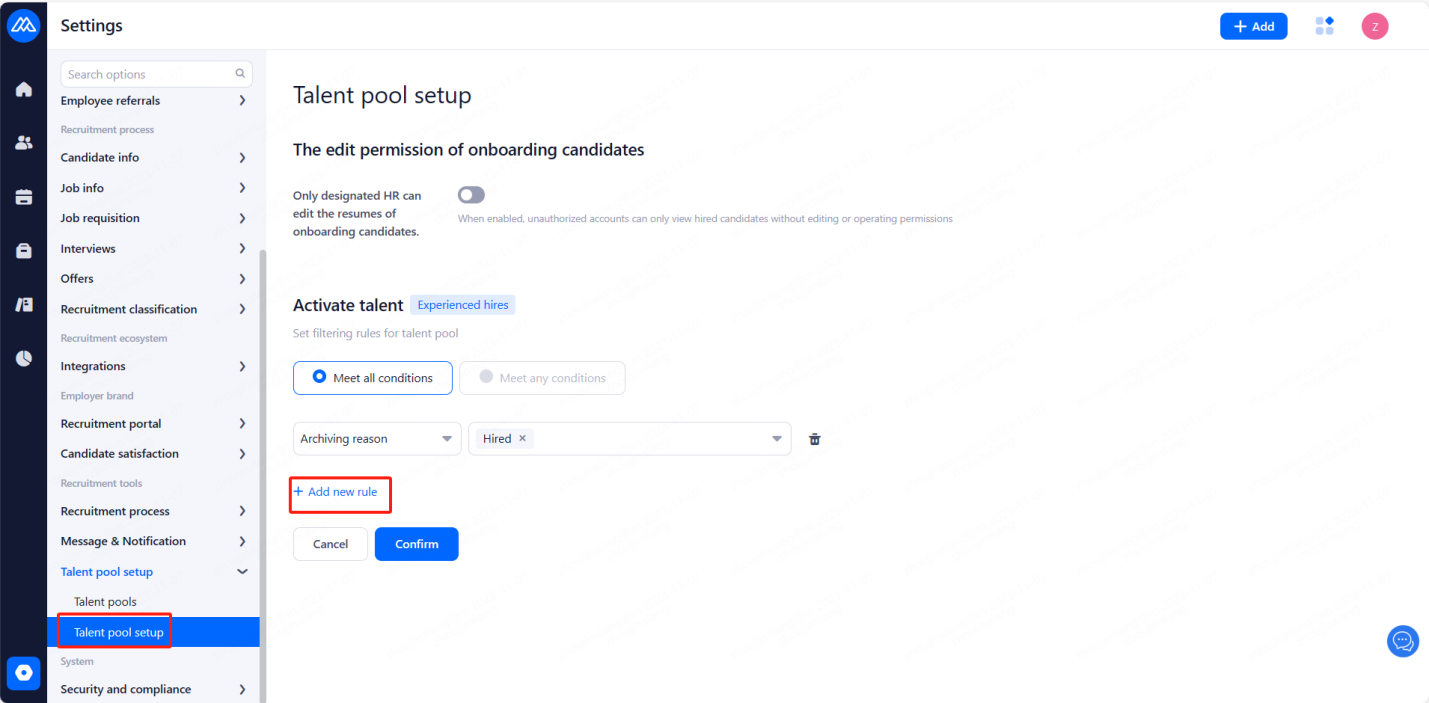
3、New activation method
3.1 open the talent pool, click on the right side of the "new activation" button
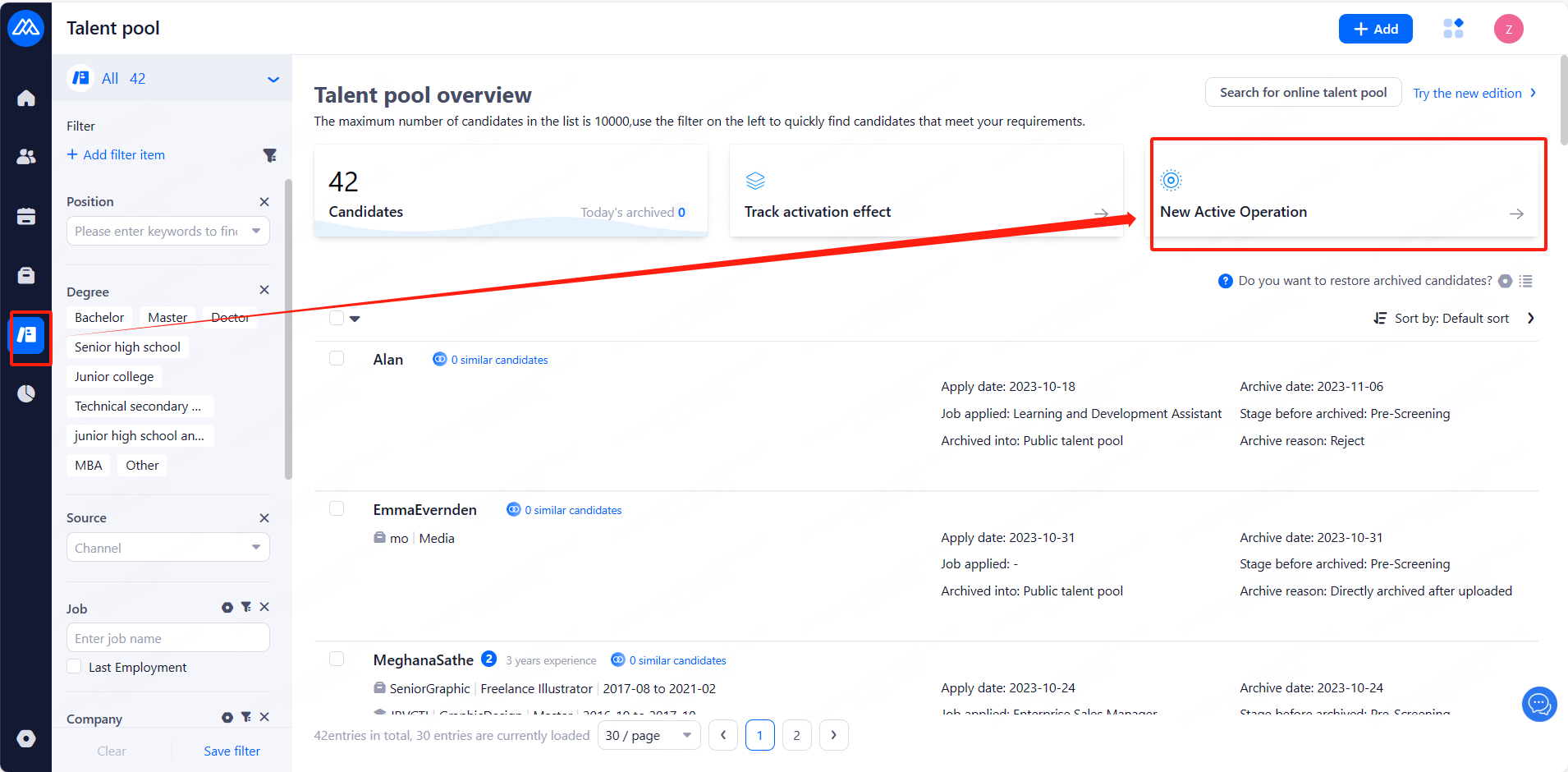
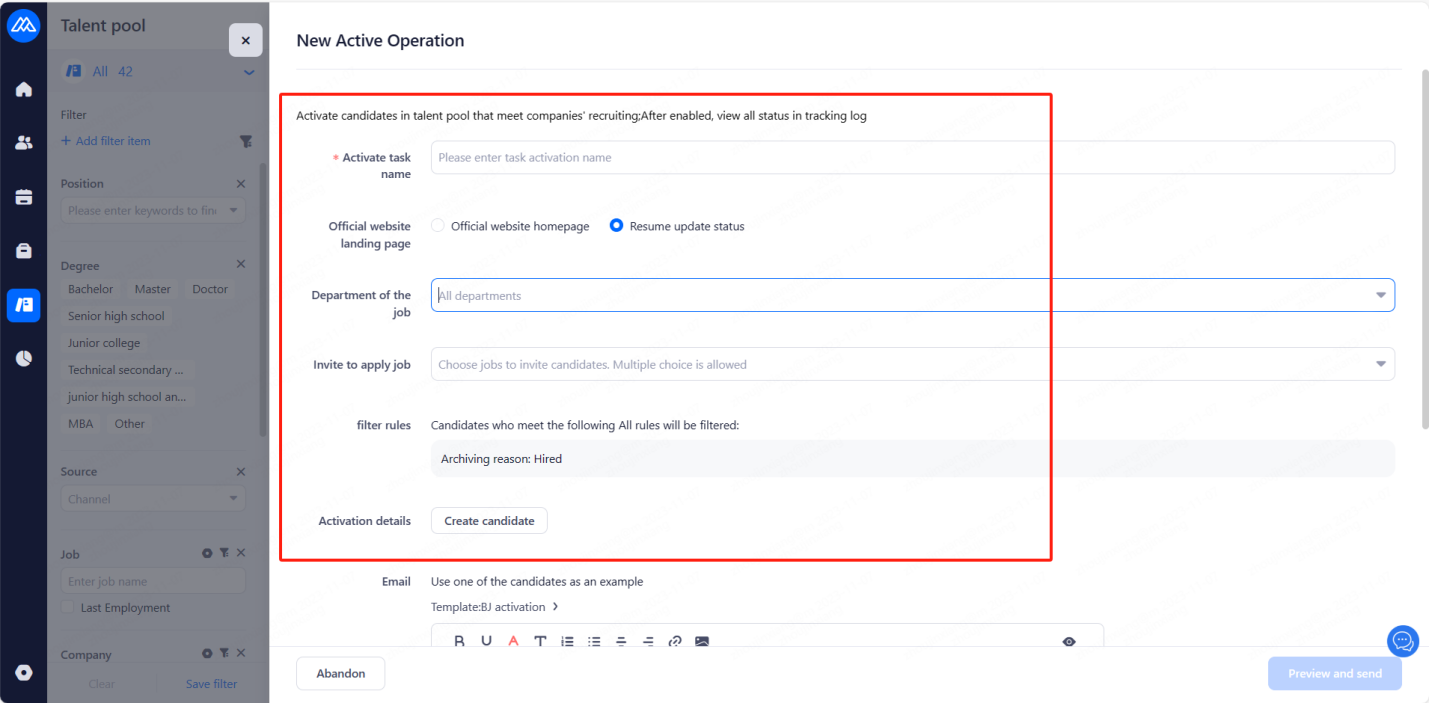
3.2 Set the activation name and add activation candidates (can also be added in the Talent pool by configuring the filtering criteria to screen for candidates that need to be activated)
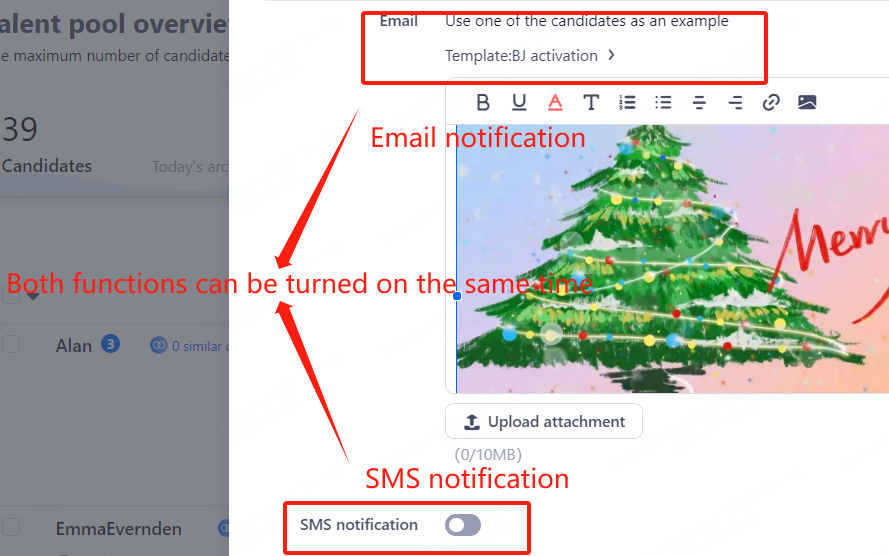
3.3 notify the candidate to carry out the channels are: telephone outbound (need to contact the customer success manager to open), e-mail alerts,SMS alerts, after the completion of the activation of the sent
3.4 View the activation effect
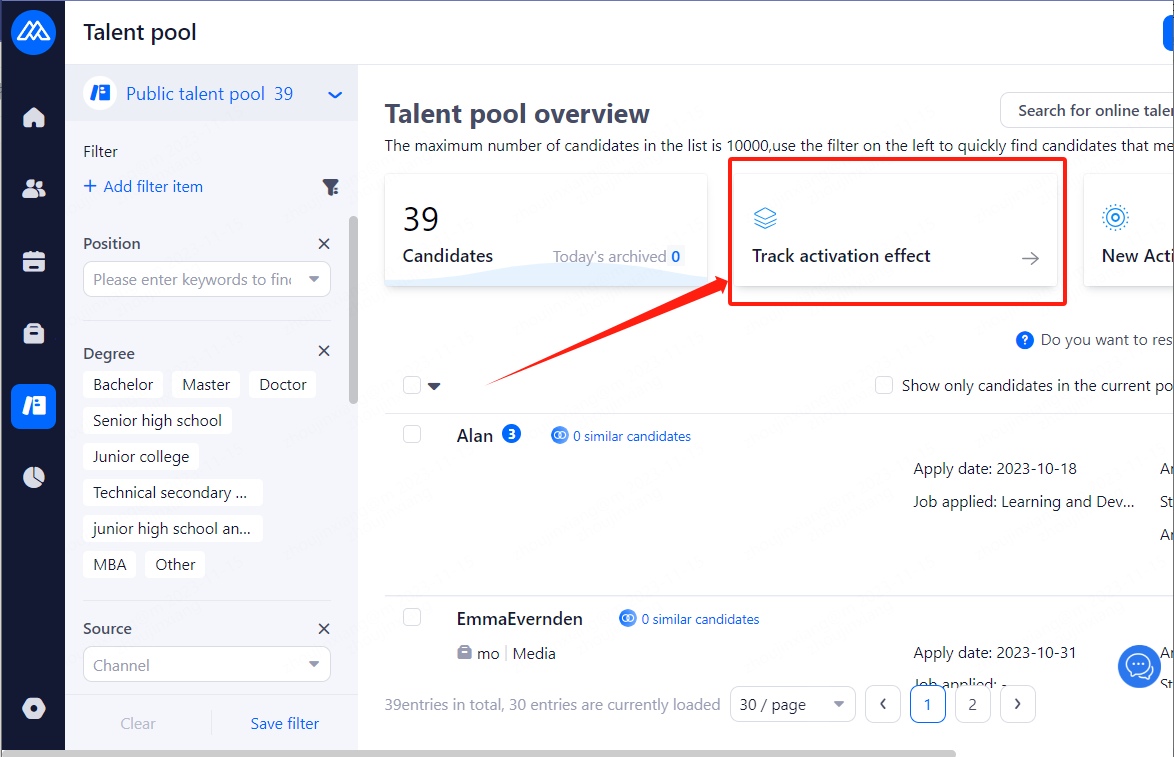
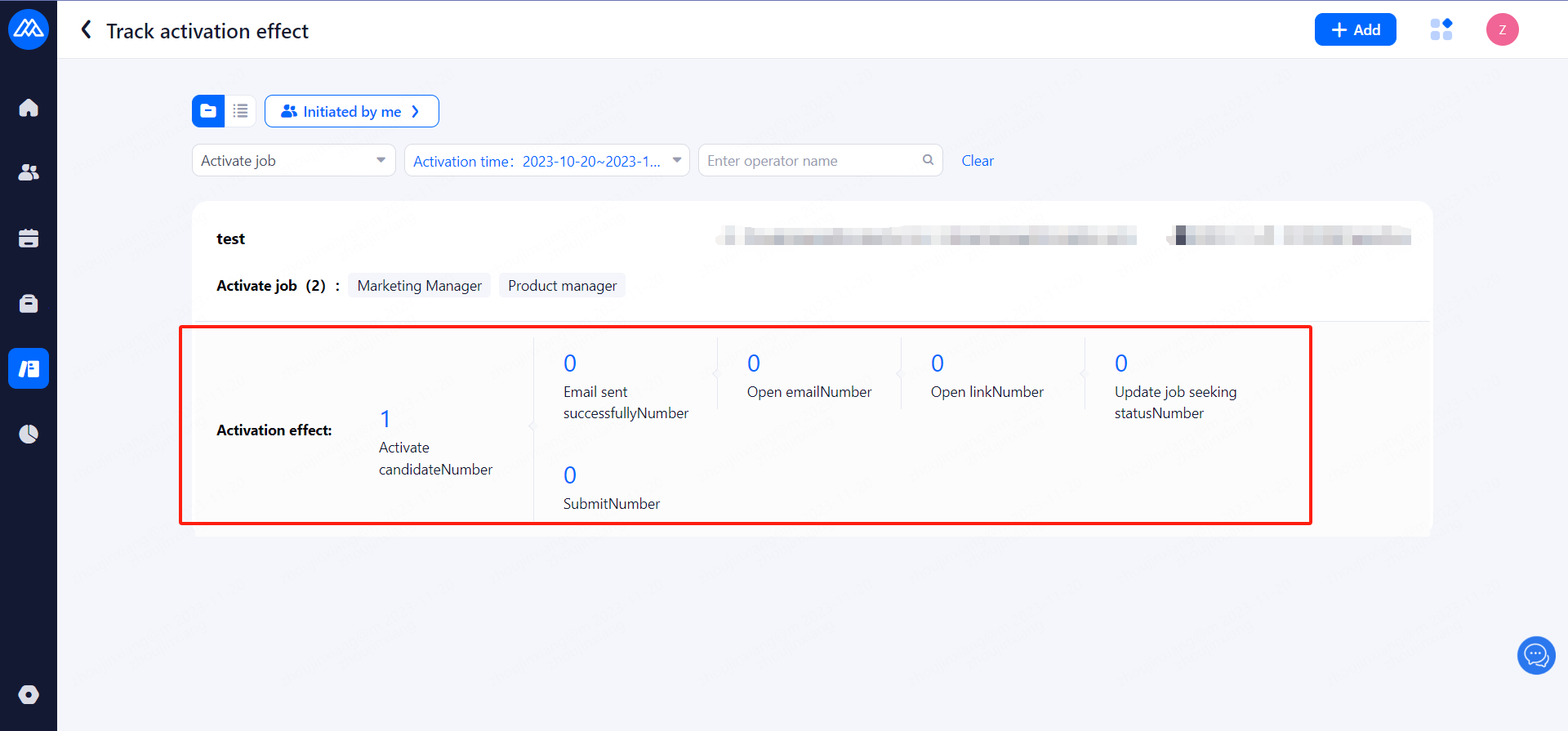
(Here you can switch dimensions to see how the tracking activation works, including the "Item" and "List" dimensions)
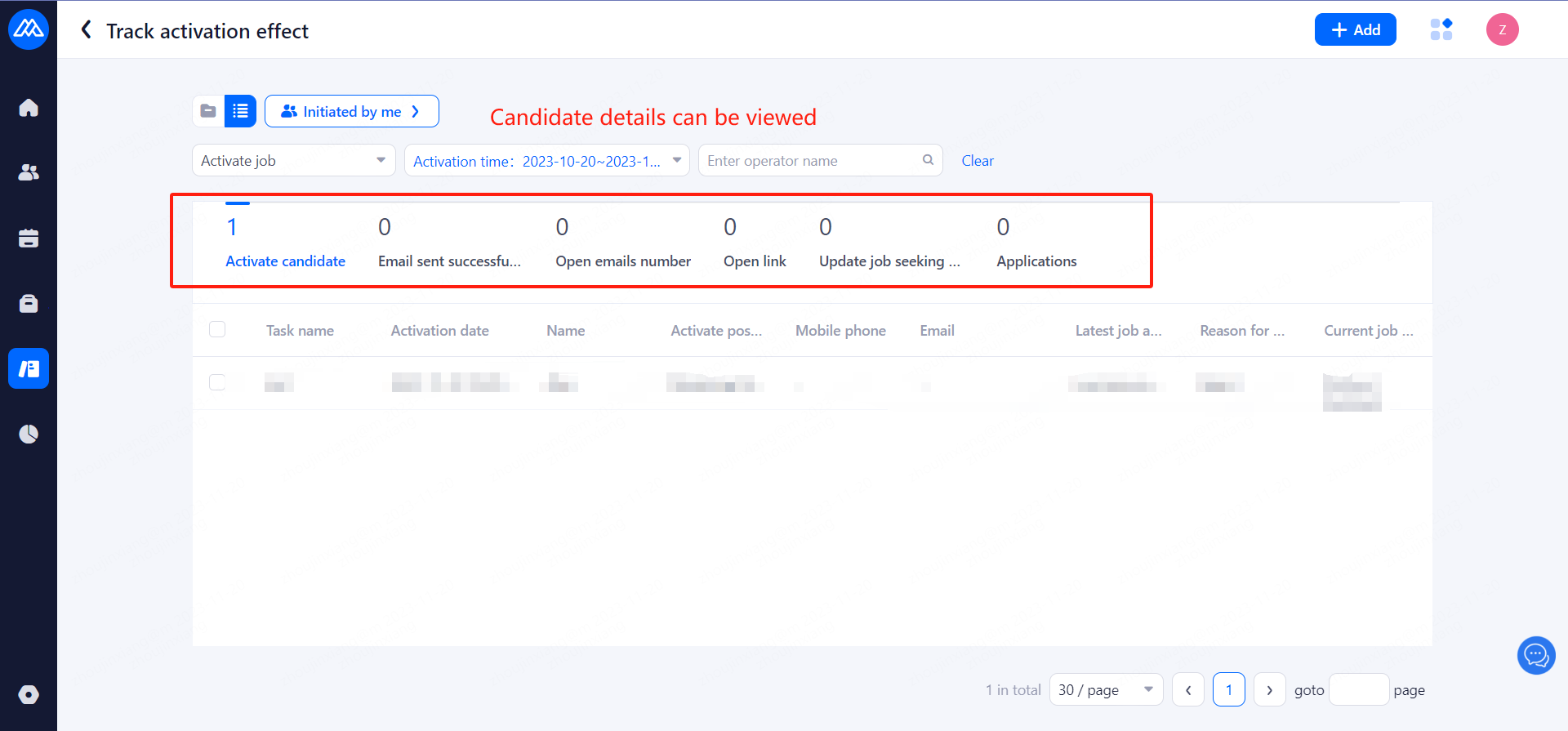
3.5 Click on the number to view the details of the candidate, you canview the candidate's resume
Evaluate this document
Helpful
No help
