1.Account Activation and Login
1.1.Activate Account
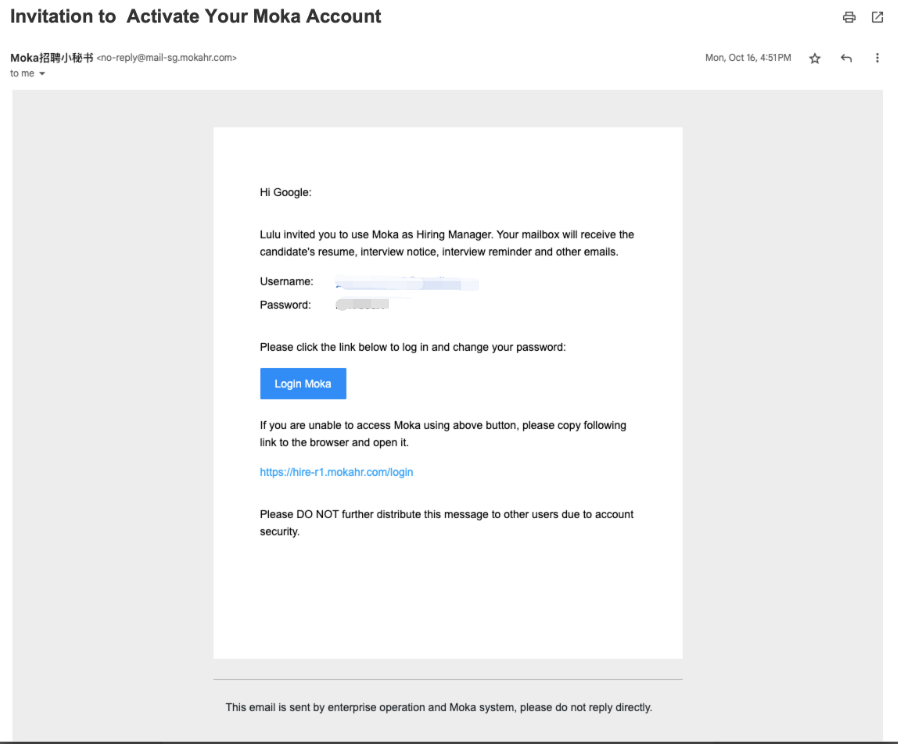
After the administrator creates your account, you will receive an invitation email.
Please check your inbox for the invitation email from Moka.
1.2.Log in
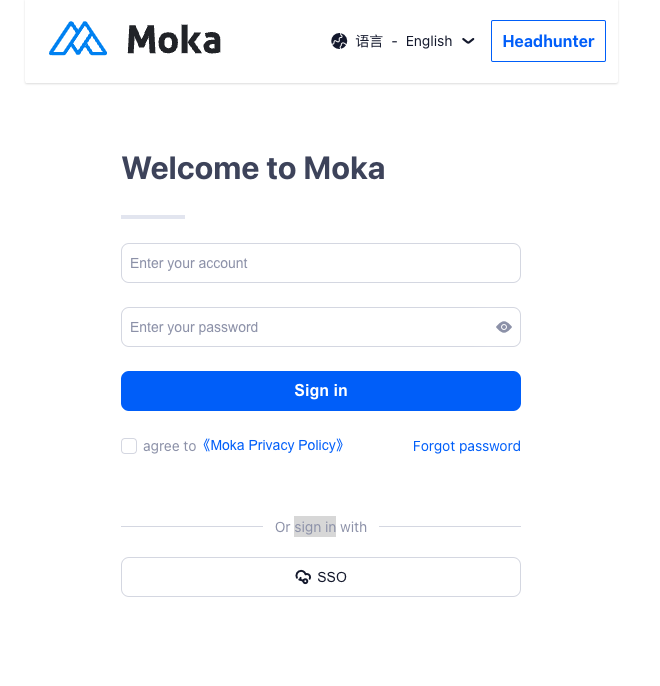
URL:https://hire-r1.mokahr.com/login
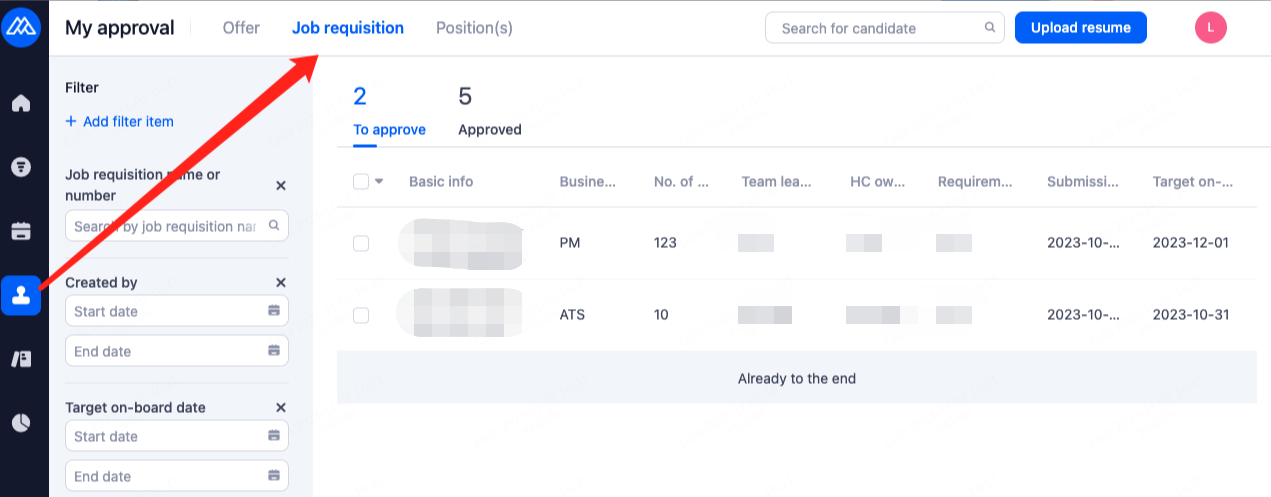
2.Approve Job Requisition
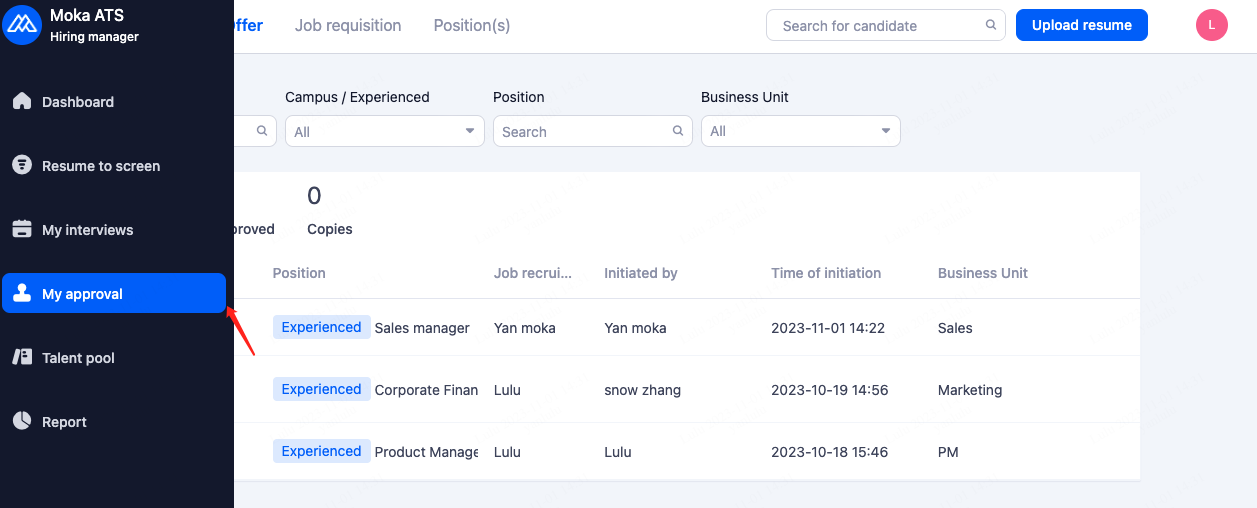
As an approver, you will receive an email notification. Clicking on "Approve" will directly redirect you to the system's operation page.
If your company's IM system is integrated with Moka, you will receive relevant notification reminders within the IM system.
Alternatively, you can directly access the system to perform the approval.
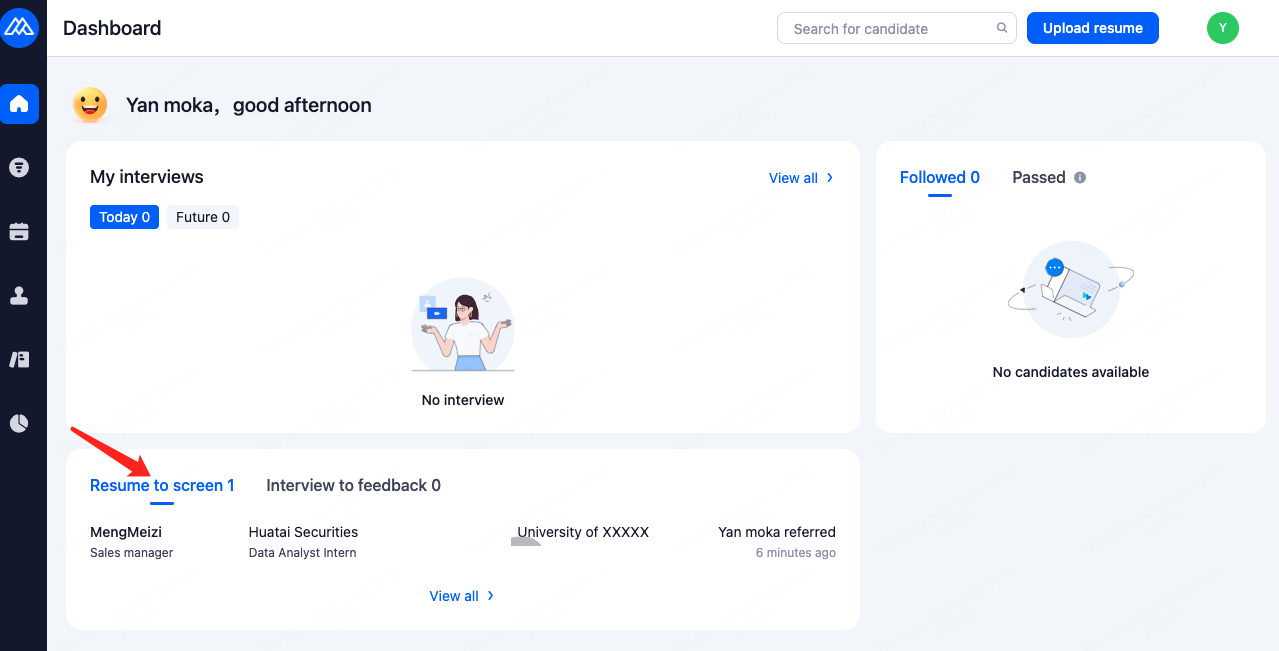
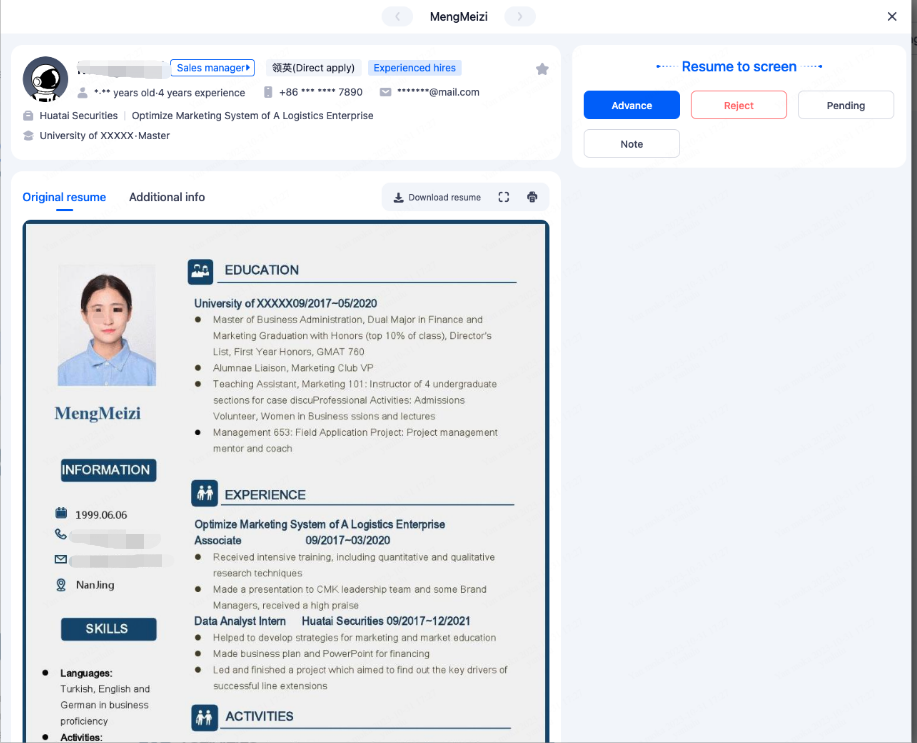
3.Screen Resume
4.Interview
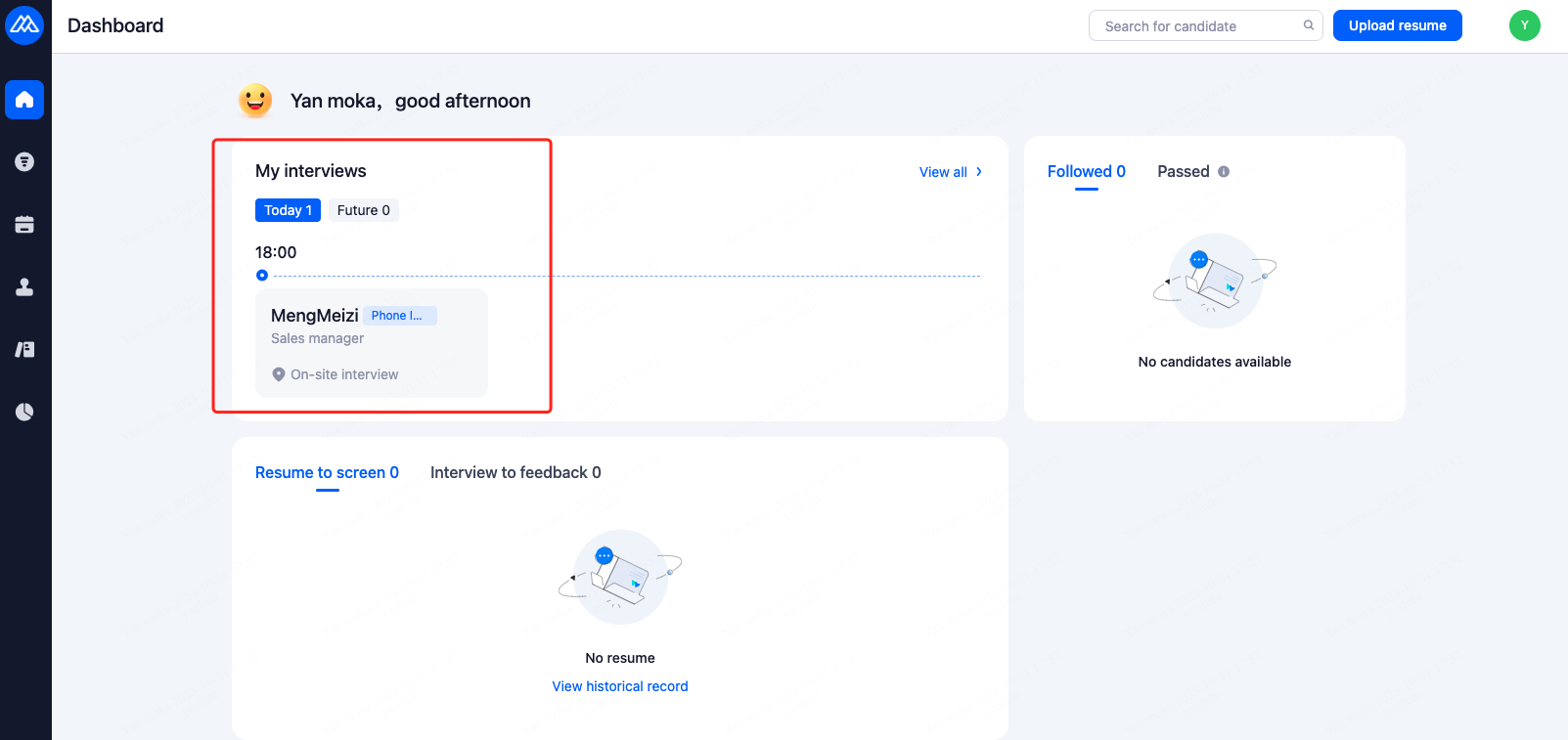
4.1.Check Interview Schedule
If your company's calendar is integrated with Moka, you can directly view Moka's interview schedules in the calendar.
Alternatively, you can directly access the system to view the upcoming interview schedule.
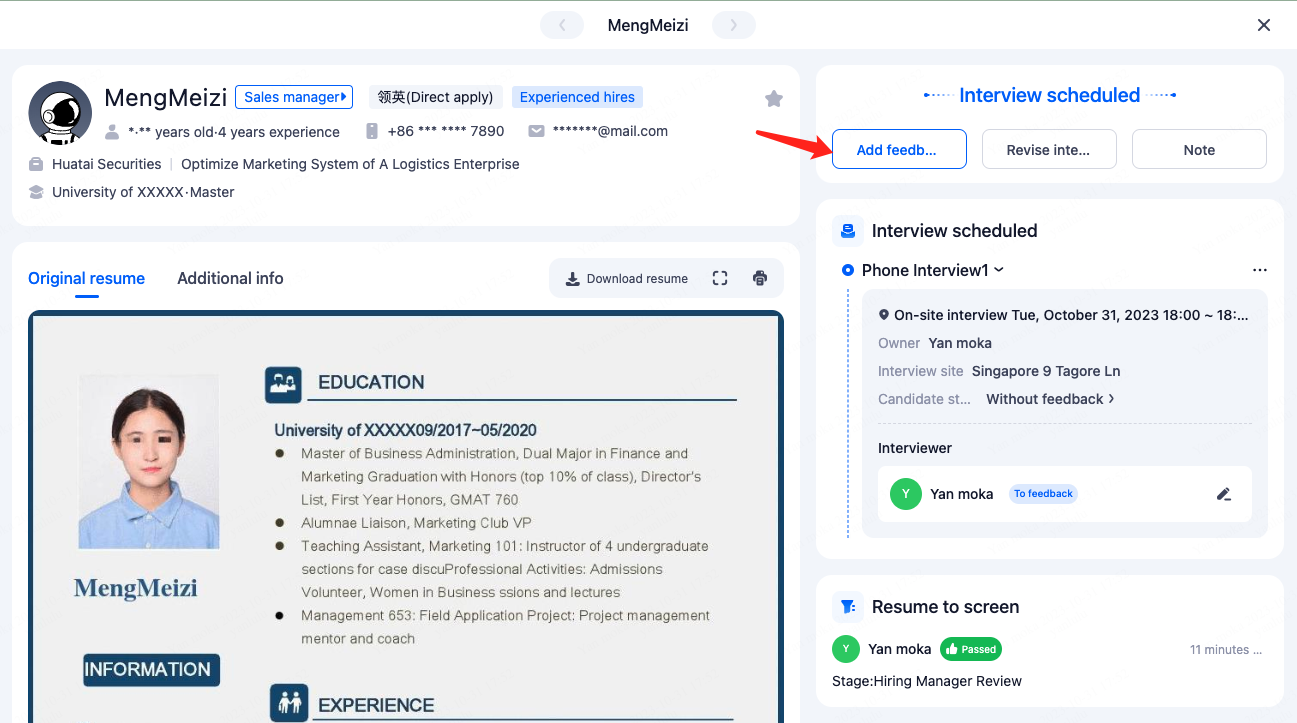
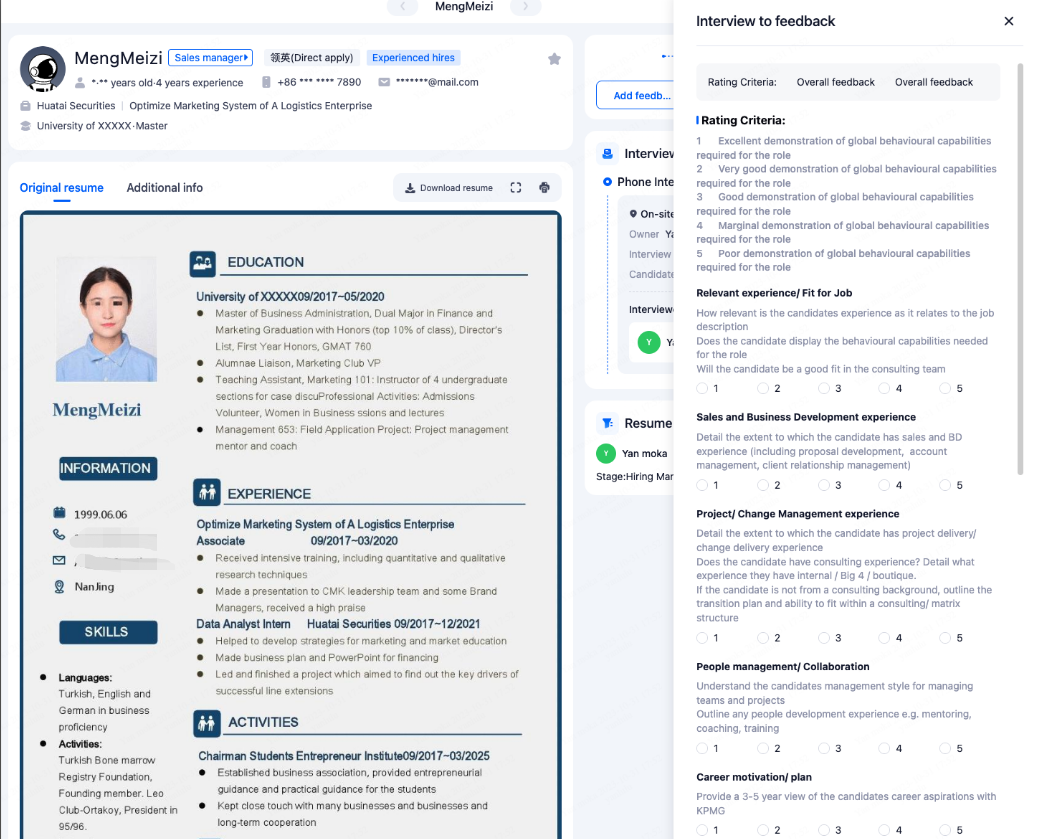
4.2.Add Feedback
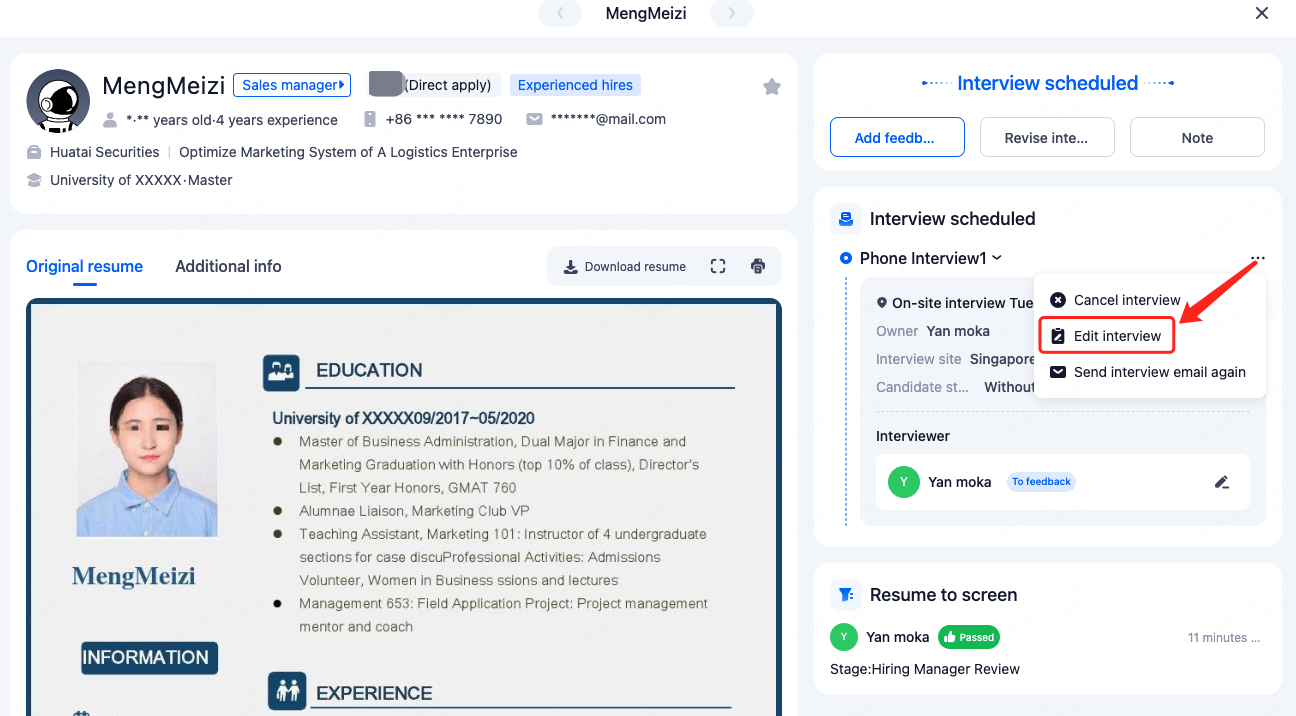
4.3.Edit interview
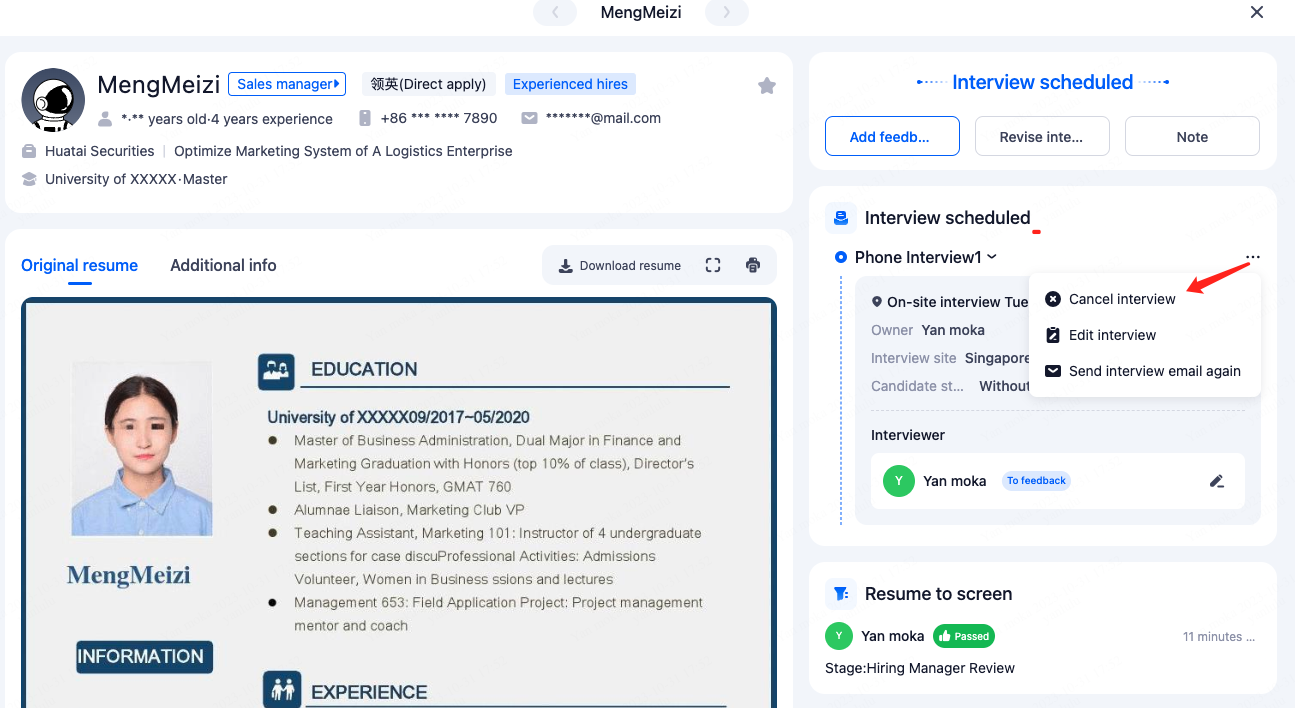
4.4.Cancel interview
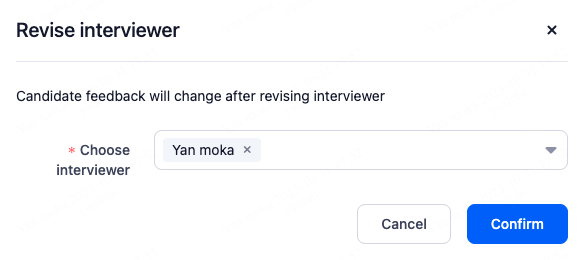
4.5.Assign New Interviewer
As an interviewer, if you are unable to attend the interview due to unexpected circumstances, you can delegate another interviewer to take your place for the interview.
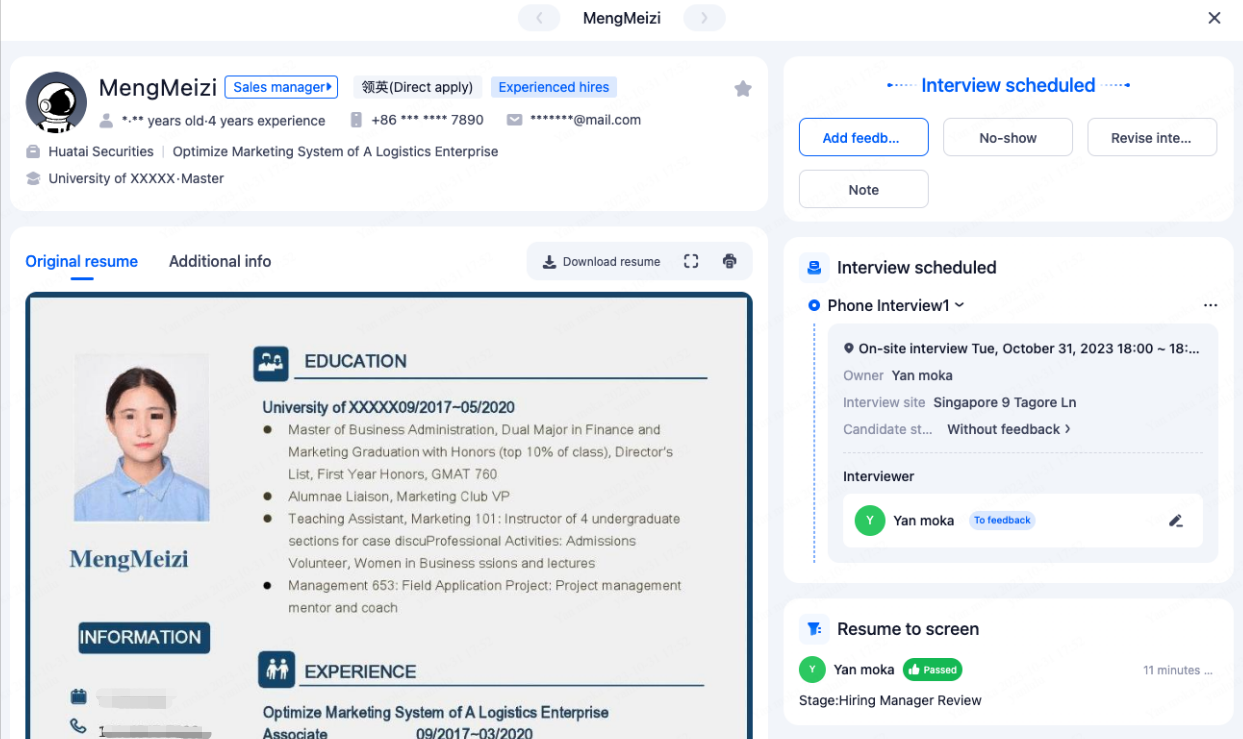
4.6.Mark Candidate as Absent
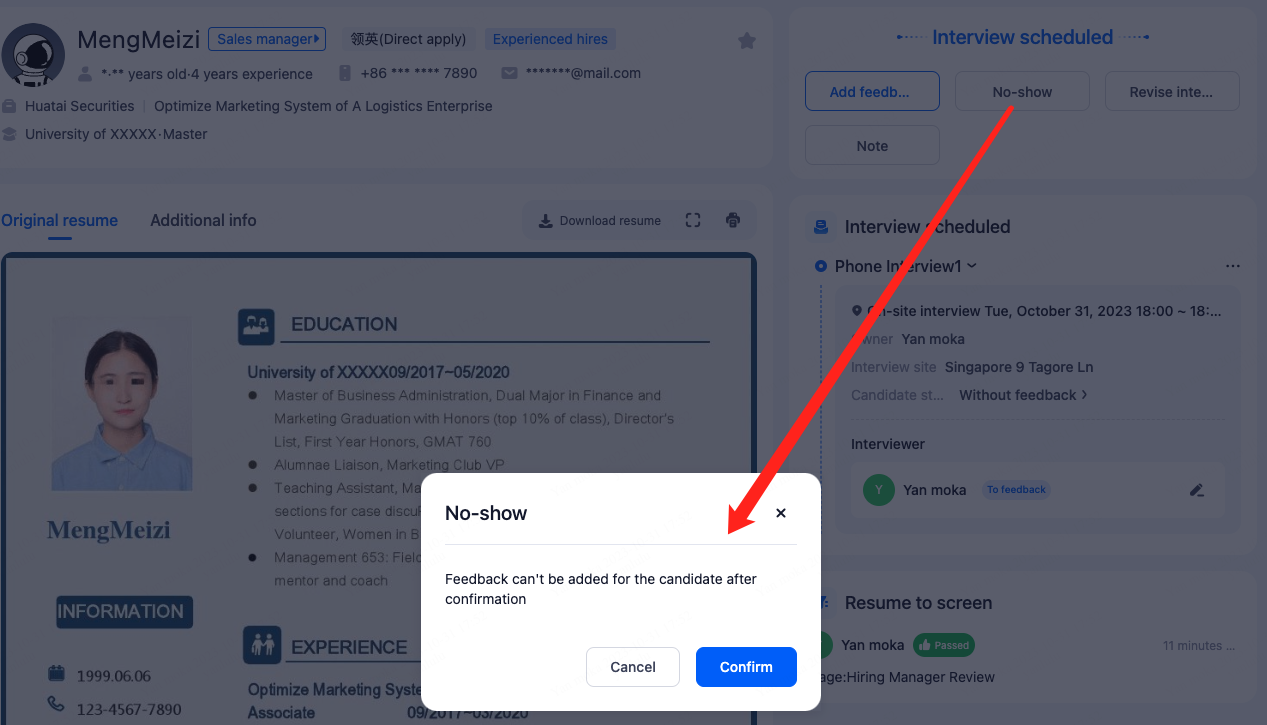
5.Approve Offer
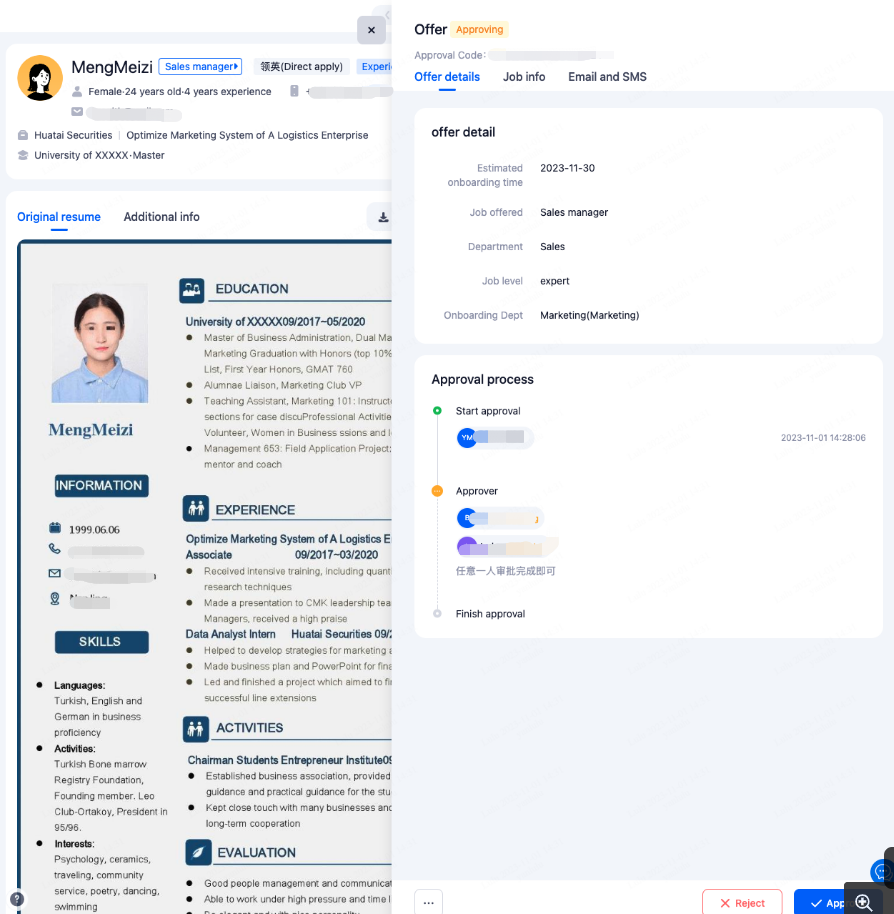
As an approver, you will receive an email notification. Clicking on "Approve" will directly redirect you to the system's operation page.
If your company's IM system is integrated with Moka, you will receive relevant notification reminders within the IM system.
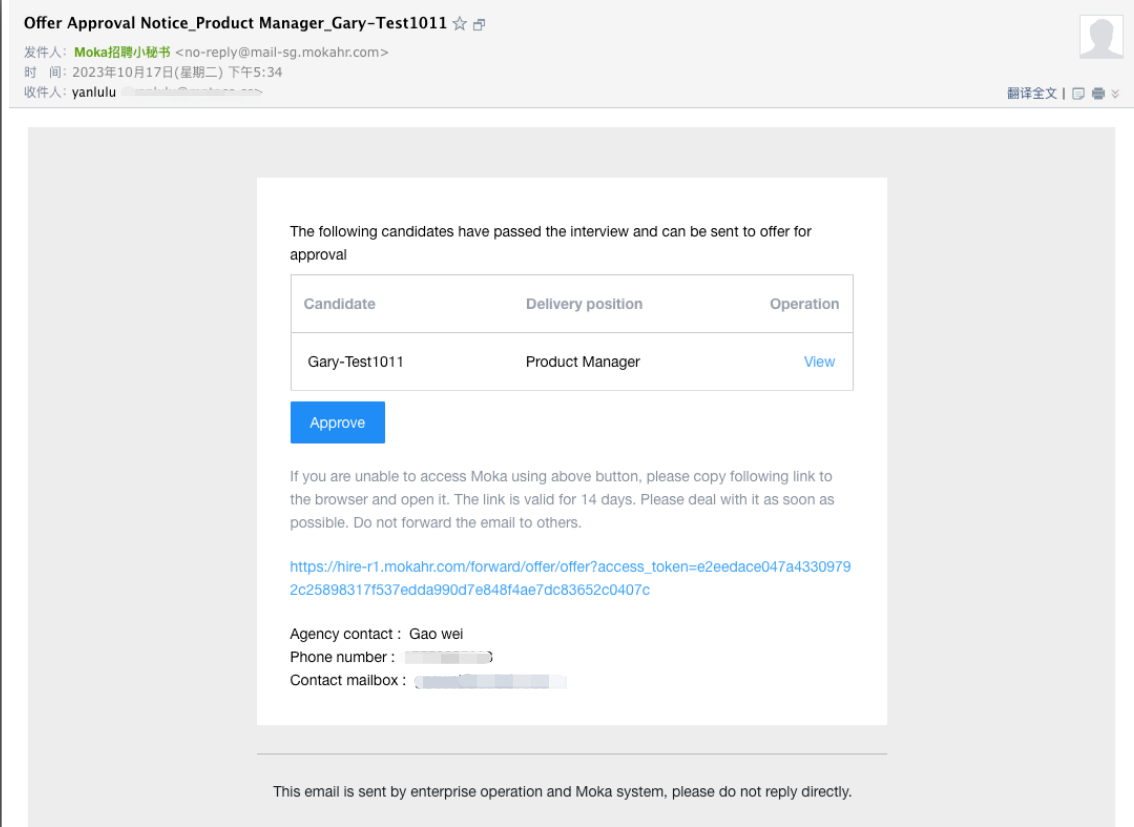
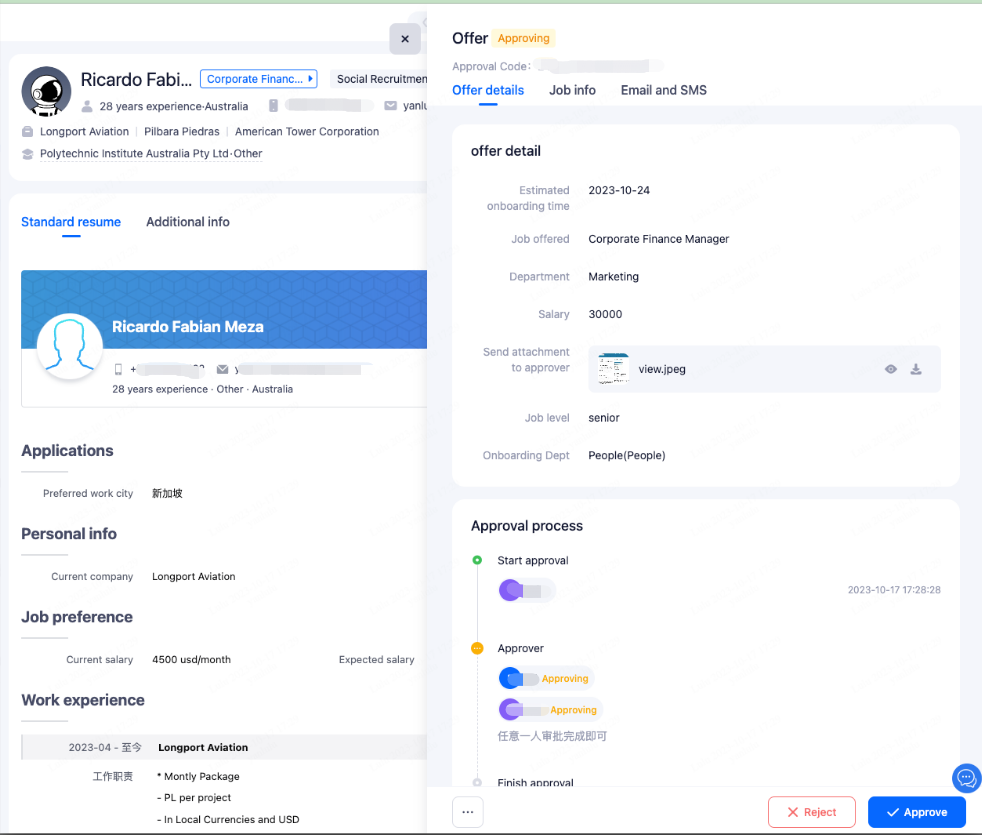
Alternatively, you can directly access the system to perform the approval.