





All doc

System Applications

Jobs and Requisitions
Jobs and Requisitions
Interview&Offer
Candidates&Talent pool
Candidates&Talent pool
Recruitement Process
Hiring Manager
Operation Manual
BI Report
Basic Instruction
Common Questions

How to Schedule Interviews on the Hiring Hanager
Last updated 2023/11/30 Reading number 12


If hr opens the Employing Manager's Permission to Arrange Interviews, you can arrange interviews for candidates who have passed the screening and have reached the interview stage.
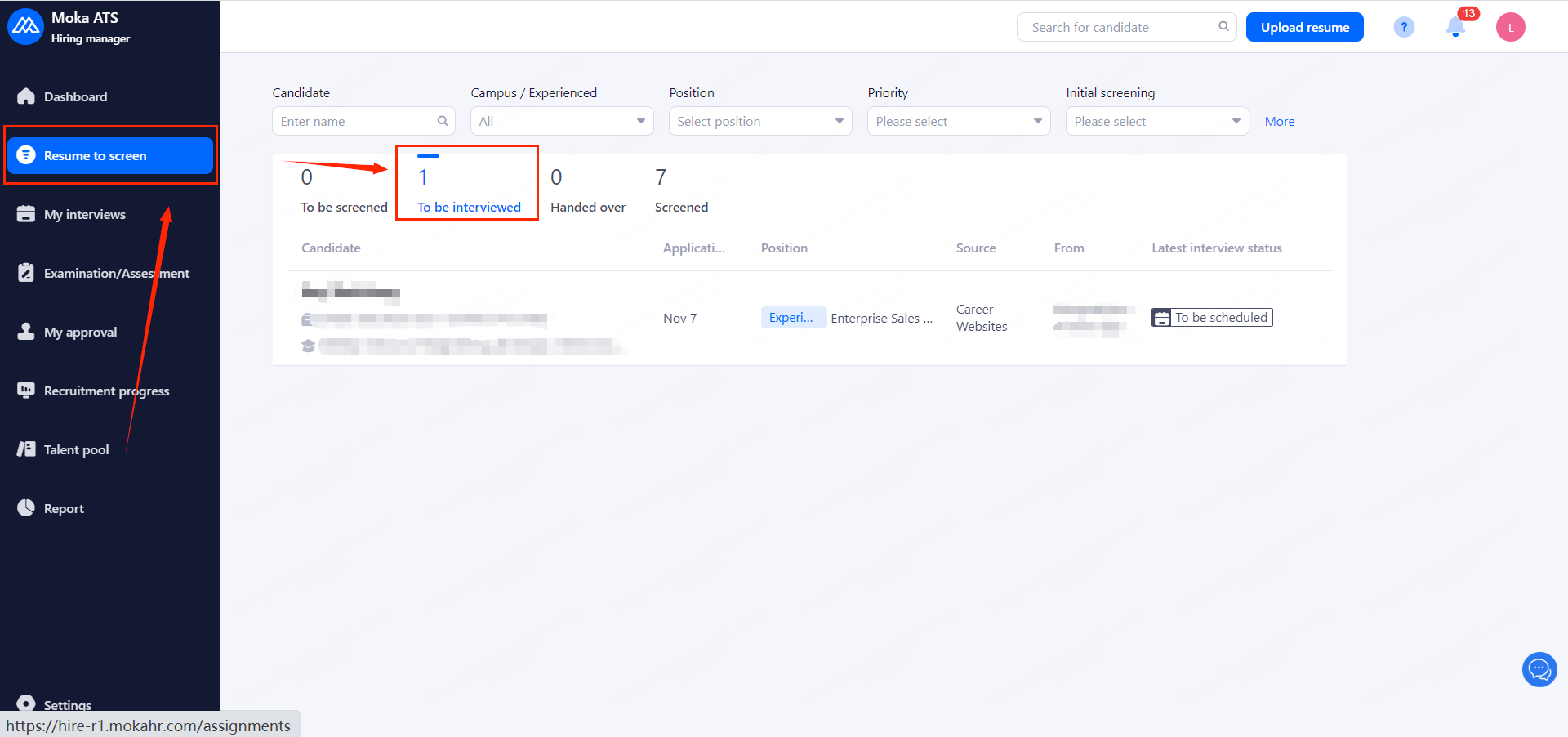
Candidates who have been screened by an interviewer or hiring manager and are currently under the Interview type stage appear in this list.
Once you find a candidate, click on "Schedule interview" in the upper right hand corner.
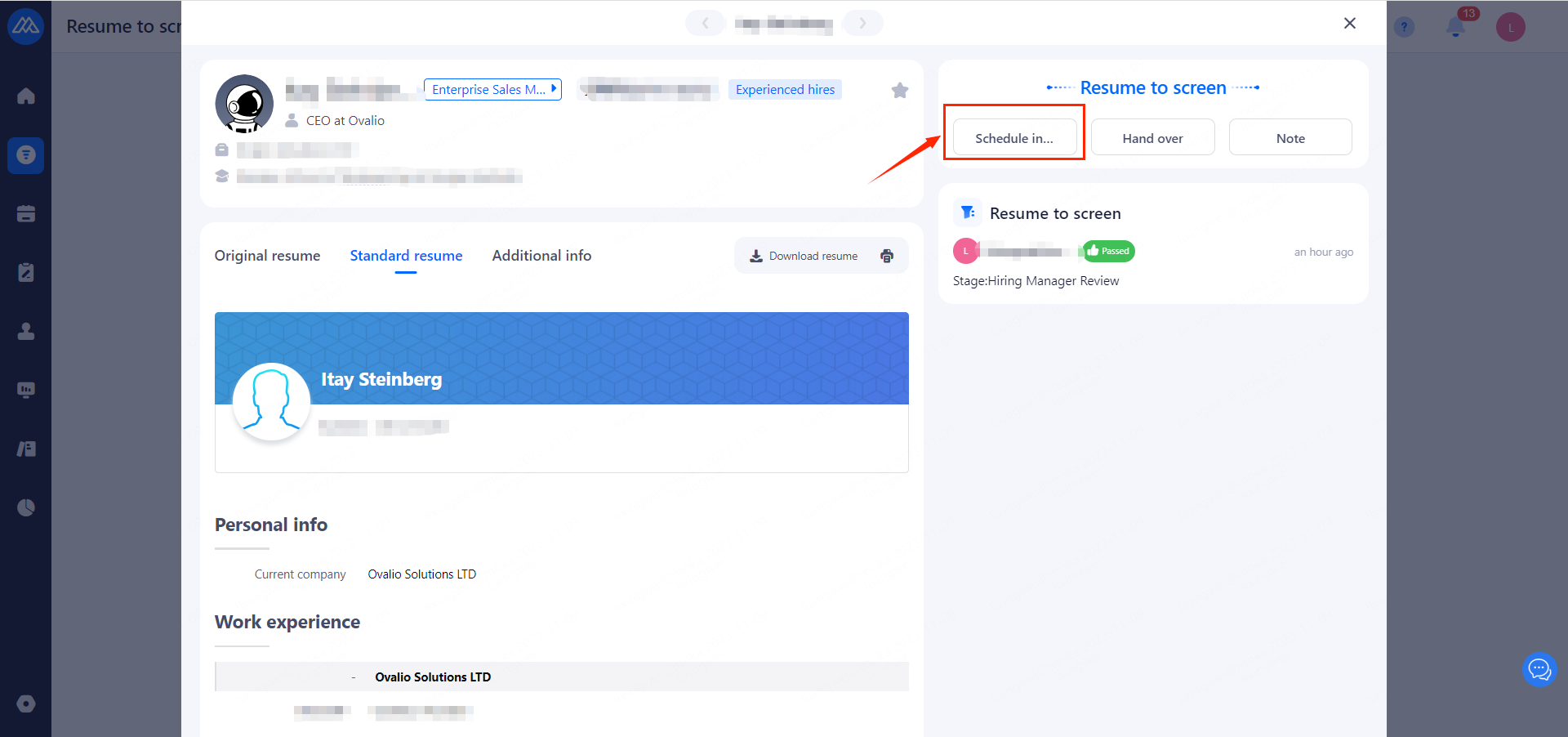
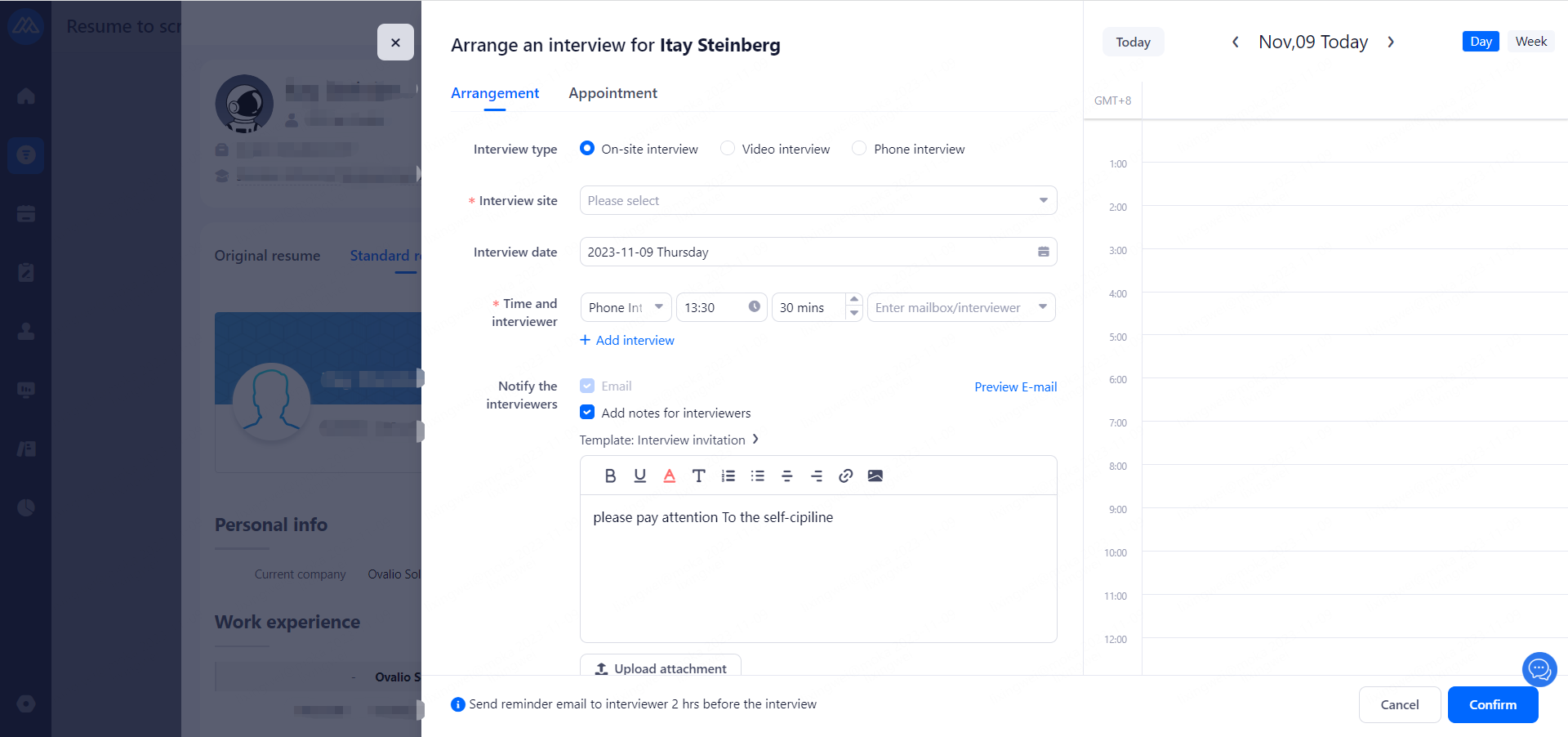
Select "Arrangement" to generate interviews directly after creation and send interview emails to candidates.
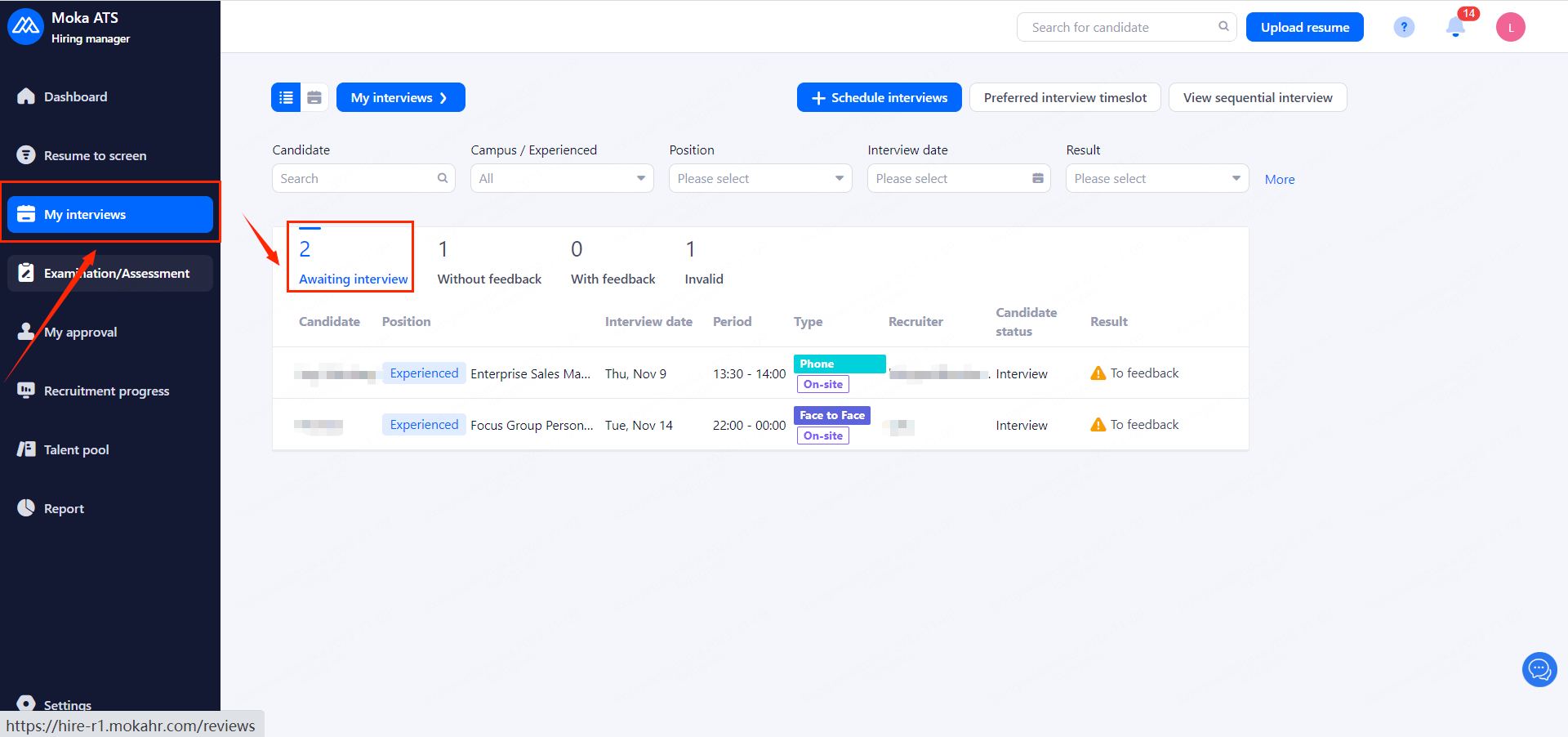
Interviews are generated directly after the candidate receives the email and selects a time, which will be displayed in the "Awaiting interview" list of the interview schedule.
Evaluate this document
Helpful
No help
