1. How to Create a New Job
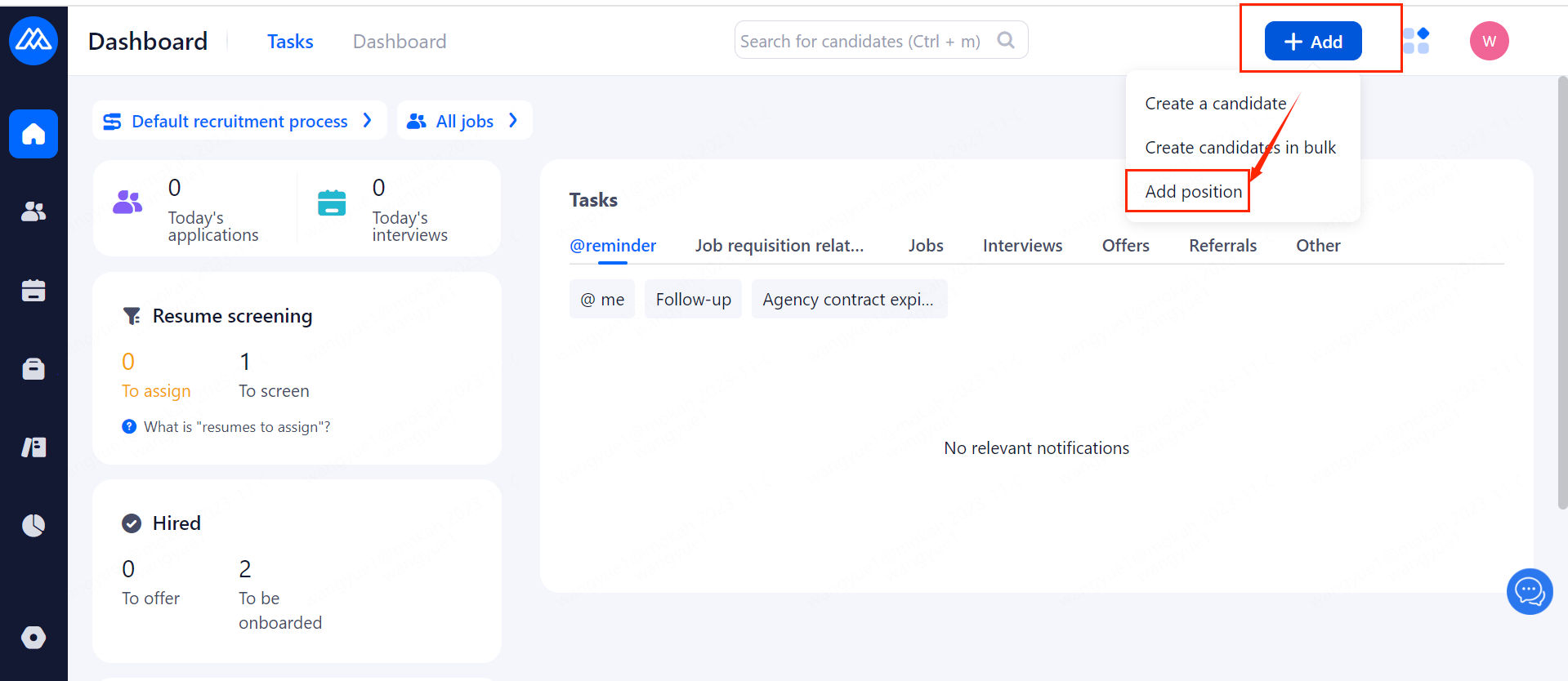
a. You can add a job by clicking the [Add] button in the upper right corner of the system homepage.
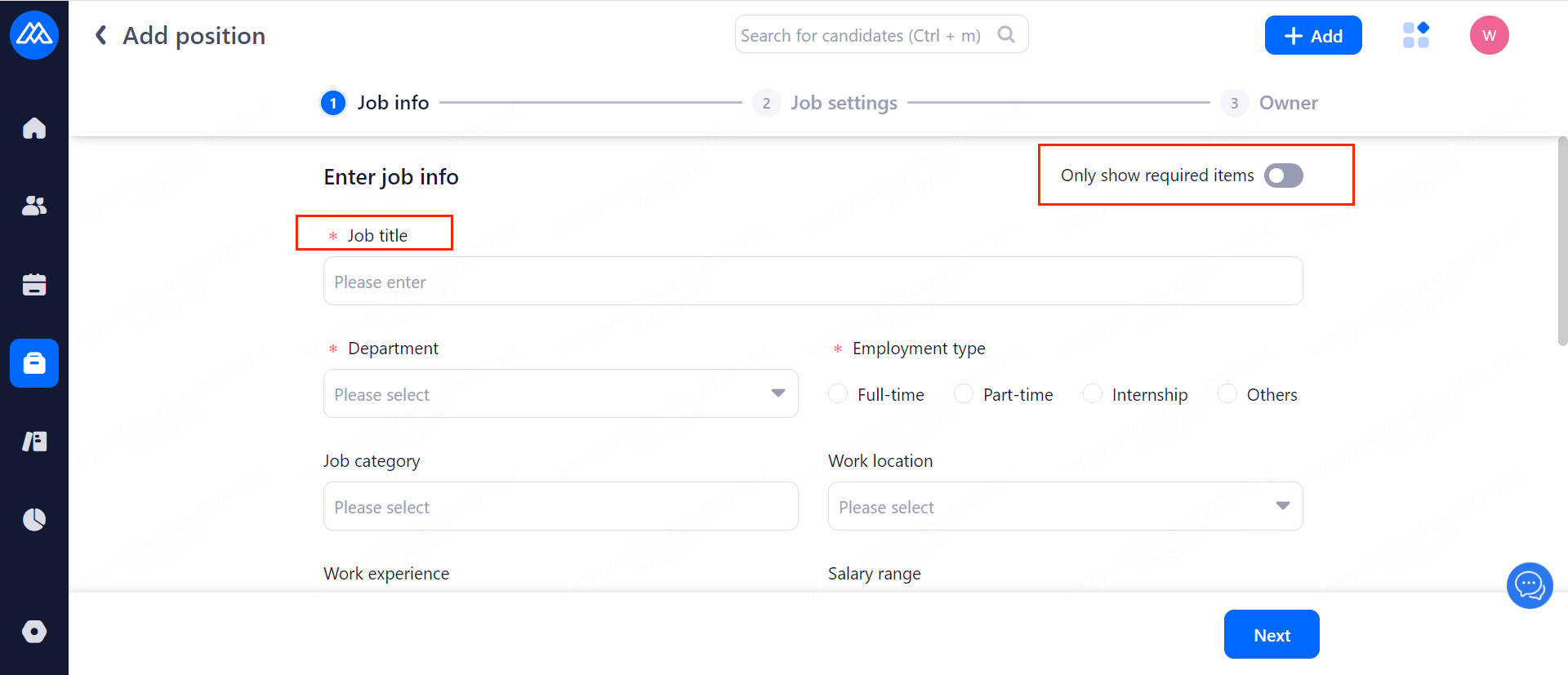
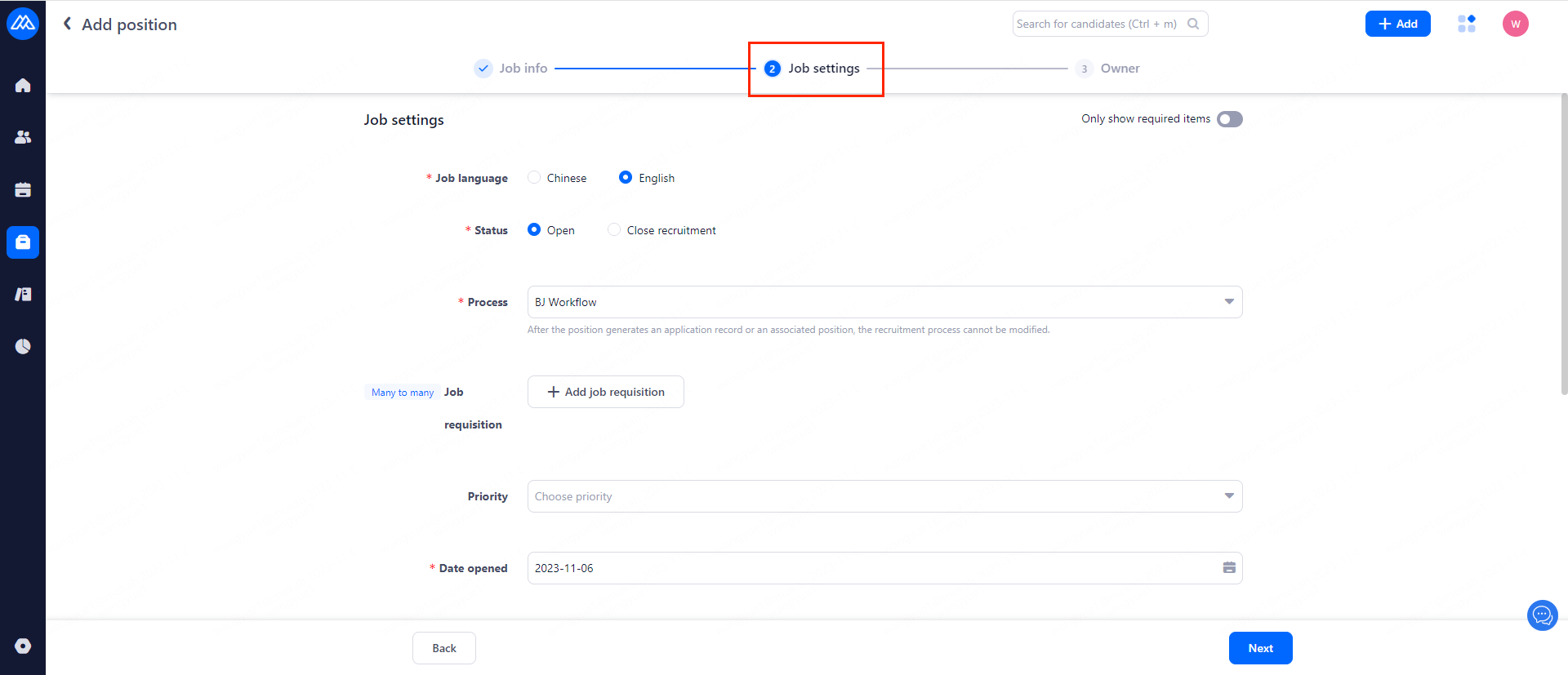
b. After clicking on it, the job setting interface will appear as shown in the figure below which you can fill in the job information.
Tip: Fields with [*] are required, you can choose whether to display only required items in the upper right corner.
c. Here fields such as job status, recruitment date/process, job requisition and other items can be set. After filling click on [Next] to move on the owner setting.
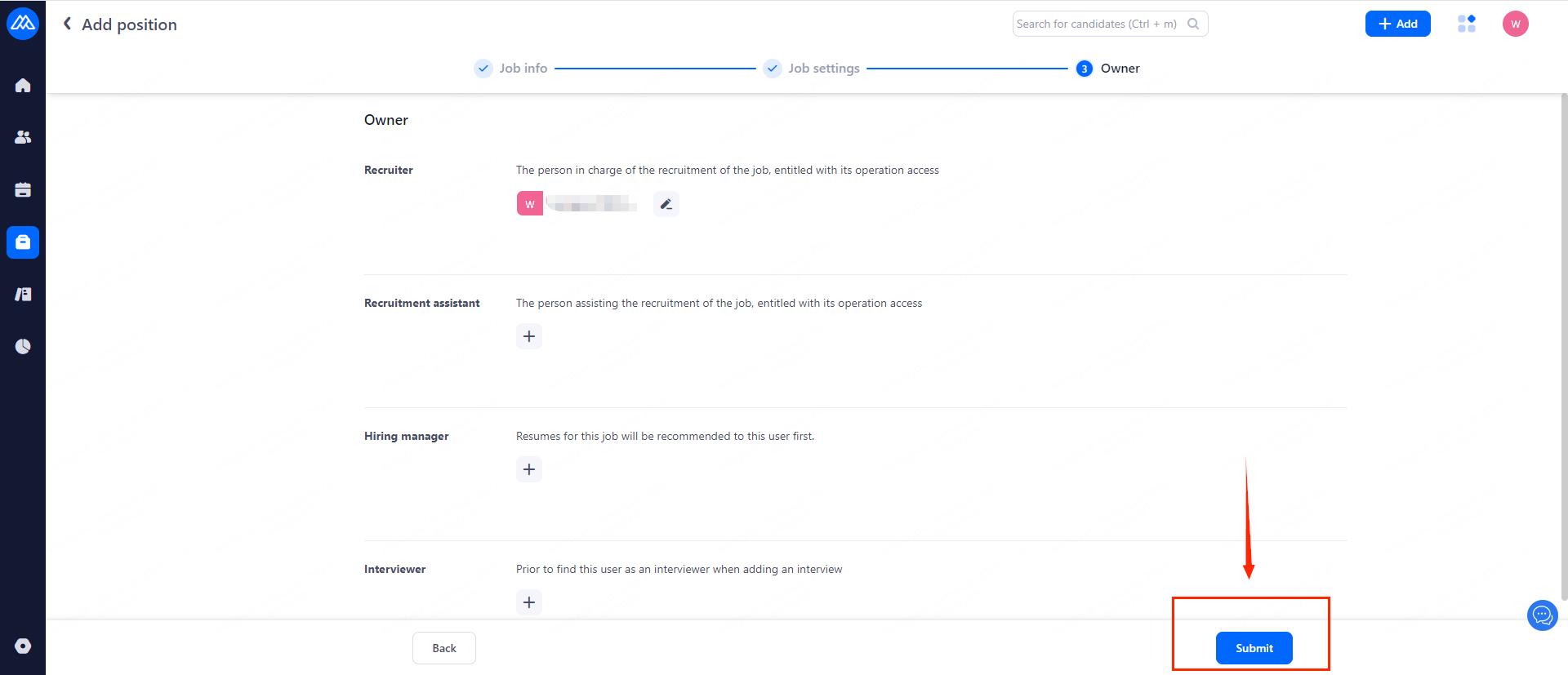
d. In the owner page you can add owner for the job. There can be only one recruiter, who has all the operating permissions of the position. Recruitment assistant can have more than one person.
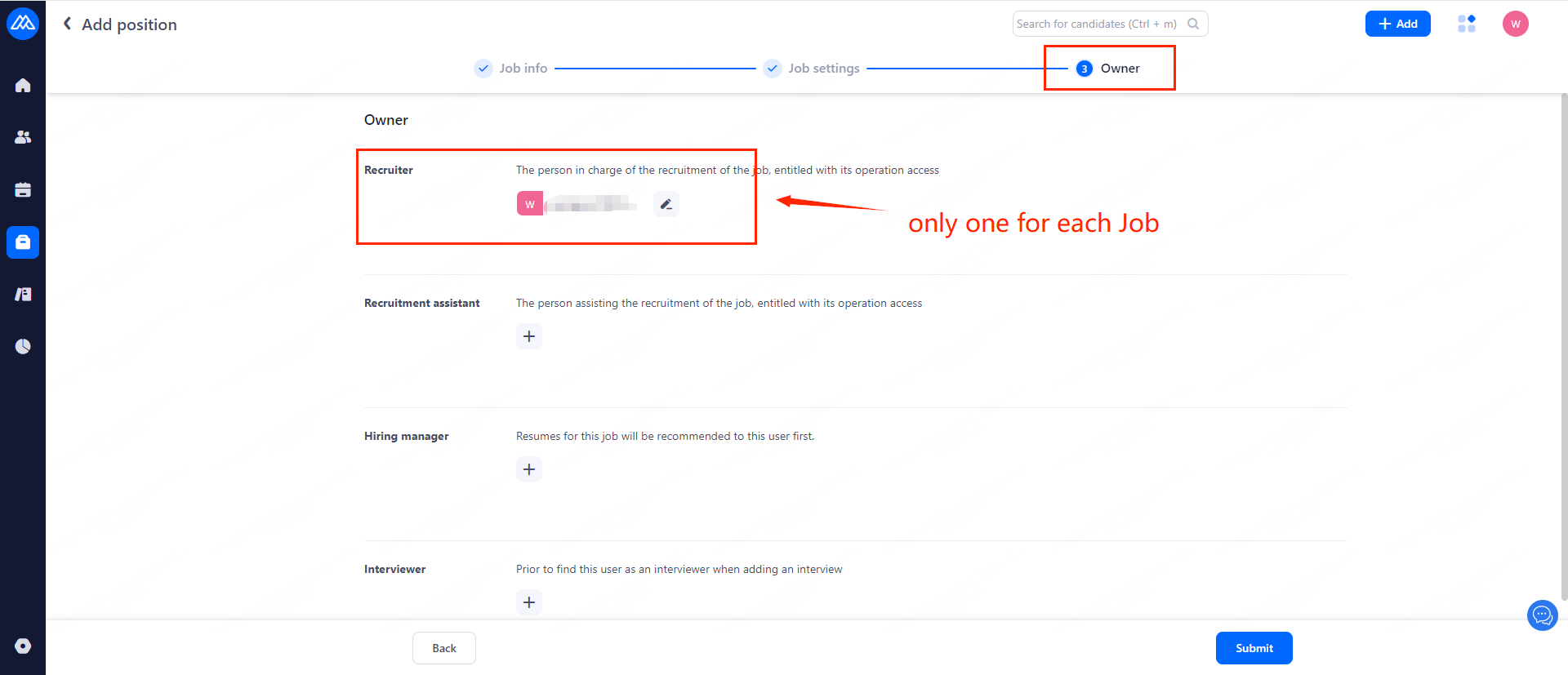
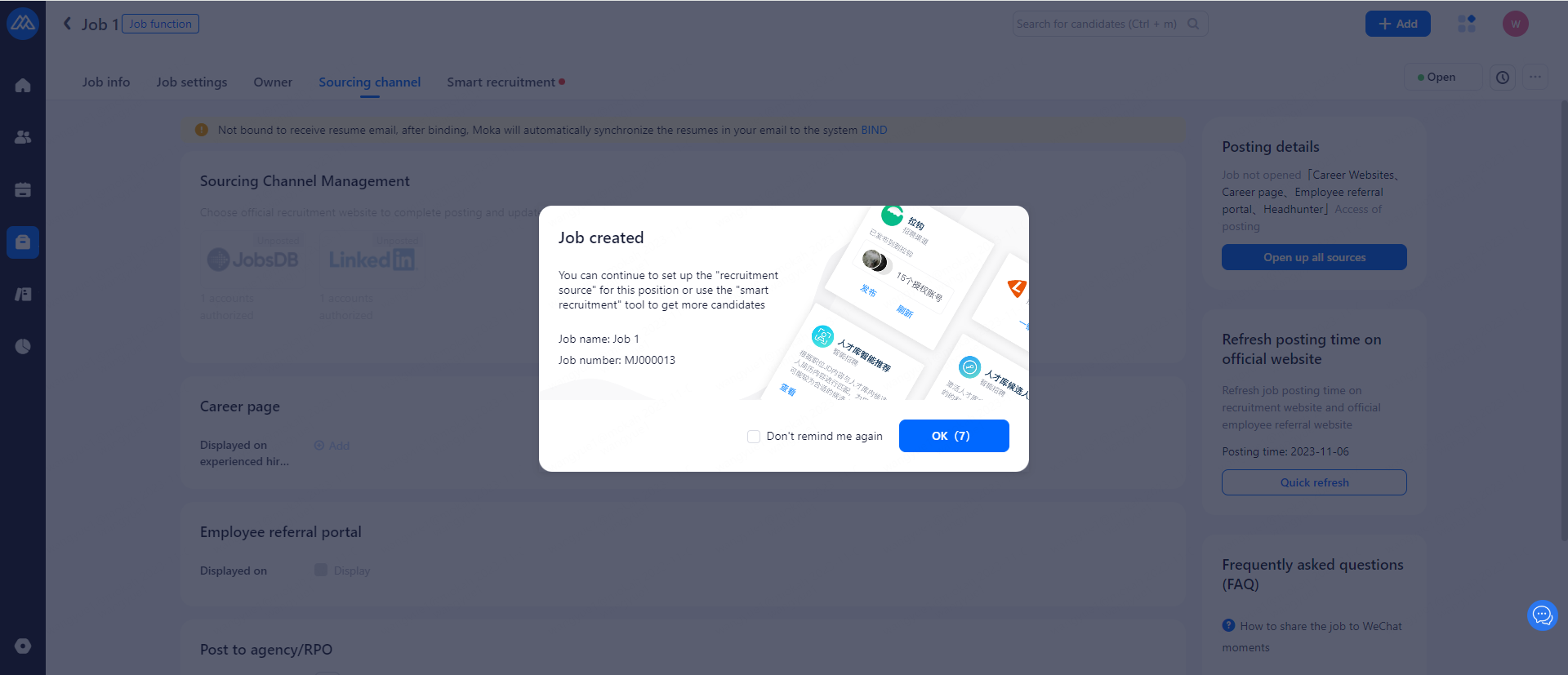
e. When you have finished setting up your job, click [Submit] below to finish posting.