Description of the permissions for each role
Super admin: Highest level of authority to manage team members and view all position and candidate information and global settings (no access control can be applied to the Super admin role)
Admin: You can view the positions that you have access to, and the candidates under the positions, and you can manage the team members within the department while having some of the system setup privileges.
HR: You can view job and candidate information and some reports within the scope of your authority.
Senior manager: You can screen resumes, schedule interviews (you must have screened your own resumes and provided feedback before you can schedule interviews), make hiring requests, fill out and view interview evaluations, act as an approver of hiring requests/offers, upload resumes to HR for positions you have access to, and view hiring progress for positions you have access to.
Hiring manager: You can screen resumes, make hiring requests, fill out and view interview feedback, act as an approver for hiring requests/offers, upload resumes to HR for positions you have access to, and view hiring progress for positions you have access to.
Interviewer: You can screen resumes and fill out interview feedback, act as an offer approver, upload resumes to HR for positions you have access to, and view hiring progress for positions you have access to.
Receptionist: You can view all the interviews of the day, corresponding to the interviewer in charge, interviewer, venue, etc. You can carry out the corresponding reception work and notify the corresponding personnel, print or download the candidate's resume/application form to the interviewer, to enhance the efficiency of the internal communication and coordination of interviews, without any system setup privileges.
Referee: Can only recommend resumes through Moka's internal promotion website, except for the job information on the internal promotion website, without any system viewing and setting privileges.
Description of role-specific permissions
Permissions/Role | Super admin | Admin | HR | Senior manager | Hiring manager | Interviewer | notes: |
|---|---|---|---|---|---|---|---|
Add member | yes | yes | yes | ||||
Add position | yes | yes | yes | ||||
Position Management | all | part(with positional authority) | part(with positional authority) | ||||
Create a candidate | yes | yes | yes | yes(with positional authority) | yes (with positional authority) | yes(with positional authority) | |
View Candidates | all | part(with positional authority) | part(with positional authority) | yes (HR Recommended Resume) | yes (HR Recommended Resume) | yes (HR Recommended Resume) | |
View Notes | all | part(with positional authority) | part(with positional authority) | part(with positional authority) | part(with positional authority) | part(with positional authority) | Colleagues with access to the candidate's application are also visible to those who report to them. |
Screening of resumes | yes | yes | yes | yes | yes | yes | |
Recommended Resume | yes | yes | yes | yes | |||
Arranging an interview | yes | yes | yes | yes (Requires background setup) | |||
Fill out interview feedback | yes | yes | yes | yes | yes | yes | |
View Interview Feedback | all | part(with positional authority) | part(with positional authority) | yes (interviewer)Requires background setup | yes (interviewer)Requires background setup | yes (interviewer)Requires background setup | |
Send offer | yes | yes | yes | ||||
Talent pool management | yes | yes | part(Requires background setup) | ||||
View data reports | yes | yes | yes | ||||
Customizable data reports | yes | yes | yes | ||||
System Settings | all | part(with positional authority) | part(Requires background setup) | Only HR, administrators have reporting targets |
Permission Management Setting Method
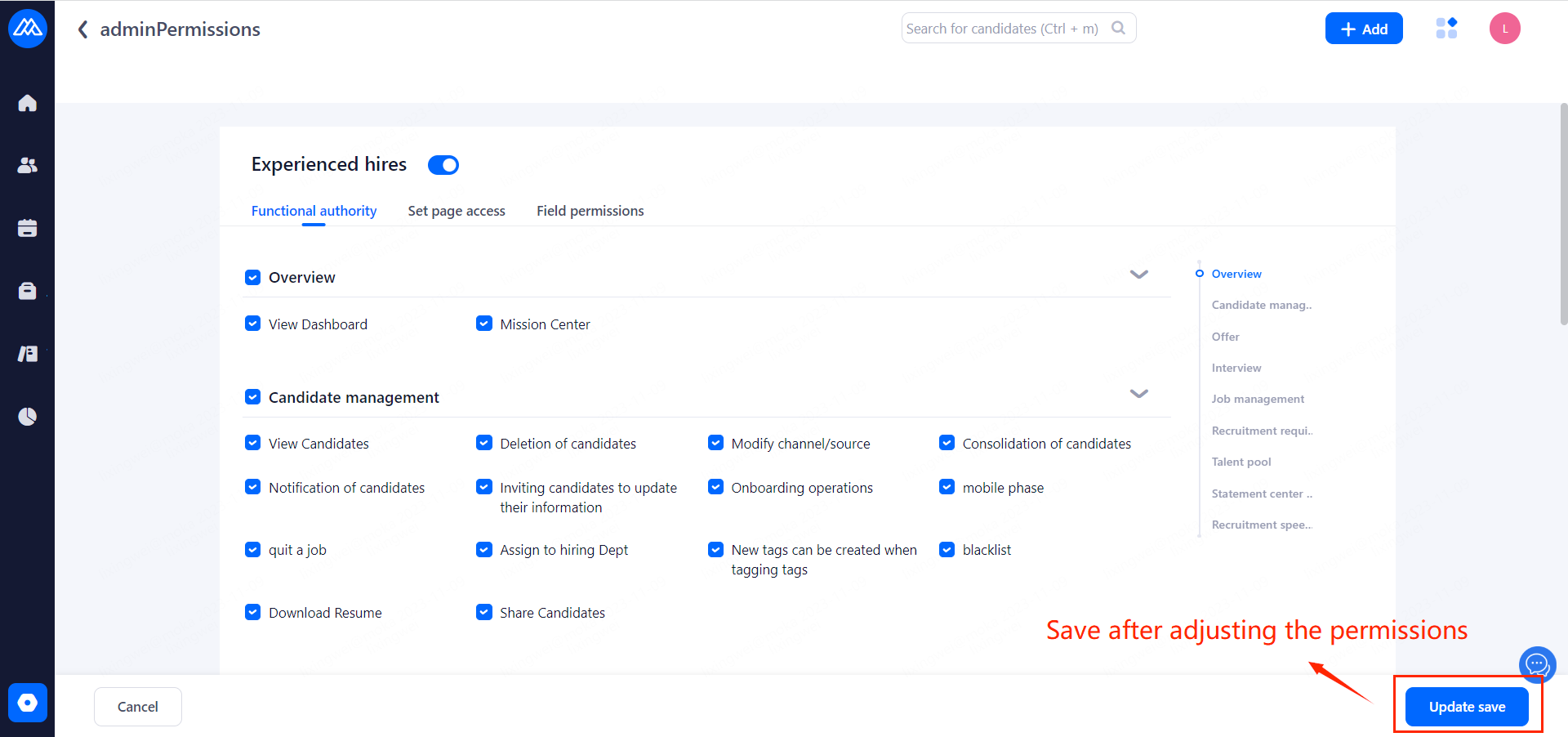
operation path: Setting-Organization-Roles-System role-Locate the member for which you need to configure permissions and click Permission Management to assign and manage the various permissions of the role as required.
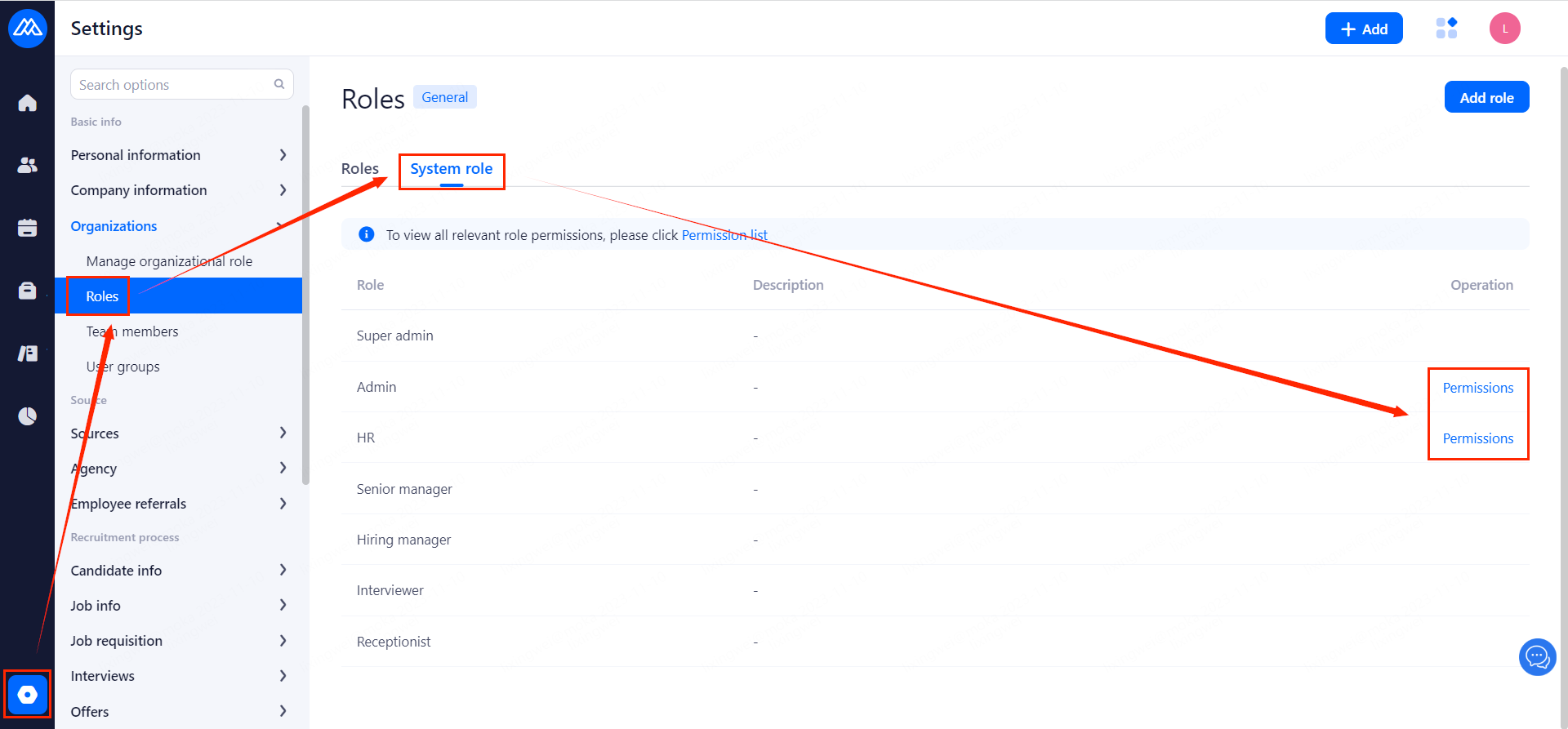
Experienced hirs permission settings
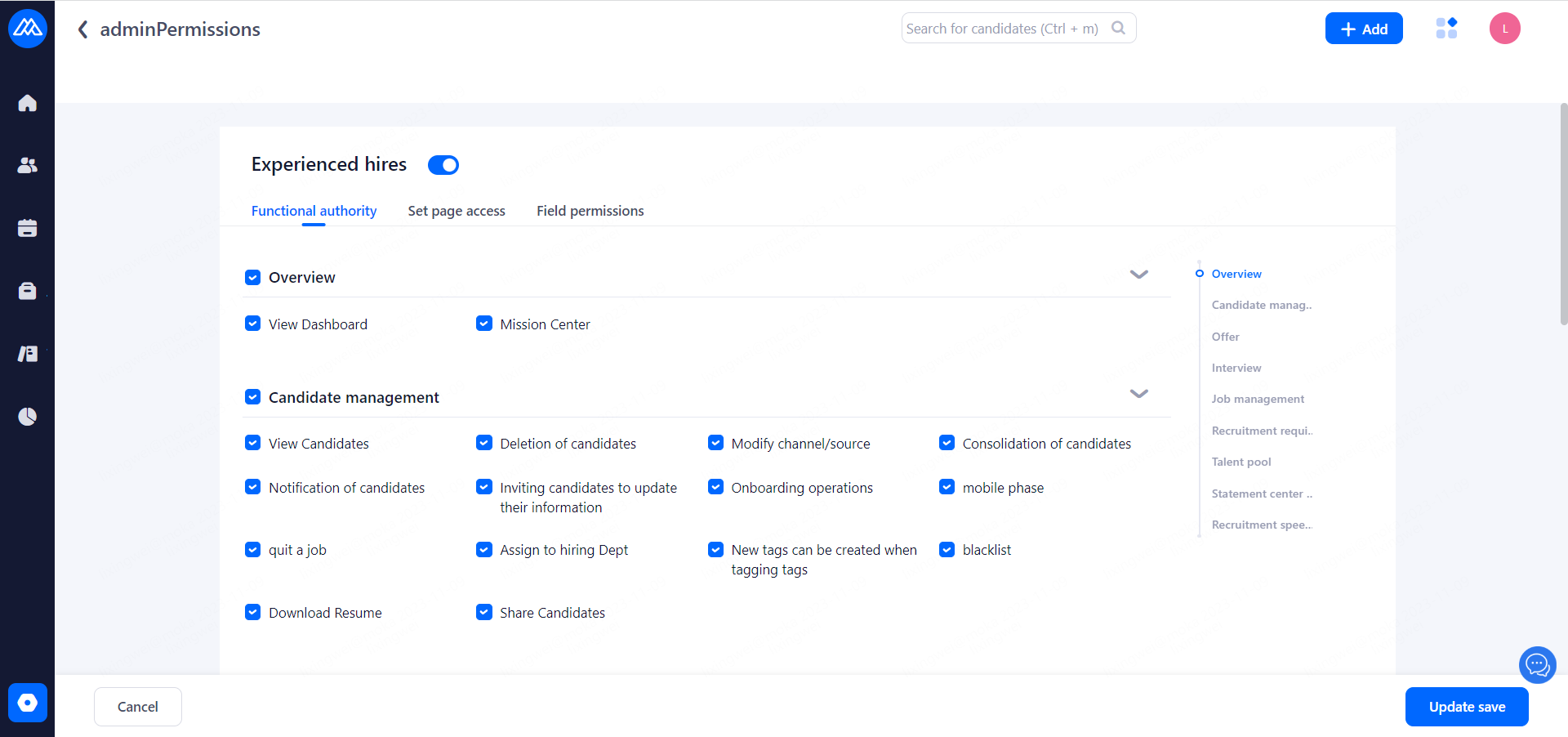
Once the role permissions are configured, click the "Update save" button to take effect.